Kids 8 and up start with MCreator, a block-based modding tool, then move on to writing real Java, the language Minecraft is built on. Learn at your own pace, or with a private instructor.
Start with blocks (ages 8+). MCreator courses let kids make real mods by snapping logic blocks together, no typing needed. Each one takes about an hour.
Move to real Java (ages 9+). Mod Creation courses teach Java, the language Minecraft is written in, using the professional Eclipse code editor. Kids write the code for swords, ores, creatures and weapons, then play them in Minecraft.
Private lessons (ages 9+). In Minecraft Modding 1: Explorer, a private CodaKid certified instructor teaches conditionals, loops and functions while your child builds custom swords, blocks and ores, over two to four months. $249 a month for four 50-minute lessons. First session free. Private lessons
Live camps. Minecraft Modding: Epic Weapons and Gear (ages 8 to 11) uses MCreator to build a sword, tools and a full armor set. Minecraft Creature Creator (ages 10 to 14) is a 5-week camp where kids design mobs in Blockbench, animate them and bring them into Minecraft. Camps and group classes
All self-paced Minecraft courses are included in the All Access plan: $29 a month or $199 a year, first 14 days free.
The “1.18” in the course names is the Minecraft version the courses were built on. Any version of Minecraft Java Edition works with them, so there is nothing extra to buy.
The perfect classes for every learning style
Self-paced
Program: 115+ self-study courses, including teacher support, in AI, Scratch, Python, Minecraft, Roblox, Unity, Unreal Engine and more. Kids learn any time, at their own pace.
This has been a great addition to our home school curriculum! My son loves spending time in the program and even jumps back in after school when he’s finished his other work. The response to help requests is always immediate and they do a great job finding and explaining the issues he may be having.
Christy Lynn, parent
The benefits of choosing CodaKid
10 Educational Pathways
750+ Expertly Crafted Videos
800+ Hours of Student Projects
100,000+ Happy Students
Try Self Paced for only $29 /mo or get Private Online Lessons starting at $249 /mo.
We love everything about CodaKid! The customer service is great. They’re flexible and easy to work with. Our… 7 year old grandson has been working with his tutor for over a year and it’s exciting to watch him learn and grow. Ethan has an incredible way of communicating and interacting with Jonathan which makes every coding class so beneficial and an exciting part of Jonathan’s education. What great instructors CodaKid choose. I highly recommend CodaKid!
Show more
Tomáš Baránek, Parent
5
We are very happy with CodaKid Coding Academy. Our son is learning Java and Minecraft modding. He enjoys… it a lot and made a huge leap in his skills.
Show more
Terrence Masson, Parent
5
I’ve tried several online 1-on-1 coding classes for my son (starting at age 7, he’s now 9) and… CodaKid is outstanding in the quality of its instructors and ease of operation; he’s doing Java coding for Minecraft mods and LOVES it. Highly recommended.
Show more
Ci Tro, Parent
5
My 12 year old loved their Minecraft programming course. It kick-started his interest in computer science. A huge… plus for busy parents is the outstanding and swift support from CodaKid. No frustrating long deadlock, but friendly, competent help to keep the kids going and exploring. Brilliant!
Show more
Jennifer H., Parent
We LOVE CodaKid. We couldn’t even imagine a better experience. People are amazing — very warm, supportive and… enthusiastic. And the program that they have designed is fabulous. My kids have attended several other programs and say Codakid is far surpasses the others .
Show more
Christy Lynn, Parent
5
This has been a great addition to our home school curriculum! My son loves spending time in the… program and even jumps back in after school when he’s finished his other work. The response to help requests is always immediate and they do a great job finding and explaining the issues he may be having.
Show more
Professional Tools and Languages
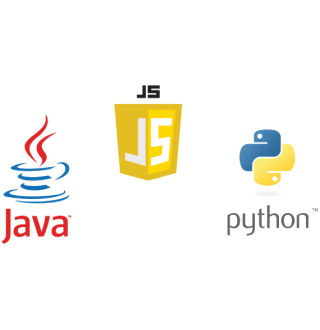
Minecraft students write real Java in Eclipse, a professional code editor, and can move on to Python, JavaScript and more.
Make Learning Fun
CodaKid teaches kids important skills with the games that kids already love. Make professional grade software while earning badges and being awarded points!
Frequently Asked Questions
What age can kids start Minecraft coding?
Kids can start at 6 with block coding in our live Coding Basics track. Private Minecraft lessons with real code start at 9. The Java Mod Creation courses are listed for ages 9 and up, and some of their course pages recommend them for ages 8 and up, so a confident 8-year-old can try them.
What is Minecraft coding?
Minecraft coding (also referred to as“Computer Programming with Minecraft” or “Minecraft Modding”), is a creative process performed by programmers to make changes to the Minecraft game. At CodaKid, we teach students how to access Minecraft`s source code and edit it to create their own custom blocks, tools, biomes, weapons, worlds, enemies, and more. In fact, with enough knowledge, practice, and patience, they can modify the whole Minecraft game! Coding with Minecraft introduces kids to the Java Programming language in a way that is fun, entertaining, and instantly gratifying. What’s great about it is that it doesn`t compromise the validity or integrity of the lesson, either. Minecraft coding for kids still covers important programming concepts such as:
Conditionals
Loops
Variables
Methods
Arrays
Switch statements
—and more. All while allowing your child to envision and create their own modifications to the Minecraft game.
What coding language does Minecraft use?
Minecraft Java Edition is written in Java. In CodaKid’s Mod Creation courses, kids learn to code in Java using Eclipse, a professional code editor. Java is one of the most widely used programming languages in the world, and the concepts kids learn, like variables, loops, methods and arrays, carry over to every language they learn next. Younger kids can start with MCreator, which uses blocks instead of typed code.
What is the Minecraft Coding course schedule?
CodaKid`s online Minecraft Coding for kids courses are self-paced and fully accessible, 24/7. That means that they can be taken (and re-taken) whenever it suits your schedule. So whether your child wants to tackle coding immediately after school or they`re only free for coding on the weekends, there’ll be no problems whatsoever accessing the content. Get help when you need it with 24/7 AI-powered learning support, trained specifically on CodaKid’s curriculum. Need help from a real teacher? Our instructor support team is available through scheduled support sessions.
How do CodaKid Minecraft Coding Courses work?
CodaKid`s Minecraft Coding course teaches kids the basics of coding by teaching them, step-by-step, how to modify the popular sandbox video game, Minecraft. By learning how to edit existing code and effectively coding Minecraft mods (and other cool stuff), students of the course will learn actual Java programming. By using the Eclipse text editor, they’ll gain important skills in writing code and debugging—especially since they get to see the code in action, real-time. First, students download an installer from the CodaKid website. This installer contains everything they need to take the CodaKid Minecraft Coding Course. Simply follow instructions to unpack the contents. Once the student has everything installed, they’re ready to begin coding in Minecraft. Our progressive coding curriculum allows them to go through the entire course at their own pace. Activities include:
Watching exciting video tutorials
Engaging in interactive practice activities
Watching animated concept videos
Taking end-of-chapter quizzes for skill/knowledge assessment
Getting help from 24/7 AI-powered learning support
CodaKid includes a free 14 day trial to see if it is a fit for you.
Will my child be playing Minecraft or learning a skill?
Both, and that is the point. Kids stay motivated because they are building things for a game they love, and every mod they make takes real code: variables, loops, conditions, methods and debugging. Research on learning games found they teach more than regular lessons, especially when combined with other teaching and spread over several sessions. Our courses pair the game with step-by-step video lessons, coding challenges and 24/7 AI-powered learning support trained on CodaKid’s curriculum, plus scheduled support sessions with a real teacher.
What is Minecraft?
Minecraft is a sandbox video game from Mojang Studios, released in 2011. In 2023 it became the first video game to sell more than 300 million copies. Players explore, gather materials, craft tools and build anything from a small house to a whole city, in Survival Mode or the safer Creative Mode. There is no fixed storyline, which is why kids can play it for years.
Is Minecraft safe for kids?
Minecraft is rated PEGI 7 in Europe and E10+ (Everyone 10+) by the ESRB in the US, for mild fantasy violence. The graphics are blocky and there is no bad language in the game itself. The main thing to watch is online play, where kids can meet strangers on public servers. CodaKid Minecraft courses are done in single-player mode, so there is no need to play or chat with others online. If your child plays online outside class, use family-friendly or whitelisted servers. See the official Minecraft parents’ guide for parental controls.
Are your Minecraft Coding courses basically typing classes in which the teacher just tells the students what to write?
Far from it. Our Minecraft Coding courses are highly intuitive, and our staff highly interactive. At CodaKid, we encourage creativity and out-of-the-box thinking. Through coding with Minecraft, kids will have to make creative decisions that have a definite, visible effect on gameplay. In addition to learning how to use pixel art tools to create custom items, students will also develop situational analysis and on-the-spot problem solving as they create, change, and rewrite code. They’ll have to make a myriad of decisions and successfully implement said decisions through code. For instance:
How Minecraft mods behave
How fast enemies move
Which mobs are friends
Which mobs are foes
What items should drop from a Lucky Block mod
What crops will grow in certain areas
What dimension the gameplay will happen on
—and much, much more.
Do I need to purchase Minecraft for my child to take these Minecraft Coding courses?
No. Everything that you and your child will need to take our Minecraft Coding for kids courses is included in our installer, which will be given to you upon admission. You won’t have to purchase a retail version of Minecraft to test and play your Minecraft mods in Single Player mode. The installer also includes the Eclipse IDE tool that your child will be using for text editing, so you won’t need to purchase that, either. But if your child would like to send their mods to their friends and play them out on a server, you will need to purchase a retail version of the Minecraft game for Mac or PC.
What are the technical requirements of these coding for kids Minecraft courses?
Minecraft coding is done on a Windows PC or a Mac; the video lessons can be watched on any device. Newer courses need a 64-bit computer running Windows 10 or 11, or macOS 11 or later, and the computer must be able to run Minecraft. We recommend at least 4GB of RAM. Each course page lists its exact requirements.







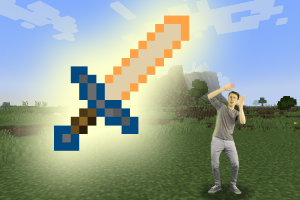 Mod Creation: Forge Your Sword 1.18Minecraft Courses For Kids and TeensAges: 9+Beginner
 Mod Creation: Power Ore 1.18Minecraft Courses For Kids and TeensAges: 9+Beginner
 Mod Creation: Create a Creature 1.18Minecraft Courses For Kids and TeensAges: 9+Beginner
 MCreator: Loot TablesMinecraft Courses For Kids and TeensAges: 8+Intro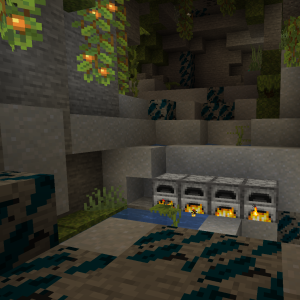
 Self-pacedProgram: 115+ self-study courses, including teacher support, in AI, Scratch, Python, Minecraft, Roblox, Unity, Unreal Engine and more. Kids learn any time, at their own pace.New students get their first 14 days free
 Private 1:1Program: The fastest way to learn computer programming and AI with hand-picked online teachers, structured curriculum, and homework assignments.New students get their first session free
 Virtual CampsProgram: Live small-group camps built around one big project, like a Minecraft weapons mod or a Roblox battle game. Every session is recorded.Live, small groups, every session recorded.