By David Dodge, Co-Founder, CEO and Director of CodaKid. Last updated: October 13, 2026.
Quick answer
Artificial intelligence (AI) is software that learns patterns from lots of examples, then uses those patterns to make guesses: which video you might like, what word comes next, what is in a photo. Kids already use AI every day. The goal is to help them understand how it works, check what it tells them, and eventually build with it.
Your kids already use AI. It picks the next video they watch, finishes the words they type, and answers questions out loud. Some of them have asked a chatbot for help with homework.
That makes this a good time to explain what AI actually is. Not so kids fear it, and not so they copy from it, but so they understand it well enough to use it wisely and, one day, build with it. This guide explains AI in plain words, shows how it learns, sets out a few family rules, and points to free activities your child can try this week.
Table of Contents
What is AI?
AI is a kind of computer program that learns from examples instead of following only rules a person wrote by hand. Show it thousands of photos labeled “cat” and “dog,” and it starts to find the patterns that separate them. Then it can guess about a photo it has never seen.

That is the big idea behind almost every AI your child meets: learn patterns from lots of examples, then make a guess. A video app guesses what you will watch next. A phone keyboard guesses the next word. A chatbot guesses which words should come next in an answer.
The key word is guess. AI can be right most of the time and still be confidently wrong. That is the single most useful thing a kid can learn about it.
Today’s AI is what experts call “narrow” AI: each system is good at certain kinds of tasks, like recognizing speech or writing text. The science-fiction kind that can think about anything the way a person does does not exist.
Core Technologies of AI
A few ideas show up again and again. Here they are in kid-sized pieces.
Machine Learning
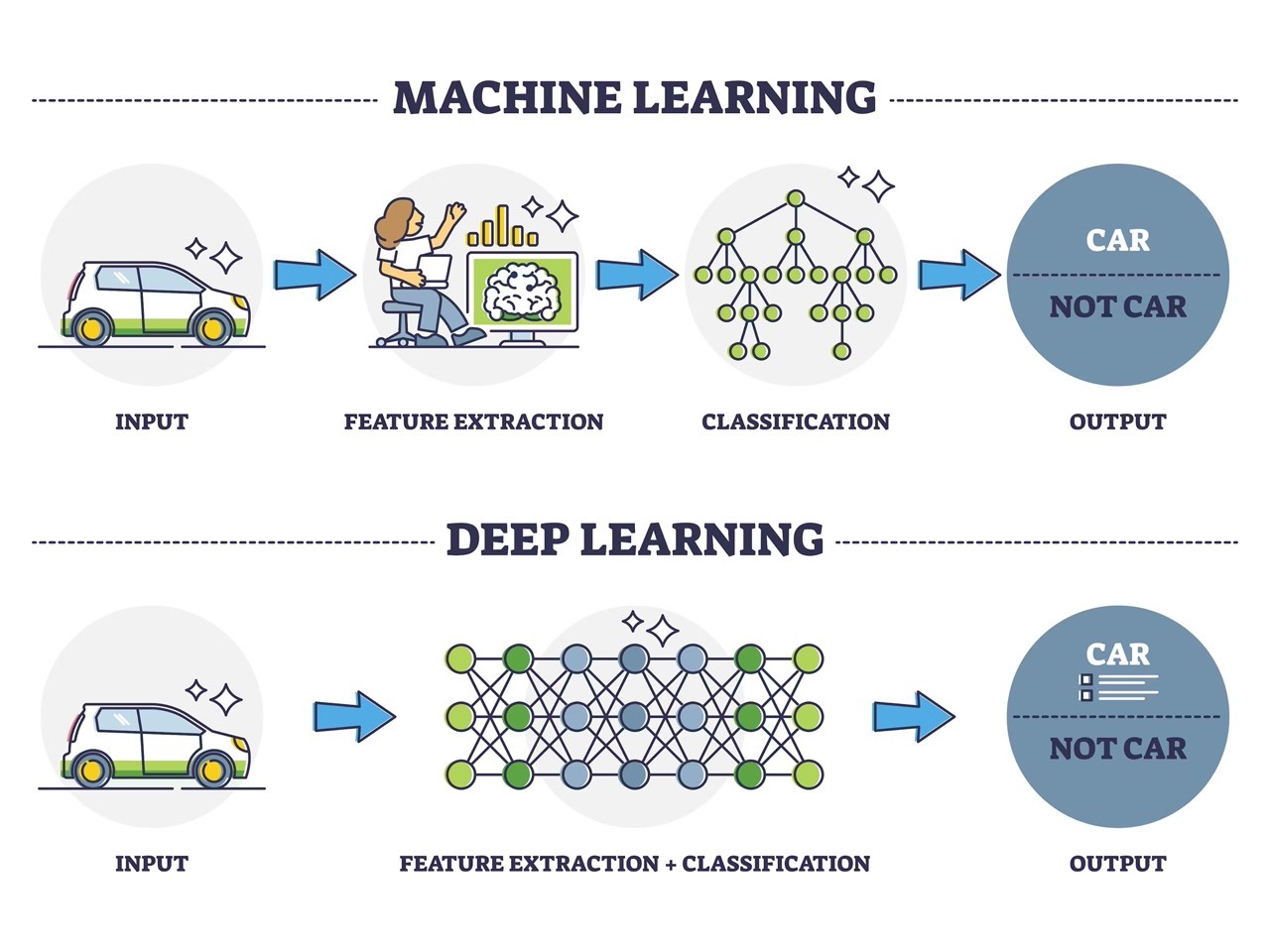
Machine learning is how most AI learns: from examples. Instead of writing a rule for every situation, people give the computer lots of labeled examples and let it figure out the pattern. The more good examples it sees, the better its guesses usually get. Bad or one-sided examples teach it bad patterns, which is where unfair or biased AI comes from.
Neural Networks and Deep Learning
A neural network is a type of machine learning loosely inspired by the brain. It passes information through layers, and each layer picks up on something a little more complex. In a photo, early layers might notice edges; later layers notice shapes like eyes or ears. “Deep learning” just means a network with many layers.
Generative AI and Chatbots
Generative AI makes new things: text, pictures, music, even code. Chatbots like ChatGPT are built on large language models, which learned from huge amounts of text to predict likely next words. That is why they can write a smooth answer that sounds right and is still wrong. They do not look facts up the way a person checks a book.
Natural Language Processing
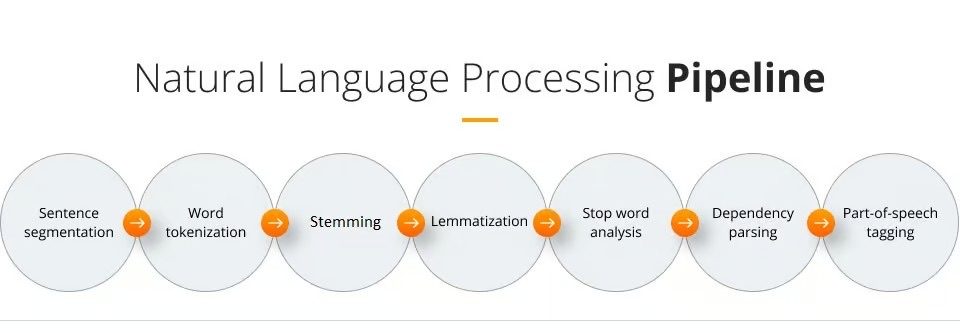
Natural language processing is how computers work with human language: understanding a spoken question, translating a sentence, or turning speech into text. Voice assistants and live captions use it.
Computer Vision
Computer vision is how computers make sense of images and video. It helps phones sort photos by who is in them, and helps cars with driver-assist features spot lanes and signs.
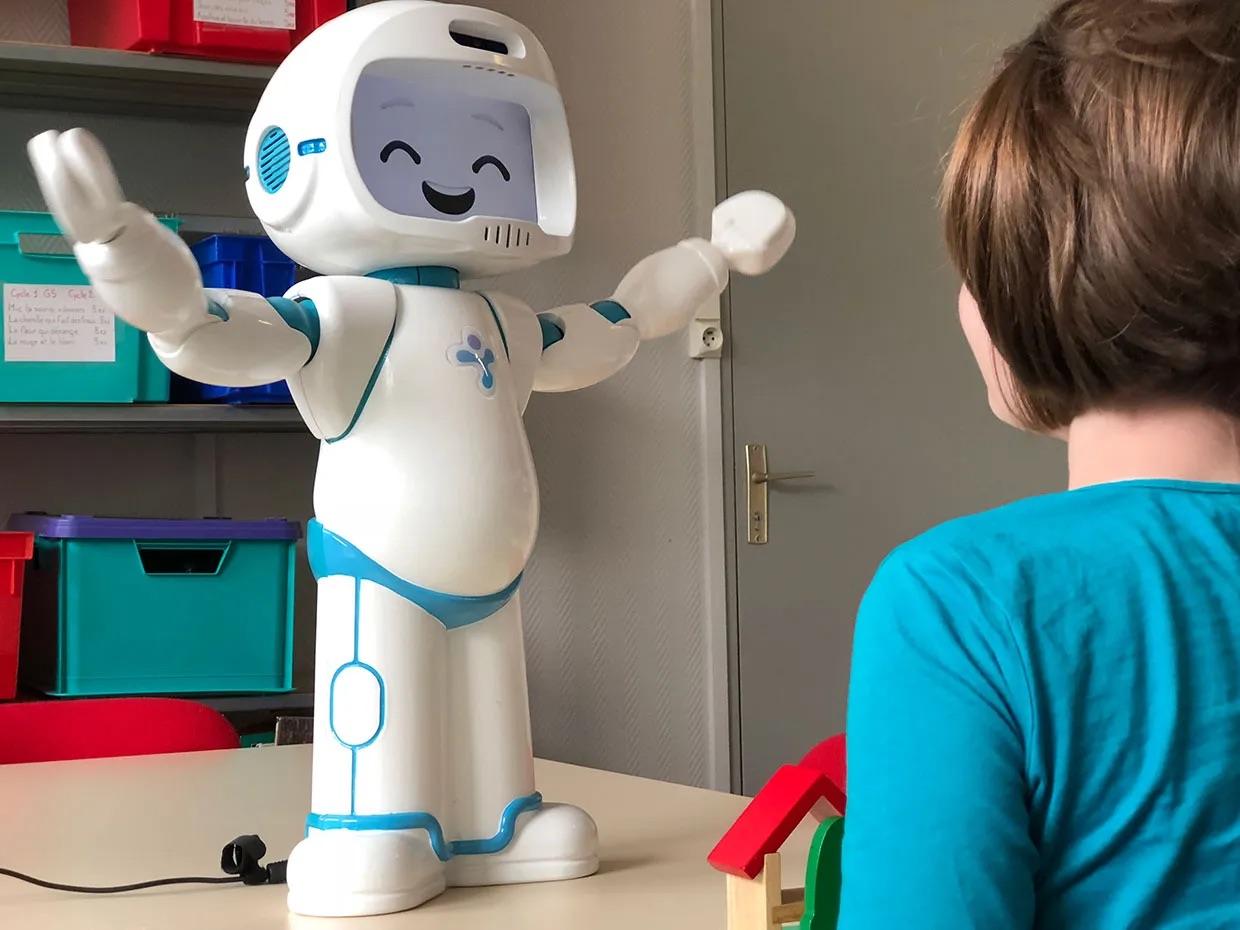
Robotics
Robots are machines that act in the physical world. Add AI, and a robot can sense what is around it and adjust, like a robot vacuum steering around a chair.
Explaining these ideas to a 6-year-old is different from explaining them to a 14-year-old. Our guide on how to explain AI to kids by age has scripts for each age.
Why Kids Should Learn About AI
To Be Smart Users, Not Just Users
A kid who knows that AI guesses from patterns will double-check a chatbot’s answer, notice when a recommendation feed keeps pushing the same kind of video, and think twice before believing an image that looks real. That kind of healthy doubt protects them online.
To Spot Unfairness
AI learns from data made by people, so it can pick up people’s blind spots. Kids who understand that can ask good questions about fairness. See our parent guide to algorithmic bias.
To Build with It
AI is changing how software gets made. Kids who learn to code and then learn to work with AI tools can build games, apps and websites faster, and they can check and fix what the AI writes. Kids who only know how to prompt are stuck when the AI gets it wrong.
What the Research Says
AI education for kids is new, and the research is young. A 2023 review of 179 publications on AI literacy in schools found that very few programs checked whether students actually understood AI concepts afterward (Casal-Otero et al., 2023). The practical lesson for parents: do not settle for “my kid used an AI app.” Ask your child to explain how it works, in their own words.
AI Safety and Honesty Rules for Families
A few simple house rules cover most of what matters.
- Check it. AI can be confidently wrong. Verify important facts in a second source.
- Keep private things private. Do not type your full name, address, school, passwords or photos of family into an AI tool.
- Ask before using AI for homework. Using AI to understand something is different from turning in AI-written work as your own. That second one is plagiarism.
- Follow the age rules. Many AI tools set a minimum age. For example, OpenAI’s terms say ChatGPT users must be at least 13, and users under 18 need a parent’s or guardian’s permission.
- Talk about what you see. If an AI tool says something odd, upsetting or wrong, tell a grown-up.
For younger kids, our AI vs human intelligence Q&A for kids is a good way to start the conversation.
Try It: Hands-On AI Activities for Kids
The fastest way to understand AI is to train one. These take minutes and need no coding:
- Quick, Draw!: a Google game where you doodle and a neural network tries to guess what you drew. Afterward, talk about why it guessed wrong on some drawings.
- Teachable Machine: a tool from Google that lets kids train a computer to recognize their own images, sounds or poses, using a webcam or files, with no coding. Try teaching it to tell a thumbs-up from a thumbs-down, then see what confuses it. Do this one with a parent, since it can use the webcam.
- An unplugged AI game: sort a pile of photos or toys into groups, write down the “rule” you used, and see if someone else can guess it from examples alone. That is machine learning without a computer.
More ideas: free AI activities for homeschoolers and interactive AI learning tools for kids.
How Kids Can Learn About AI
Free Platforms
Code.org, a nonprofit that now calls itself CodeAI, offers free AI lessons and activities. Scratch is a free way to learn the coding ideas that AI builds on.
Courses and Classes
At CodaKid, kids learn AI by building with it. Self-paced AI courses for ages 8 and up include prompt engineering, an AI ethics course, and projects like a JavaScript game built with an AI coding partner and a Python app that uses Google’s Gemini. Teens 13 to 17 can take Modern AI Engineer 1, a live 10-week class where they build games with the AI coding tool Cursor.
Camps
In our AI Agent Lab camp, teens 12 to 16 build a team of AI coding agents and publish a web app. See all coding camps.
Learn to Code Too
The best AI builders also know how to code. Python is the language behind a lot of AI work, and our Python classes for kids start at age 10 with a private instructor. For the bigger picture, see our parent guide to coding for kids.
AI for Kids: FAQ
How do you explain AI to a child?
Try this: “AI is a computer program that learns from lots of examples, then makes guesses. It learned what a cat looks like by seeing thousands of cat pictures. It is good at guessing, but it can be wrong, so we always check.”
Is AI safe for kids?
It can be, with rules and supervision. Kids should not share personal information with AI tools, should check what AI tells them, and should follow each tool’s age rules. Parents should know which AI tools their child uses.
What age can kids use ChatGPT?
OpenAI’s terms say users must be at least 13, and anyone under 18 needs a parent’s or guardian’s permission. Other AI tools set their own ages, so check before your child signs up.
Should kids learn AI or coding first?
Both, in that order of depth: basic coding teaches how programs think, which makes AI far less mysterious. Kids can start playing with simple AI activities at any age, then build real AI projects once they can code.
Can kids build their own AI?
Yes. With Teachable Machine, kids can train a model on their own images or sounds with no code. Older kids can build apps that connect to AI models, like the Python fact generator in CodaKid’s AI courses.
Is using AI for homework cheating?
It depends on how it is used and on the school’s rules. Asking AI to explain a hard idea can help. Turning in AI-written work as your own is plagiarism. When in doubt, ask the teacher.
Sources
- Casal-Otero, L., Catala, A., Fernandez-Morante, C., Taboada, M., Cebreiro, B., and Barro, S. (2023). AI literacy in K-12: a systematic literature review. International Journal of STEM Education. doi.org/10.1186/s40594-023-00418-7
- OpenAI Terms of Use (age requirements). openai.com/policies/terms-of-use