By David Dodge, Co-Founder, CEO and Director of CodaKid. Last updated: October 13, 2026.
Quick answer
Coding for kids means teaching children to give a computer step-by-step instructions, usually by building games, animations and apps. Most kids can start around age 6 with drag-and-drop block coding like Scratch, move to typed languages like Python between 10 and 12, and learn best when the first project is something they already care about.
Most parents who ask me about coding start with the same question: which language should my kid learn first? It is the wrong first question.
Before Lauren and I started CodaKid in 2014, I spent years making video games. I am credited on more than 30 games for Sony PlayStation, SEGA and the PC. Since then, more than 100,000 kids in over 140 countries have learned to code with us, and the pattern I see is simple. Kids stick with coding when their first project is something they actually want to finish. A Minecraft mod. A Roblox obstacle course. A game their little brother can play. The language comes second.
This guide covers the rest: what coding for kids is, what the research does and does not show, what age to start, which language fits which kid, how the ways to learn compare (free ones included), and how to keep your child going the first time a program breaks.
Table of Contents
What is coding for kids?
Coding is writing instructions a computer can follow. Coding for kids is the same thing, taught through projects kids enjoy: games, animations, stories and mods. You will also hear it called programming or computer programming. For a parent, the words mean the same thing.
Kids usually meet coding in one of two forms.
Block coding
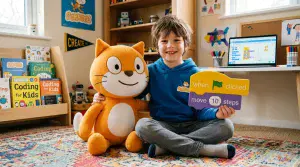
Kids snap together colored blocks. Each block is a command, like “move 10 steps” or “repeat 4 times.” Nothing can be misspelled, so kids spend their effort on the logic instead of on typos. Scratch, made by the Scratch Foundation, is the best-known example, and it is free.
Text coding
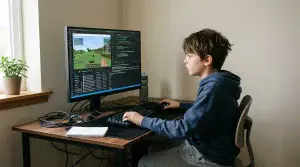
Kids type real code in a language like Python, JavaScript, Lua or Java. It is the same kind of code professional developers write. One missing bracket can stop a program from running. That is frustrating at first, and it is also where a lot of the learning happens.
The ideas inside every program
Whatever tool your child uses, they are learning the same handful of ideas. You do not need to code to follow along.
- Sequence. Steps run in order. If a Scratch cat is told to say “hello” and then jump, it will always say hello first. Put the steps in the wrong order and you get the wrong result.
- Loops. Repeat something without writing it again. “Repeat 10 times: place a block” builds a Minecraft wall with one instruction instead of ten.
- Conditionals. If this, then that. “If the player touches lava, send them back to the start” is a conditional, and conditionals run almost every game your child has ever played.
- Variables. A named box that holds a value that can change, like a score, a timer or the number of lives left.
- Debugging. Finding and fixing what went wrong. Every programmer does it, at every level. A kid who learns to debug calmly is practicing a skill that works far beyond the computer.
Is coding good for kids? What the research shows
Short version: coding is linked to real gains in thinking skills. It is not a shortcut to better grades. Here is what large studies found, and what they did not.
What it helps
- One large review pooled 105 studies. On average, kids who learned to code did better on thinking-skill tests than 69% of kids who did not. The biggest gains were in creative thinking, math skills and metacognition, which is thinking about your own thinking (Scherer et al., 2019).
- For kids ages 4 to 16, problem solving improved more than any other thinking skill (Montuori et al., 2023).
- In one experiment, 179 first graders with no coding experience were randomly split into two groups. One group did 8 hours of coding on Code.org over four weeks. The other had regular STEM lessons. The coding group got better at planning ahead and at stopping themselves from acting on impulse (Arfe et al., 2020).
What it does not do
- It does not raise IQ. In a randomized trial with 174 fourth graders, 10 weeks of coding improved computational thinking, but not fluid intelligence or spatial reasoning, compared with kids who took math or reading lessons instead (Ozcan et al., 2021).
- It is not a shortcut to better reading or report cards. In the 105-study review, school achievement and literacy gained the least (Scherer et al., 2019).
- None of these studies tested CodaKid. They studied kids learning to code in general, in schools and programs. Anyone who tells you a single product is “proven” to make kids smarter is overselling.
What makes the difference
The same research says how kids learn matters as much as whether they code.
- Help when they get stuck. Across 28 studies of K-12 students, coding lessons with scaffolding, meaning a teacher or tool that breaks the work into steps and steps in when kids get stuck, had some of the strongest effects on computational thinking (Xu et al., 2022).
- Projects that last. Block coding tools like Scratch had an upper-medium effect on learning, and the effect was larger when lessons were built around projects and ran longer than a month (Yu et al., 2024).
- Games plus a teacher. Across 77 comparisons, learning games taught more than regular lessons. They worked best alongside other teaching, over several sessions, and when kids played in groups (Wouters et al., 2013).
Put together, that is a case for learning through projects kids care about, with a real person nearby when they get stuck. It is also how we built CodaKid. You can do a version of it at home for free, and the section on ways to learn shows how.
Should kids still learn to code now that AI can write code?
Yes. It is the question I hear most from parents right now, so here is a straight answer.

AI tools can write working code in seconds. They also write code that is wrong, unsafe or not quite what you asked for, and they cannot always tell the difference. The person using the tool has to. A kid who understands loops, conditionals and variables can read what the AI produced, spot the bug and fix it. A kid who does not is copying and hoping.
Think about calculators. They did not make math pointless. They made understanding math more useful, because a calculator only helps if you know what to type into it.
So the goal has changed. We do not teach kids to compete with AI. We teach them to direct it. At CodaKid, younger kids learn the fundamentals first. Teens can then take classes like Modern AI Engineer 1, a live 10-week class for ages 13 to 17 where they plan, prompt and build arcade games with the AI coding tool Cursor. Fundamentals first, then AI as a power tool. See all AI classes for kids.
What age should kids start coding?
Most kids can start at 6. Some start at 5 with a tablet app. Starting at 14 is not too late. What matters more than the start date is matching the tool to your child: their reading level, typing speed and patience.
Ages 5 to 7: play first
ScratchJr is a free app made for ages 5 to 7. Young kids snap blocks together to make characters move, talk and dance. At CodaKid, Scratch courses start at age 6. Keep sessions short and ask them to show you what they made. More ideas in our guide to coding for 6-year-olds.
Ages 8 to 10: build inside the games they love
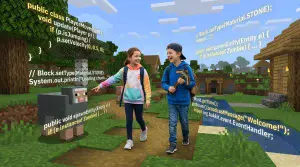
This is when many kids get serious, usually because of a game. Scratch still works well, and it is also the age our Minecraft and Roblox coding with real code starts (9 and up; block coding from 6). Kids this age can handle a real code editor when the goal is exciting enough, like making their own Minecraft sword or a Roblox obstacle course. See our guides to coding for 8-year-olds and coding for 10-year-olds.
Ages 10 to 12: move to typed code
Most kids are ready for a typed language here. Python is the usual pick because it reads close to plain English. CodaKid Python courses start at 10, and AI courses at 9. One review of text-based coding found its biggest effect in middle school (Sun and Zhou, 2023). The sign your child is ready is not a birthday. It is when they hit the limits of blocks and ask how to do something Scratch cannot. More in coding for 12-year-olds.
Ages 13 to 18: real tools and a portfolio
Teens can learn what professionals use: JavaScript and web development, Unity with C#, Unreal Engine and AI coding tools. At CodaKid, Unity, Unreal and Web Development start at 12. This is also when a set of finished projects starts to matter, for summer programs, college applications and first jobs. See coding for 14-year-olds and our programming courses for high school students.

Blocks or typing first? When researchers compared the two head to head, the difference was small and not statistically significant (Xu et al., 2019). So do not agonize over it. Pick the tool your child will actually use.
Which programming language should kids learn first?
Pick the world first, then the language. If your child already loves Minecraft, the fastest way into coding runs through Minecraft. Here is how the common first languages line up.

| Language | What kids build with it | CodaKid starting age | Where to learn it |
|---|---|---|---|
| Scratch (blocks) | Animated stories, arcade games, quizzes | 6+ | Scratch coding classes |
| JavaScript | Browser games, like an infinite runner and a tower defense game | 6+ | JavaScript courses |
| Java | Minecraft mods: new items, creatures and worlds | 8+ | Minecraft coding classes |
| Lua | Roblox games and obstacle courses in Roblox Studio | 8+ | Roblox coding classes |
| Python | Games, handy tools and AI projects | 10+ | Python classes for kids |
| HTML and CSS | A real website they can share | 12+ | Web development courses |
| C# (Unity) | 3D games, like a kart racer | 12+ | Unity courses |
A quick way to choose:
- Plays Minecraft for hours? Start with Minecraft modding in Java.
- Lives on Roblox? Start with Roblox Studio and Lua.
- Loves drawing and making up stories? Start with Scratch.
- Keeps asking how ChatGPT works? Start with Python, then move to AI.
- Wants a website for their slime business? Start with HTML and CSS.
Ways kids learn to code, compared
There is no single right way. Here are the five main options, with CodaKid prices as of September 2026 so you have a real number to compare.

| Option | How it works | Cost | Best for |
|---|---|---|---|
| Free tools (Scratch, ScratchJr, Code.org) | Your child explores alone or with you | Free | Testing interest, ages 5 to 10 |
| Self-paced courses | Video lessons and projects at your child’s own speed, with 24/7 AI learning support and scheduled teacher support sessions | CodaKid: $29 a month, or $199 a year. First 14 days free. | Independent kids who like to tinker |
| Live group classes | A small online class with a teacher and classmates on a set schedule | Varies by class. See group classes. | Social kids who do well with a schedule |
| Private 1-on-1 lessons | Their own instructor over Zoom, 50-minute sessions, a plan built around your child | CodaKid: $249 a month for 4 lessons, or $450 for 8. First session free. | Kids who need accountability or want to move fast |
| Camps | A short program, from 5 days to a few weeks, built around one project | See camps. | Trying a new topic over a school break |
Free ways to start this week
- ScratchJr (ages 5 to 7): a free app for young kids.
- Scratch: free in a web browser. The Scratch Foundation says 200 million kids create on it.
- Code.org: free courses and tutorials from a nonprofit that now calls itself CodeAI. It is the platform the first-grade study above used.
- CodaKid self-paced courses: the full course library is free for your first 14 days, and you pay nothing if you cancel during the trial.
Free tools are great for finding out whether your child likes coding. Where they fall short is the day your child gets stuck and has no one to ask. That is often when kids quit, and it is the gap paid programs exist to fill. For more options, see our list of free coding websites and apps.
How to choose a program: five questions to ask
- Does it teach real languages and tools, or only its own blocks? Blocks are great at 6. By 10, most kids are ready for more.
- What happens when my child gets stuck? Ask how fast help arrives and whether it comes from a person.
- Will my child finish something they can show off in the first week or two?
- Can I see progress? Look for progress reports or a gallery of finished projects.
- What does it cost to try, and how do I cancel?
Ask every program these questions, including us.
Online or near me?
A local class is great if there is a good one nearby and the schedule fits. Online classes give you more choice of topic and teacher, no driving, and your child codes on the same computer they use at home. CodaKid teaches online, which is how we reach students in more than 140 countries.
How to help your child stick with coding
You do not need to know how to code to help. These habits make the biggest difference at home.

- Ask them to teach you. Have your child walk you through what they built. Explaining it is one of the best ways to learn it. In a review of 65 tutoring programs, the kids doing the tutoring came away understanding the subject better too (Cohen, Kulik and Kulik, 1982).
- Celebrate bugs. Try “Nice, you found a bug” instead of “What went wrong?” Programs break all the time. Fixing them is the job.
- Let their interests steer. A kid who loves horses can code a horse race. A kid who loves soccer can code a penalty shootout. The concepts are the same.
- Keep it regular. Short sessions on a routine beat one long session a month. Learning games worked better across several sessions than in one (Wouters et al., 2013).
- Tell your daughter coding is for her. By first grade, many kids already believe girls are less interested in computer science than boys, and girls who believe it more report less interest and less sense of belonging (Master, Meltzoff and Cheryan, 2021). A good early experience helps: first-grade girls who got to program a robot reported more interest and confidence in technology afterward (Master et al., 2017).
- Give the work an audience. Share the game with grandparents. Publish the Scratch project. A real player is the best reason to finish.
Fun ways to practice: games, challenges and robots
- Coding competitions. Beginner-friendly contests give kids a deadline and a goal. Start with our list of beginner coding competitions for kids, then browse the best STEM competitions and events.
- Robots and drones. Some kids need to see code move something real. In CodaKid’s Drone Programming 1 with Arduino course, kids 9 and up write real Arduino code to program and fly a drone.
- Build for someone. A quiz for a friend, a game for a younger sibling, a birthday card that plays music. A project with a person at the end of it gets finished.
What kids build in CodaKid classes
These are real classes running now.
- Lava, Loot and Loyal Pets (ages 10 to 14). Over eight weeks, kids design and code a Roblox adventure world in Roblox Studio, with pickup tools, treasure, a lava challenge and a pet that follows them, all in Lua. Then they publish it for friends to play.
- Scratch Sports Arcade camp (ages 7 to 11). In five days, kids build a set of sports games in Scratch, including an infinite jumper, archery, hockey and basketball.
- Minecraft Creature Creator (ages 10 to 14). Over five weeks, kids design custom creatures in Blockbench, animate them and bring them into Minecraft.
- Modern Software Engineer 1 (ages 12 to 17). In this live 10-week Python class, teens build a Secret Agent Toolkit, a QR code maker and a secure password generator.
How CodaKid teaches coding and AI
CodaKid is an online coding school for kids and teens ages 6 to 18. Lauren Nguyen and I founded it in 2014. Since then, more than 100,000 students in over 140 countries have learned with us, and parents rate us 4.9 stars on Google from 374 reviews.
- Real tools. Kids learn in the same languages and tools professionals use, across 115+ courses and 10 learning pathways, with 750+ videos and 800+ hours of projects.
- Help when they are stuck. Get help when you need it with 24/7 AI-powered learning support, trained specifically on CodaKid’s curriculum. Need help from a real teacher? Our instructor support team is available through scheduled support sessions.
- Private lessons that fit your child. Private instructors are CodaKid certified and come from top universities and teach with the CodaKid Mastery Method, a Socratic approach where instructors guide with questions instead of handing over answers, so kids become independent coders who understand project architecture, planning, and real computer programming and AI. You get a progress report after each session and a 100% instructor match guarantee.
- No long contract. Plans are billed month to month, and you can cancel any time.
CodaKid has won the Parents’ Choice Gold Award and the Tillywig BrainChild Award, and was a SIIA CODiE Award finalist. We are a woman- and minority-owned business. Our course team is led by Matthew Stinson, co-author of Scratch Coding for Beginners, and Matthew Kirstein has led student support since our first year.
Try the self-paced coding courses free for 14 days, or book a free first session of private 1-on-1 coding lessons.
Coding for kids: frequently asked questions
What age should my child start coding?
Most kids can start at 6 with block coding like Scratch, and 5-year-olds can try the free ScratchJr app. Kids usually move to typed languages like Python between 10 and 12. Teens starting at 14 or 16 can still build strong skills, because the right project matters more than the start date.
What is the best first programming language for kids?
For kids under 10, Scratch is the usual first step because there is nothing to misspell. After that, choose by interest: Java for Minecraft mods, Lua for Roblox games, Python for general coding and AI, or HTML and CSS for websites. When researchers compared block and text coding head to head, neither was clearly better.
Is coding hard for kids?
The first steps are easy, and block coding removes typing mistakes entirely. It gets harder as projects grow, and that is where kids learn the most. The hard part is usually getting stuck with no one to ask, which is why a teacher, a help desk or a patient parent makes a big difference.
Do kids need to be good at math to learn coding?
No. Early coding uses counting, patterns and simple logic, not algebra. Many kids find coding makes math feel more concrete, and research links learning to code with better math skills. More advanced areas, like 3D games and AI, use more math later, and kids learn it as they need it.
Is there free coding for kids?
Yes. ScratchJr (ages 5 to 7), Scratch and Code.org are free. CodaKid’s self-paced courses are free for the first 14 days, and private lessons start with a free first session. Free tools are a great way to test interest before you pay for anything.
Is Roblox or Minecraft coding real coding?
Yes. Roblox games are coded in Lua inside Roblox Studio, the same tool Roblox developers use. Minecraft mods are coded in Java, one of the most widely used programming languages. The concepts, like loops, conditionals and variables, are the same ones used in any other program.
Should kids still learn to code if AI can write code?
Yes. AI tools write code quickly, but they also make mistakes they cannot always catch. Kids who understand how code works can check, fix and direct what AI produces. At CodaKid, kids learn the fundamentals first, and teens can then build with AI coding tools.
What is the difference between coding and programming?
For kids and parents, nothing important. Both mean writing instructions a computer can follow. Some people use “programming” for the bigger job of planning and building software and “coding” for writing the code itself, but the terms are used interchangeably.
Sources
- Arfe, B., Vardanega, T., and Ronconi, L. (2020). The effects of coding on children’s planning and inhibition skills. Computers and Education. doi.org/10.1016/j.compedu.2020.103807
- Cohen, P. A., Kulik, J. A., and Kulik, C.-L. C. (1982). Educational outcomes of tutoring: A meta-analysis of findings. American Educational Research Journal. doi.org/10.3102/00028312019002237
- Master, A., Cheryan, S., Moscatelli, A., and Meltzoff, A. N. (2017). Programming experience promotes higher STEM motivation among first-grade girls. Journal of Experimental Child Psychology. doi.org/10.1016/j.jecp.2017.03.013
- Master, A., Meltzoff, A. N., and Cheryan, S. (2021). Gender stereotypes about interests start early and cause gender disparities in computer science and engineering. PNAS. doi.org/10.1073/pnas.2100030118
- Montuori, C., Gambarota, F., Altoe, G., and Arfe, B. (2023). The cognitive effects of computational thinking: A systematic review and meta-analytic study. Computers and Education. doi.org/10.1016/j.compedu.2023.104961
- Ozcan, M., et al. (2021). Does learning to code influence cognitive skills of elementary school children? Findings from a randomized experiment. British Journal of Educational Psychology. doi.org/10.1111/bjep.12429
- Scherer, R., et al. (2019). The cognitive benefits of learning computer programming: A meta-analysis of transfer effects. Journal of Educational Psychology. doi.org/10.1037/edu0000314
- Sun, L., and Zhou, L. (2023). Does text-based programming improve K-12 students’ CT skills? Thinking Skills and Creativity. doi.org/10.1016/j.tsc.2023.101340
- Wouters, P., van Nimwegen, C., van Oostendorp, H., and van der Spek, E. D. (2013). A meta-analysis of the cognitive and motivational effects of serious games. Journal of Educational Psychology. doi.org/10.1037/a0031311
- Xu, Z., Ritzhaupt, A. D., Tian, F., and Umapathy, K. (2019). Block-based versus text-based programming environments on novice student learning outcomes: A meta-analysis. Computer Science Education. doi.org/10.1080/08993408.2019.1565233
- Xu, E., Wang, W., and Wang, Q. (2022). A meta-analysis of the effectiveness of programming teaching in promoting K-12 students’ computational thinking. Education and Information Technologies. doi.org/10.1007/s10639-022-11445-2
- Yu, Q., Yu, K., and Li, B. (2024). Effects of block-based visual programming on K-12 students’ learning outcomes. Journal of Educational Computing Research. doi.org/10.1177/07356331241293163