
Learning to code at ages 6-8 is not only possible but incredibly effective. At this stage, kids can use visual, block-based coding tools like Scratch Jr., CodeSpark Academy, and Lightbot to build essential skills like logical reasoning, problem-solving, and pattern recognition. These platforms make coding feel like play, helping kids create animations, games, and simple projects while learning key concepts like sequencing, loops, and conditionals. Here are the best coding apps for kids ages 6-8:
Key Benefits of Coding Early:
- Boosts problem-solving and logical thinking.
- Encourages creativity and resilience through debugging.
- Strengthens math and literacy skills.
- Prepares kids for future STEM opportunities (60% of new jobs are tech-related).
Best Tools for Beginners (Ages 6-8):
- Scratch Jr. (Free): Drag-and-drop storytelling and animations.
- CodeSpark Academy ($7.99/month): Game-like puzzles for logic and loops.
- Lightbot (Varies): Robot navigation puzzles for problem-solving.
- Daisy the Dinosaur (Free): Simple drag-and-drop for first-time coders.
Parents can support their child’s coding journey by setting small goals, balancing screen time with offline activities, and engaging in coding projects alongside their kids. Platforms like CodaKid offer structured courses ($29/month) or private lessons ($249/month) for more personalized learning.
Why Start Now? Kids aged 6-8 are naturally curious and ready to learn through hands-on activities. Coding builds skills that go beyond the screen, fostering confidence, patience, and a systematic approach to challenges. Start with free tools or invest in guided programs to turn screen time into a learning experience.
Table of Contents
Why Ages 6-8 is the Right Time to Start
How Children Develop at This Age
Between the ages of 6 and 8, kids are in a sweet spot for learning. Their minds are like sponges, soaking up new information with ease. At this stage, they’re naturally curious, eager to explore, and ready to take on challenges headfirst.
This age group thrives on hands-on, interactive learning. Tools like block coding are perfect for them because they provide immediate feedback without requiring advanced typing skills. Coding fits beautifully into their love of discovery, mirroring the process of identifying a problem, testing solutions, and refining their approach.
As David Dodge, CEO of CodaKid, puts it: “Learning to program is similar to learning a new language. The earlier you start, the easier it is to learn and master”.
These developmental traits make coding a great match for building critical skills that extend far beyond the screen.
Core Skills That Coding Develops
For kids aged 6-8, coding is more than just a tech skill – it’s a way to strengthen essential thinking and problem-solving abilities. By following step-by-step instructions, they sharpen their logical reasoning. Recognizing patterns and sequences helps with early math and literacy. And the process of debugging – writing code, testing it, fixing errors, and trying again – teaches resilience and builds confidence they’ll carry into other aspects of life.
| Skill Developed | Explanation | Why It Matters |
|---|---|---|
| Logical Reasoning | Breaking down tasks into steps to achieve goals | Encourages structured “if-then” thinking |
| Pattern Recognition | Spotting sequences and repeated structures | Boosts math and literacy skills |
| Resilience | Troubleshooting and fixing errors (debugging) | Builds confidence and a growth mindset |
| Computational Thinking | Tackling problems in a systematic way | Prepares kids to handle diverse challenges |
Research shows that students with computer science skills earn 8% more by age 26 compared to their peers. But the benefits start much earlier – coding helps improve attention to detail, reading comprehension, and mathematical thinking right from the beginning.
Setting Up for Future Learning
Starting coding early lays a solid foundation for future STEM education. With over 60% of projected new jobs in STEM fields tied to computer-related occupations, and software development jobs expected to grow by 18% between 2016 and 2026, early exposure to coding is more than a head start – it’s a necessity. It equips kids not just to use technology but to understand and shape it.
Learning to code transforms kids from passive consumers of technology into active creators. They begin to see that the apps, games, and websites they use every day are built through logical instructions – something they, too, can master. This shift in perspective fuels creativity and sparks innovation that can carry them through school and beyond.
As Steve Jobs famously said: “Coding teaches you how to think”.
The ability to break down complex problems, think systematically, and persist through challenges becomes a toolkit that children can rely on in every subject and every stage of their education. Coding at this age isn’t just about learning to program – it’s about setting the stage for lifelong learning and success.
Best Coding Curriculum for Kids & Teens (2026 Roadmap): Roblox, Minecraft, Python, AI
Guide to the Best Coding Platforms and Apps for Kids Ages 6–8
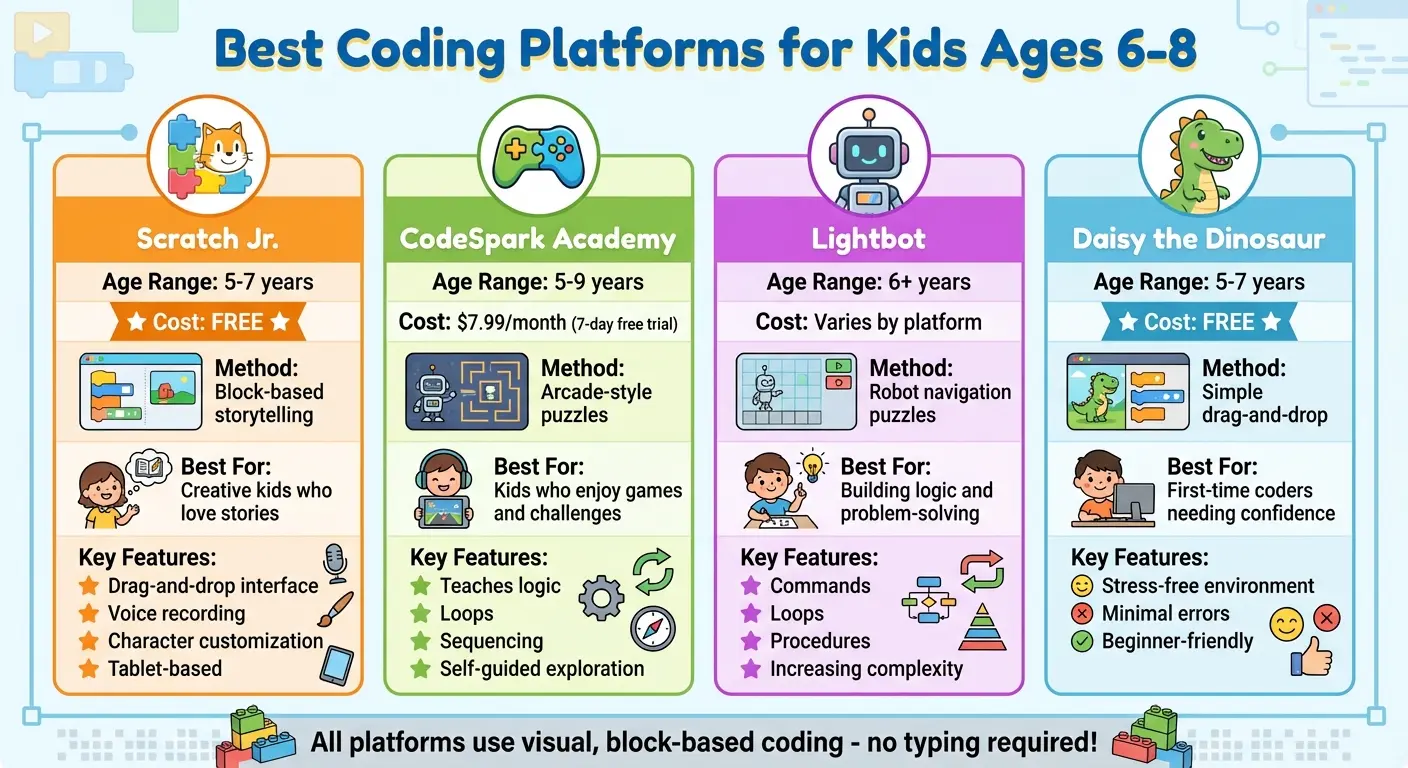
Best Coding Platforms and Apps for Kids Ages 6-8: Features and Pricing Comparison
When introducing kids to coding, the right tools can make all the difference. At this age, it’s all about making learning exciting and hands-on. The best platforms focus on project-based activities, allowing kids to create something they can see and interact with. This approach not only keeps them engaged but also builds foundational computational thinking skills.
Scratch Jr.
Scratch Jr. is a fantastic starting point for kids aged 5–7. Created by Tufts University, PBS Kids, and the MIT Media Lab, this free, tablet-based app uses a drag-and-drop interface. Kids can control characters on a digital artboard, making it perfect for storytelling and creating simple animations. Features like voice recording, character customization, and text subtitles add an extra layer of fun and creativity for young learners.
CodeSpark Academy
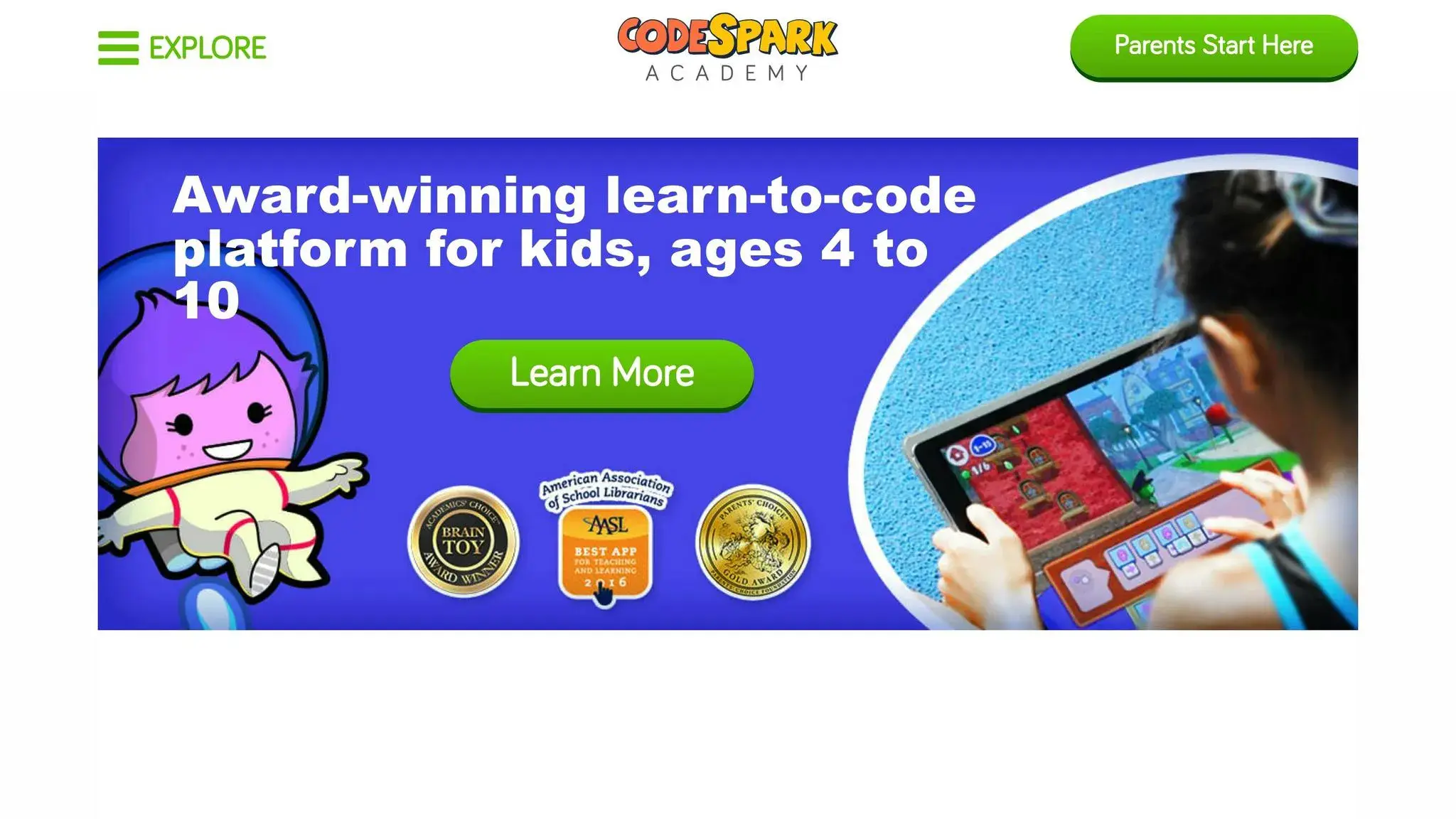
CodeSpark Academy takes a game-like approach to teach coding concepts. Its arcade-style design introduces logic, loops, and sequencing without requiring any typing. After a 7-day free trial, the subscription costs about $7.99 per month. The platform encourages self-guided exploration, and its “Explore” section dives into more advanced topics like inequalities and boolean logic through engaging puzzles.
Lightbot
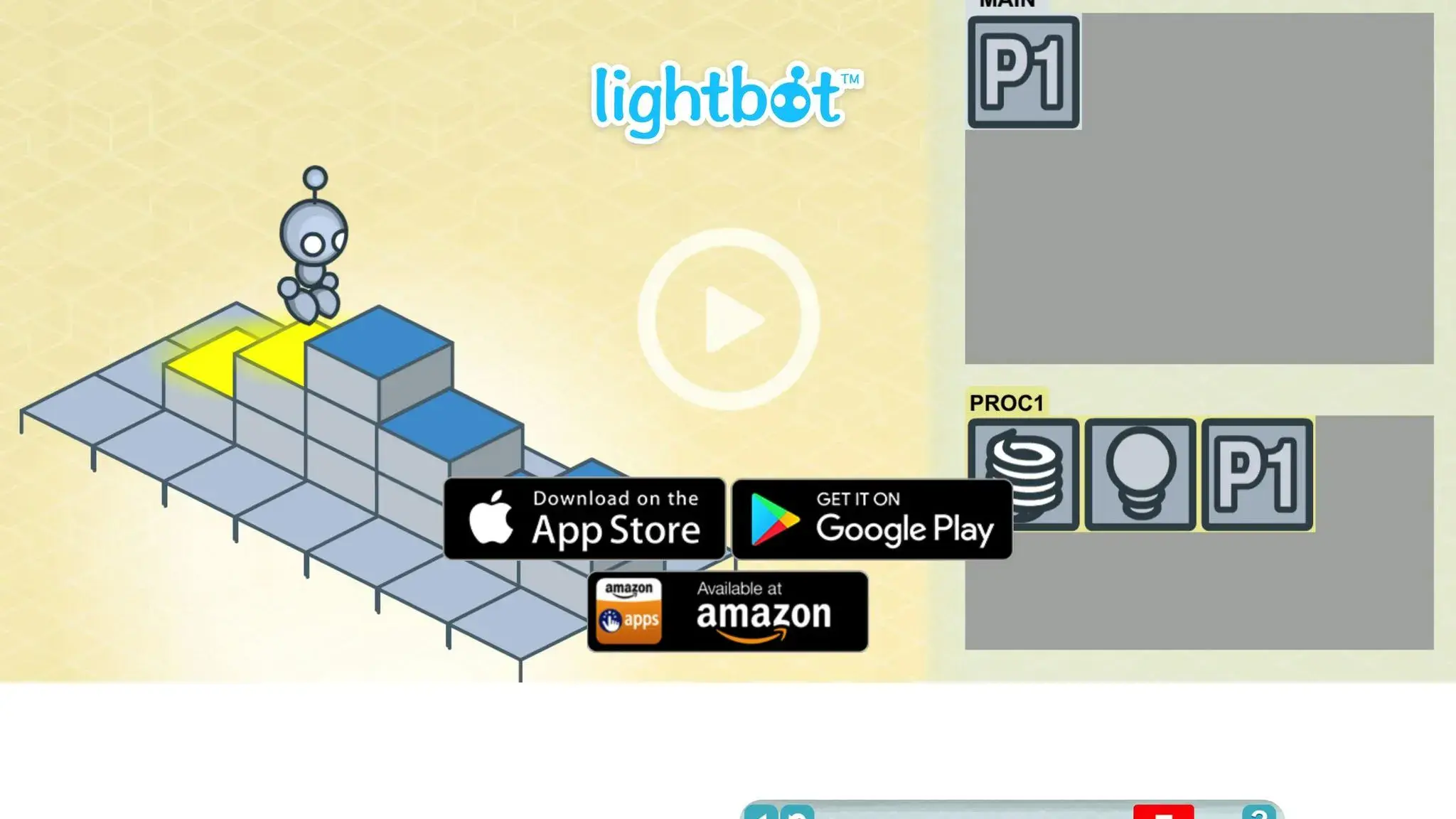
Lightbot introduces kids to coding through robot navigation puzzles. By solving these challenges, children learn to break problems into logical steps and practice using commands, loops, and procedures. The puzzles grow in complexity, helping kids strengthen their problem-solving and logical thinking skills.
Daisy the Dinosaur
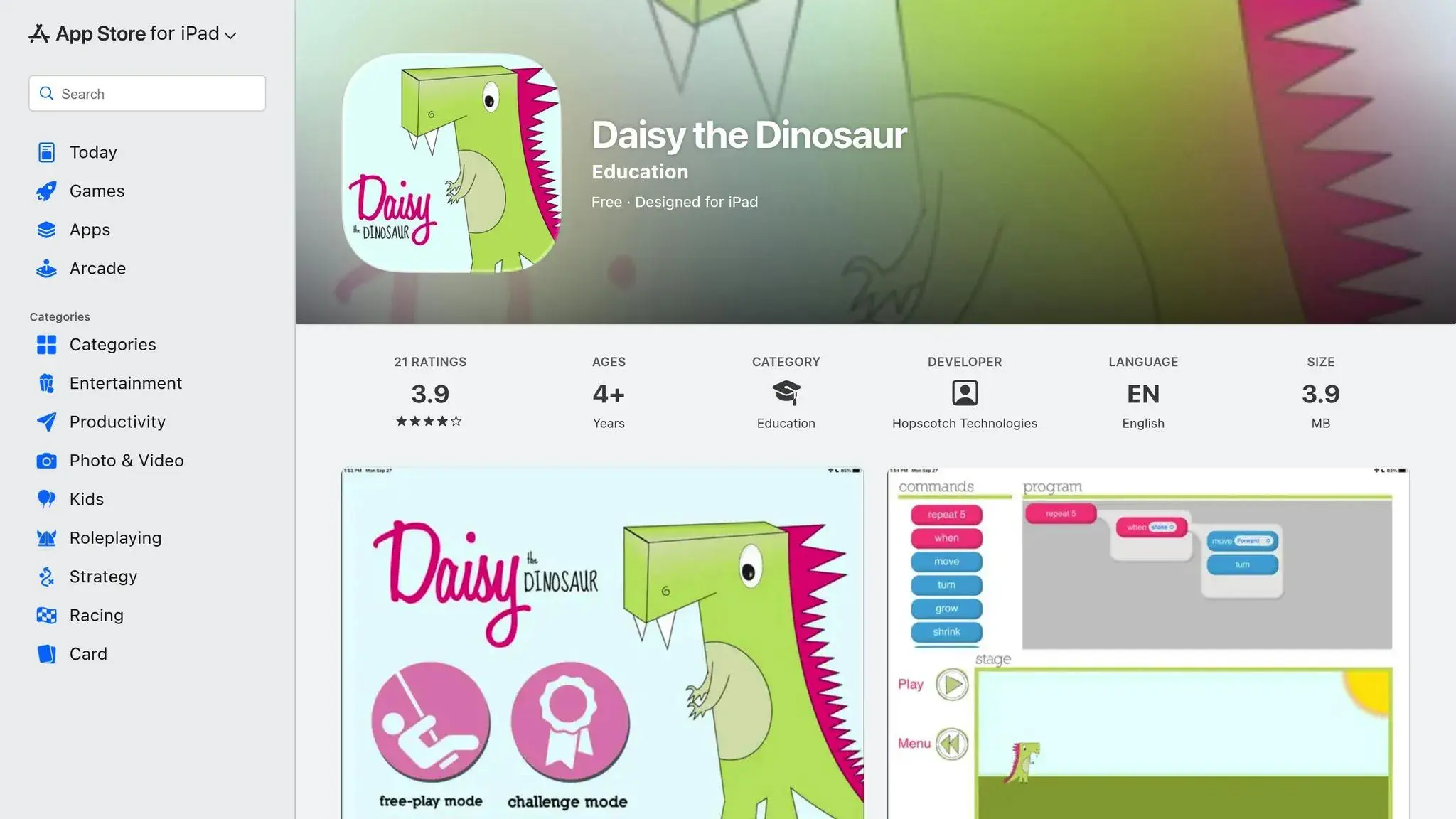
For absolute beginners, Daisy the Dinosaur is a gentle introduction to coding. This app uses a simple drag-and-drop interface in a stress-free environment where errors are naturally minimized. It’s a great choice for kids who are just starting and need a confidence boost before moving on to more complex platforms.
| Platform | Target Age | Cost | Primary Method | Best For |
|---|---|---|---|---|
| Scratch Jr. | 5–7 | Free | Block-based storytelling | Creative kids who love stories |
| CodeSpark Academy | 5–9 | $7.99/month | Arcade-style puzzles | Kids who enjoy games and challenges |
| Lightbot | 6+ | Varies | Robot navigation puzzles | Building logic and problem-solving |
| Daisy the Dinosaur | 5–7 | Free | Simple drag-and-drop | First-time coders needing confidence |
These platforms are designed to grow with your child, offering a mix of fun and learning. Parents can make the experience even more enriching by exploring the apps alongside their kids, stepping in only when guidance is needed. While these tools won’t turn kids into professional coders overnight, they provide an excellent foundation in logic, creativity, and problem-solving. They’re a great way to turn screen time into meaningful learning.
Coding Activities and Projects for Kids
Once you’ve explored coding platforms, it’s time to dive into hands-on projects that bring coding concepts to life. Start with simple tasks and gradually build complexity as your child’s skills grow. Here are some project ideas that evolve alongside their abilities.
Simple Projects to Start With
Animated stories are a fantastic starting point for kids aged 6–8. Using tools like ScratchJr, children can create fun, animated conversations by arranging visual blocks in sequence. Another beginner-friendly idea is designing a digital greeting card. Kids can personalize their cards with animations, sound effects, and even voice recordings.
For kids who gravitate toward games, a simple maze game is a great way to introduce coordinates and collision detection. They’ll learn how to move a character through obstacles to reach a goal. Another fun option is creating a virtual pet. This project introduces event-driven programming, where the pet reacts to actions like being clicked, fed, or played with. Platforms like Scratch and Code.org are perfect for these types of projects, as they allow kids to see the immediate results of their coding.
Moving to More Complex Projects
As your child gains confidence, you can introduce projects that involve loops, conditionals, and multiple interactive elements.
For example, teach them about loops by creating a dancing character that spins three times or a ball that bounces continuously. These projects demonstrate how loops can simplify repetitive actions. Next, explore conditionals with projects like a quiz game that gives different responses based on the player’s input, or an obstacle course where characters make decisions based on what they encounter.
Adding multiple characters or objects can also deepen the challenge. Your child could create a chase game where one character follows another or design an interactive solar system where planets orbit at different speeds. These projects help kids understand how different pieces of code can work together. The key is to gradually increase the difficulty so each new task feels like a manageable step forward rather than an overwhelming leap.
Mixing Digital and Physical Activities
Pairing screen-based projects with offline activities can help reinforce coding concepts in a tangible way. For instance, before coding an animated story, encourage your child to sketch a storyboard to map out what happens in each scene. For games, they can draw the maze layout or write down the rules before diving into the code.
Unplugged activities are another great way to teach coding concepts without using devices. Play a game like “Robot, Make Me a Sandwich”, where your child gives you precise, step-by-step instructions to complete a task. This teaches algorithmic thinking and the importance of clear commands. Another idea is creating binary bracelets using two colors of beads to represent 0s and 1s, helping kids grasp how computers store information. You could also set up a physical obstacle course where your child uses “if/then” statements to navigate challenges.
These offline activities make abstract coding ideas easier to understand. When kids return to their digital projects, they’ll have a stronger grasp of why their code behaves the way it does. Combining paper planning, physical play, and on-screen building creates a well-rounded learning experience that sticks.
How Parents Can Support Young Coders
Parents have an incredible opportunity to turn screen time into a valuable learning experience by supporting their child’s coding journey. The good news? You don’t need to be a coding expert to help. Learning the basics – like loops and sequences – can go a long way in understanding what your child is working on and celebrating their progress along the way. These simple concepts will also help you ask better questions and engage with their projects more meaningfully.
As David Dodge, CEO of CodaKid, explains: “Starting early provides numerous benefits… Coding helps children develop fundamental skills such as basic math, problem-solving, following multi-step directions, logical thinking, and creativity”.
Setting Achievable Goals
Big projects can feel overwhelming for kids, so breaking them into smaller tasks makes a world of difference. For example, instead of expecting your child to create an entire game, encourage them to start with something simple – like programming a character to move left and right. These small victories build confidence and keep the process fun.
Encourage creativity over perfection. Let your child experiment with different solutions rather than focusing on finding the “right” answer. Celebrate each milestone, no matter how small, to keep their enthusiasm alive.
From there, it’s also important to find a healthy balance between screen time and other activities.
Managing Screen Time
Since kids already spend a lot of time in front of screens, it’s important to balance their coding activities with offline fun. Board games like “Robot Turtles” or treasure hunts where your child writes step-by-step instructions can reinforce coding concepts in a hands-on way. Even role-playing games, where you act as a “robot” following their commands to make a sandwich, can turn coding principles into playful interactions.
Creating a dedicated and engaging space for coding also helps structure their learning. Platforms like Scratch Jr. are fantastic for keeping sessions productive and frustration-free, especially for younger learners.
Once you’ve established a good balance, the next step is to monitor their progress and keep the encouragement flowing.
Monitoring Progress and Providing Encouragement
Pay attention to signs of growth in your child’s curiosity and problem-solving skills. Are they starting to wonder how apps work? Do they enjoy puzzles and try out different solutions? These are great indicators that they’re absorbing what they’ve learned.
Platforms like Scratch allow kids to share their projects and get feedback from peers, which can be a powerful motivator beyond just parental praise. For younger children, aged 6–8, structured lessons – whether one-on-one or in small groups – tend to be more engaging than self-paced courses, as the personal interaction keeps them focused.
As their typing and mouse skills improve, you’ll know they’re ready to move from tablet-based tools to more advanced desktop coding environments.
CodaKid‘s Coding Courses for Ages 6-8
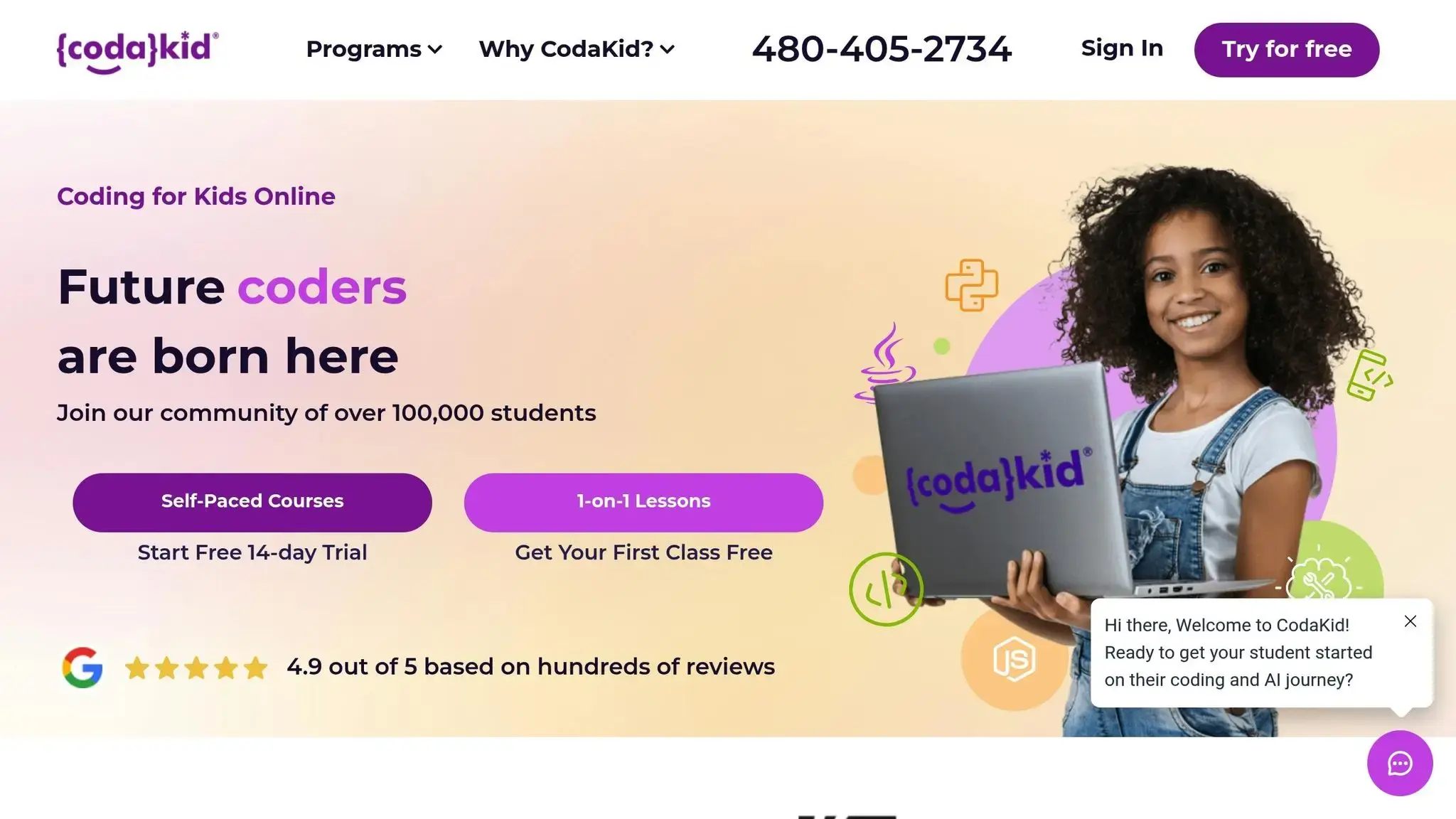
CodaKid offers young learners a structured and engaging way to dive into coding. Designed with kids in mind, these courses use a game-based, project-oriented approach that introduces real programming concepts. By focusing on visual block coding, CodaKid gradually teaches essential skills like variables, loops, and conditionals, making it accessible for kids aged 6-8.
The platform caters to different learning preferences with three flexible formats, ensuring that every family can find a suitable option making it one of the best coding apps for kids ages 6-8.
Self-Paced Courses
For $29 per month, CodaKid provides access to over 85 courses covering topics like Scratch, JavaScript, Minecraft modding, and even AI. These lessons are delivered in a fun, “YouTuber-style” format by professional software developers, making the material relatable and engaging for young digital natives.
Key perks include:
- Unlimited access to help support
- Weekly live coaching sessions
- Over 800 hours of student projects
Families can test the waters with a 14-day free trial. For households with multiple kids, the family plan is a great deal at $45 per month, covering up to three students.
Private 1:1 Lessons
For a more tailored experience, private lessons start at $249 per month. These weekly Zoom sessions are led by instructors from top U.S. universities and use the Socratic Mastery Method to encourage independent problem-solving.
“I’ve tried several online 1-on-1 coding classes for my son (starting at age 7, he’s now 9) and CodaKid is outstanding in the quality of its instructors and ease of operation; he’s doing Java coding for Minecraft mods and LOVES it. Highly recommended.”
- Terrence Masson, Parent
CodaKid’s CEO, David Dodge, emphasizes the importance of personalized instruction for younger learners:
“I have personally found that eight year olds sometimes struggle staying focused with self-paced learning solutions, and that one-on-one online or face-to-face instruction works best”.
The lessons include homework assignments, weekly progress updates, and the flexibility to reschedule if needed. Plus, the first session is free, giving families a chance to see if it’s the right fit. There’s also a 2-on-1 option where a sibling or friend can join at no extra charge.
Virtual Coding Camps
CodaKid’s virtual coding camps are perfect for school breaks, offering one-week intensive sessions with two-hour daily lessons. Topics range from Roblox game development to AI basics. Pricing depends on the camp, and there’s even a money-back guarantee for added peace of mind.
With a stellar 4.9 out of 5 rating from over 350 reviews, parents consistently praise the progress their kids make and the high-quality instruction provided.
Whether you choose self-paced courses, private lessons, or virtual camps, CodaKid ensures there’s a format to fit your child’s learning style and your schedule.
Conclusion: Getting Started with Coding
Key Takeaways
Introducing coding to children aged 6–8 lays a strong foundation in skills like math, reading, logical reasoning, and problem-solving – abilities that will serve them for life. As AI continues to reshape industries and education, understanding the basics of technology has become as essential as learning to read and write. Studies consistently highlight how coding equips kids with tools to thrive in our tech-driven world.
At this age, the secret to success is keeping learning fun and centered around projects. When kids create something they can interact with or share, they stay excited and eager to learn more.
What Parents Should Do Next
Choose coding tools that align with your child’s interests. Whether they’re into video games or enjoy hands-on activities, finding the right match can ignite their passion for learning.
You don’t need to know how to code yourself. Many parents learn alongside their kids or rely on platforms with built-in support. Free options like Scratch and Code.org are great for beginners, while programs like CodaKid offer structured courses (starting at $29/month) and private lessons with professional instructors. These resources provide personalized guidance to help younger learners stay focused and build confidence.
Don’t wait. Start with free tools or invest in structured programs to help your child develop creative and practical problem-solving skills. Turning screen time into a chance to learn coding can open doors to a future full of exciting possibilities.
FAQs (Best Coding Apps for Kids)
What are the benefits of teaching kids to code at ages 6-8?
Introducing the best coding apps to kids ages 6-8 can open up a world of opportunities during a stage when their minds are naturally curious and eager to absorb new concepts. Learning to code strengthens key skills such as basic math, reading comprehension, and attention to detail. It also encourages them to follow multi-step instructions, laying the groundwork for structured thinking.
These early coding experiences spark critical thinking, logical reasoning, and creativity. Kids learn how to approach problems, experiment with solutions, and think outside the box – skills that go far beyond the screen.
On a broader level, coding introduces computational thinking, which involves recognizing patterns, sequencing steps, and breaking down tasks into manageable parts. This way of thinking not only sets the stage for potential careers in tech but also builds collaboration skills, resilience in facing challenges, and a sense of self-confidence. Starting young gives kids the tools they need for a lifetime of learning and problem-solving.
How can parents support their young child’s journey into coding?
Parents have a big part to play in making coding an enjoyable and rewarding journey for kids. The key is to approach it as a fun and creative activity, not something they need to master right away. Celebrate the little victories – like solving a puzzle or fixing a bug in their program – to boost their confidence and keep their excitement alive.
Set up a supportive space by dedicating 15–30 minutes of focused, distraction-free time for coding. Help your child dive into projects that spark their interests, whether it’s building a game or designing animations. When they hit a roadblock, resist the urge to jump in with answers. Instead, ask questions like, “What do you think should happen next?” to encourage their problem-solving skills.
Stay engaged by talking about their projects and asking them to explain their ideas. This not only reinforces their learning but also shows them that you value their efforts. When they’re ready for more, you can explore structured learning options like private lessons or virtual coding camps to help them grow. Above all, keep the experience fun and celebrate each step forward to help them develop a lifelong love for coding.
Why are visual block coding apps great for kids ages 6-8?
Visual block coding apps are a fantastic way to introduce kids ages 6-8 to programming. By using colorful, draggable blocks, kids can piece together commands as if they were building with digital LEGO bricks. This drag-and-drop approach removes the hassle of syntax errors, letting kids focus on the big ideas – like sequencing, loops, and conditionals – without getting bogged down by technical frustrations.
What’s more, these tools spark creativity and encourage problem-solving. Kids can tinker with their code, see results instantly, and tweak their projects on the spot. This hands-on experience nurtures confidence and a growth mindset. Block coding serves as a playful, age-appropriate gateway to programming, laying the groundwork for more advanced, text-based languages. Platforms such as CodaKid take this a step further, helping kids seamlessly transition to languages like Python and JavaScript.