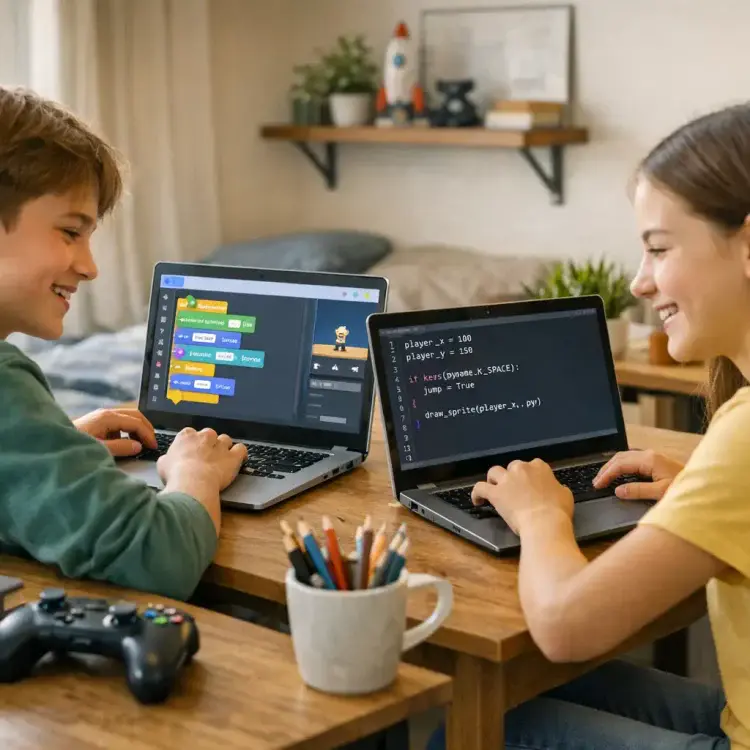
Game design is a fun way for kids to learn coding, problem-solving, and logic. The top free game design platforms like Scratch, Code.org, CodeCombat, Blockly Games, Code Guppy, and Stencyl make it easy to get started. Each tool offers something unique, from block coding for beginners to text-based programming for advanced learners.
- Scratch: Visual, block-based coding for creating games, animations, and stories. Perfect for ages 5–10.
- Code.org: Combines block coding with JavaScript and Python. Features themed lessons like Minecraft.
- CodeCombat: Teaches Python and JavaScript in an RPG format. Great for older kids ready to write real code.
- Blockly Games: Puzzle-based challenges for younger learners to build coding basics.
- Code Guppy: Introduces JavaScript for teens interested in graphics and game design.
- Stencyl: Lets users design and publish games on multiple platforms without coding.
These tools are self-paced, require no prior experience, and work on most devices. Start with free options to see what fits your child’s interests before exploring advanced tools or paid options like CodaKid, which offers professional-grade programming courses.
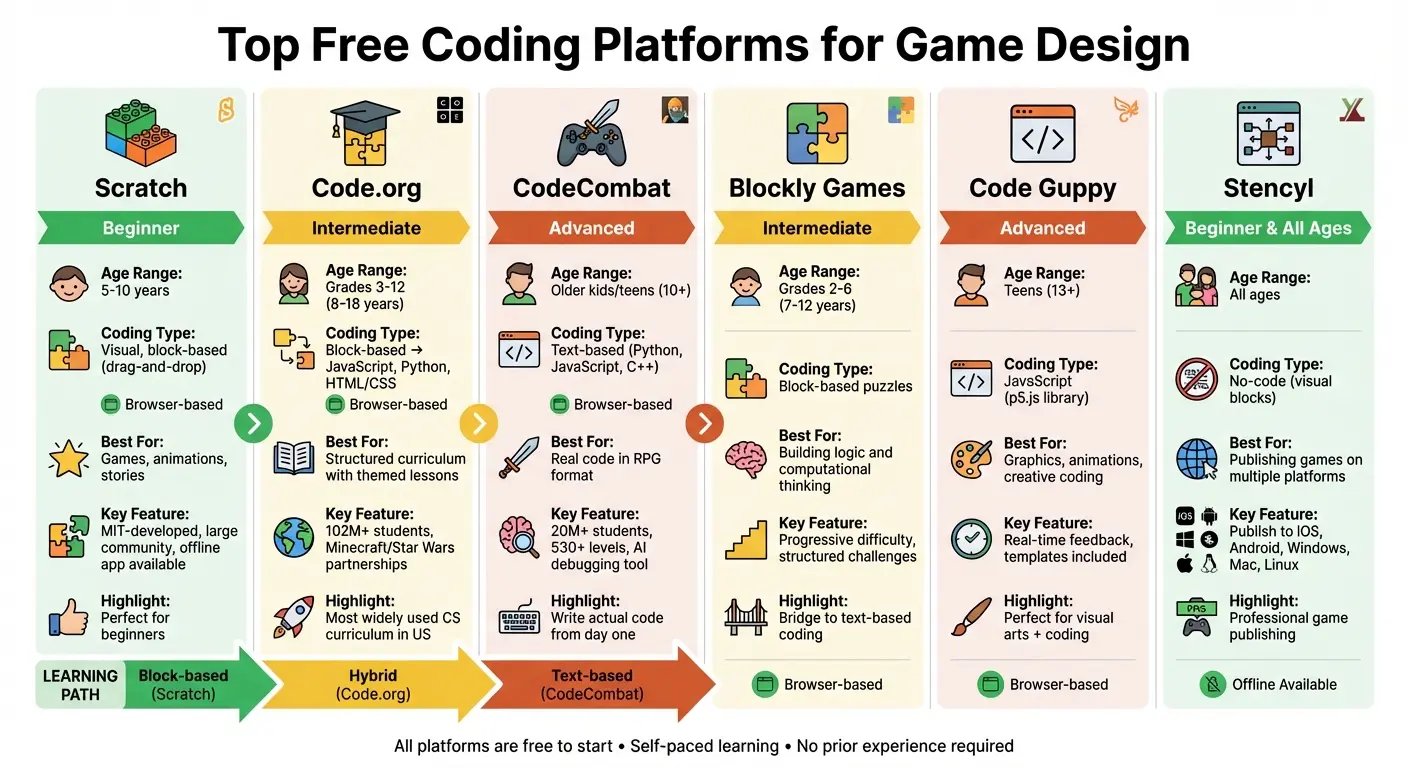
Comparison of Top 6 Free Coding Platforms for Kids Game Design
Table of Contents
Best Coding Curriculum for Kids & Teens (2026 Roadmap): Roblox, Minecraft, Python, AI
Scratch and ScratchJr
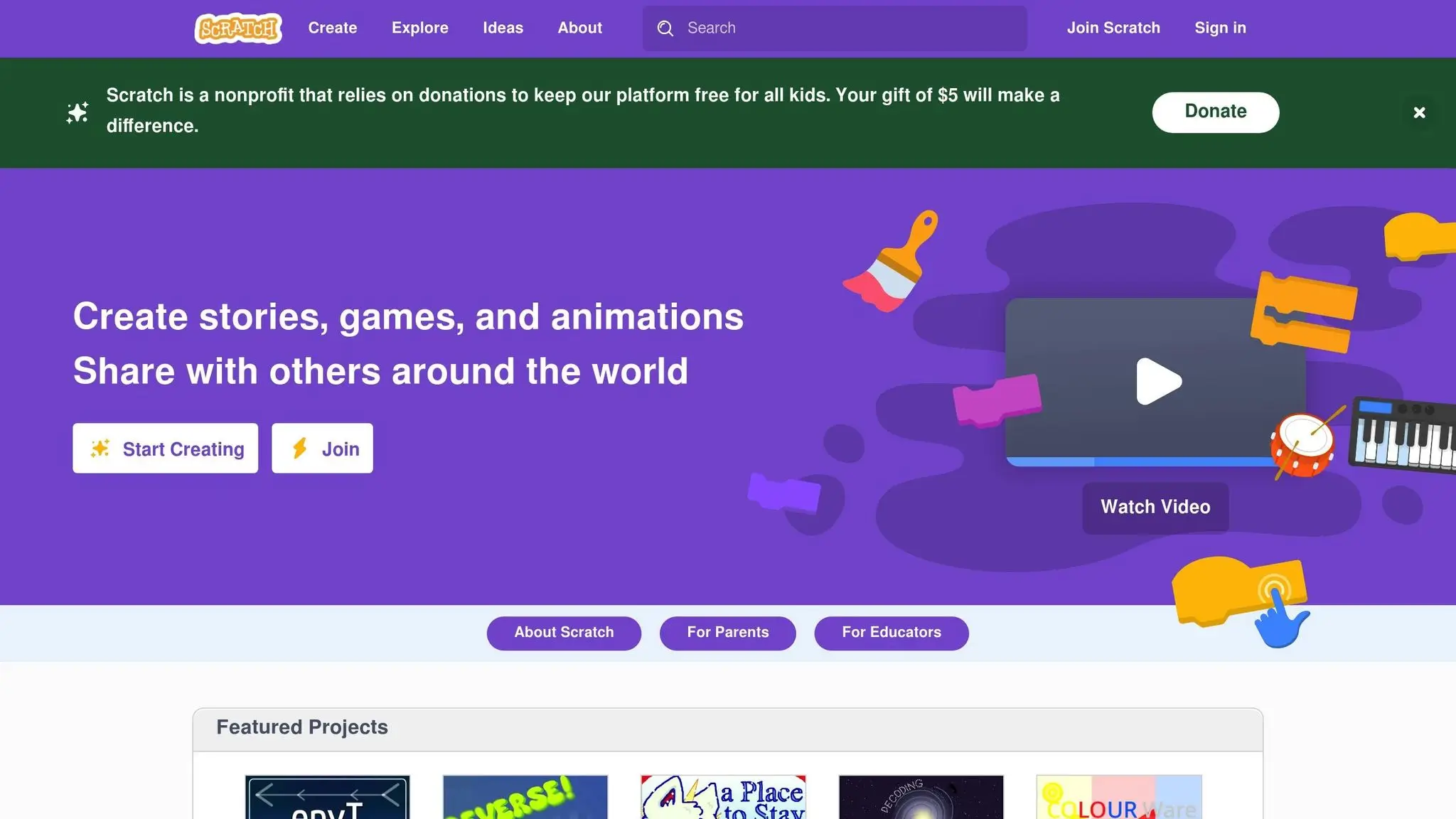
Scratch is one of the top choices for introducing kids to game design. This free platform uses a visual, block-based interface where kids can snap together colorful code blocks, much like building with digital LEGO pieces. With this drag-and-drop approach, students can create games, animations, and interactive stories, making coding both fun and approachable.
Scratch works seamlessly in most modern web browsers, but there’s also a free offline app available for Windows, macOS, ChromeOS, and Android tablets. This offline option is great for saving projects without needing internet access. To share their work, kids can export their projects and upload them to the Scratch website. Once online, they can receive feedback, explore curated “Featured Studios”, and join themed challenges through the “Scratch Design Studio”. These features make it easy for kids to dive into Scratch’s user-friendly tools and start creating right away.
“Scratch is one of our favorite kids coding resources for 10-year-olds as it lets kids become creators, it teaches the foundations of computer science, and it allows students to share their creations.” – David Dodge, CEO and Founder, CodaKid
Key Features of Scratch
Developed by MIT, Scratch’s drag-and-drop interface eliminates the frustration of syntax errors while introducing real programming concepts. Kids can learn the basics of loops, conditionals, and variables by creating their own games instead of working through dry, theoretical exercises. The platform also includes sprite editors, sound libraries, and tools for designing custom backdrops, giving students everything they need to bring their ideas to life.
One of Scratch’s standout features is its community. Kids can explore projects like “Stairs are Lava”, “Harvest”, and “One Man Circus” to see what others have built. They can even remix these games, adding their own twists to learn new techniques along the way. For families interested in robotics, Scratch Link allows hardware integration, making it possible to connect physical devices when using the Windows app.
It’s worth noting that the offline app doesn’t allow direct sharing with the Scratch community. Projects must be exported and uploaded manually to the Scratch website. This flexibility, however, makes Scratch a great fit for homeschoolers who may prefer offline learning environments.
Using Scratch for Homeschooling
Scratch is a natural fit for homeschooling because it’s self-paced and encourages learning through personal interests. The platform offers dedicated “For Parents” and “For Educators” sections filled with guides and lesson ideas. Homeschoolers can start with simple projects and gradually tackle more complex challenges as their confidence grows. The offline functionality also ensures that kids can focus on coding without the distractions of the internet – a big plus for homeschooling families.
“Ten is a perfect age to learn computer programming as students generally have a solid enough foundation in mathematics to understand algorithms and enough experience with computer keyboards.” – Anton Palamarchuk
Encourage your child to share their projects online and engage with feedback from other young creators. Peer interaction can be a powerful motivator. For younger kids, ScratchJr offers a simplified, tablet-friendly version of Scratch, helping them build foundational skills in a fun and accessible way.
Code.org: Game Design for Beginners
Code.org is a nonprofit platform offering free resources to teach game design. With over 102 million students and 3 million teachers across 2 million classrooms, it’s the most widely used computer science curriculum in the United States. For homeschoolers, one of its standout features is the block-to-text progression: young learners begin with visual drag-and-drop blocks and gradually move on to programming languages like JavaScript, HTML/CSS, and Python.
The curriculum is tailored by age and skill level. For elementary students (grades 3–6), Sprite Lab introduces basic game mechanics in a block-based environment, eliminating the frustration of syntax errors. Middle and high school students (grades 6–12) use Game Lab, where they can switch between visual blocks and text-based JavaScript to create animations, interactive art, and full games.
“The strength of Code.org (aside from the fantastic fact that it’s free) is that they feature gamification, they have partnered with high-interest franchises such as Minecraft and Star Wars, and they have a well thought out sequential approach to teaching code.” – David Dodge, CEO and Founder, CodaKid
To make coding more engaging, Code.org collaborates with popular franchises like Minecraft, Star Wars, and Frozen. These themed modules turn learning into a playful experience, which is particularly appealing for homeschoolers whose kids might shy away from traditional lessons. Let’s dive into the tools Code.org provides for budding game designers.
Game Design Tools on Code.org
Game Lab offers a range of hands-on projects that build real game development skills. For example:
- The Bounce project challenges students to add obstacles and score tracking to keep a ball in motion.
- In Make Your Own Character, learners control a character using arrow keys and personalize it with animations and props.
- The Sunset Shapes activity focuses on animating a full scene, including a sky that darkens as night falls.
The platform’s Animation Tab allows kids to design their own characters and objects, bringing their creativity to life. Accessibility features such as Text to Speech, Closed Captioning, and an Immersive Reader ensure that every learner can participate. Once a project is complete, students can share their work instantly through a browser link, making it easy to showcase their creations to family or an online audience.
For visual learners, the extensive Video Library breaks down complex topics like variables, sprites, and velocity into easy-to-understand lessons. This is especially helpful for parents who are new to teaching coding.
Homeschool Integration Tips
Code.org makes it simple to incorporate coding into a homeschool routine. For students in grades 6–10, the Computer Science Discoveries Unit 3 offers an introduction to game design, while the Self-Paced Introduction to Game Lab allows kids to learn programming concepts at their own speed.
Parents without a background in computer science can use Code.org’s Professional Learning modules, such as Teaching Elementary Game Design, to build their confidence before guiding their kids. Detailed lesson plans, which include unplugged activities that develop computational thinking away from the screen, help create a balanced and engaging homeschool experience.
For beginners, starting with the block-based interface helps avoid syntax errors. As students gain confidence, they can explore the block-to-text toggle in Game Lab. Advanced learners can dive straight into writing JavaScript. Themed tutorials, like those featuring Minecraft or Frozen, are a great way to spark interest before transitioning into the more structured curriculum.
CodeCombat: Learn Programming Through Game Play
CodeCombat immerses students in a fantasy RPG world where they write real code to control their hero. Instead of dragging blocks, kids use Python or JavaScript commands to move characters, battle enemies, and solve puzzles. This browser-based platform has already reached over 20 million students across 190+ countries.
From the very first level, students dive into actual programming syntax, making it a fantastic choice for homeschoolers ready to move beyond visual coding tools. With the CodeCombat Home version, learners progress through over 530 levels, gradually mastering concepts like variables, loops, conditionals, and functions. Its self-paced design encourages independent learning. Let’s explore what makes CodeCombat a standout option for homeschoolers venturing into game design.
“What I love the most about CodeCombat is that it does not simplify coding. The students are learning to write actual code, yet doing it in such a way that they are having fun.”
– Sandra Ahlstrom, Teacher, Sheridan County School District #2
CodeCombat offers free introductory levels to get started, but a premium subscription unlocks the full curriculum. This includes special features like exclusive heroes, pets, and AI HackStack, a generative AI tool that helps students debug and explore creative coding solutions. The platform has earned accolades like “Best Homeschool Curriculum” and “Top Pick for Learning”.
Features and Benefits of CodeCombat
The RPG format transforms coding into a thrilling adventure. Students guide their hero through missions by typing code, with each level presenting a unique challenge that reinforces key programming concepts. Along the way, they encounter real syntax errors and learn troubleshooting skills – essential for any budding developer.
Another highlight is the capstone projects, where students apply their skills to design and share their own games. Parents can track progress using provided rubrics, making it easy to evaluate skill development. Additional features include CodeCombat Worlds, created in partnership with Roblox Education, where students use AI-powered coding to build games within Roblox, and AI League, a competitive esports platform for programming challenges.
“I’ve always had aspirations of designing video games and learning how to code … this is giving me a great starting point.”
– Joey, 10th Grade Student
Block-Based vs. Text-Based Coding
Here’s a quick comparison of how CodeCombat’s text-based approach stacks up against block-based platforms:
| Feature | Block-Based Coding (e.g., Code.org/Scratch) | Text-Based Coding (CodeCombat) |
|---|---|---|
| Primary Interaction | Drag-and-drop visual blocks | Typing real code |
| Languages | Blockly, Sprite Lab | Python, JavaScript, C++ |
| Syntax Management | Prevents syntax errors by design | Students debug real syntax issues |
| Learning Goal | Builds logic and fundamentals | Prepares for real-world programming |
| Environment | Visual canvas/stage | RPG game world/missions |
Block-based platforms are great for beginners, as they eliminate syntax frustrations and focus on building logical thinking. However, text-based platforms like CodeCombat take things to the next level by introducing real-world coding practices. Many homeschoolers start with block-based tools to build confidence, then transition to text-based coding once they’ve grasped the basics.
Other Top Free Game Design Platforms
For homeschoolers exploring game design, several free platforms provide engaging and educational opportunities. These tools cater to a range of skill levels and learning preferences, offering unique ways to dive into the world of game creation.
Blockly Games
Blockly Games introduces coding fundamentals through interactive puzzles that use drag-and-drop blocks. Students advance at their own pace with games like Maze, Bird, and Turtle, each designed to gradually increase in difficulty. The platform is perfect for elementary students in Grades 2–6, helping them develop logical reasoning and computational thinking before transitioning to text-based coding.
Instead of starting with a blank slate, kids solve pre-designed challenges, which boosts their confidence and builds foundational skills. This structured approach makes it easier for young learners to eventually tackle more complex, open-ended game design platforms.
Code Guppy
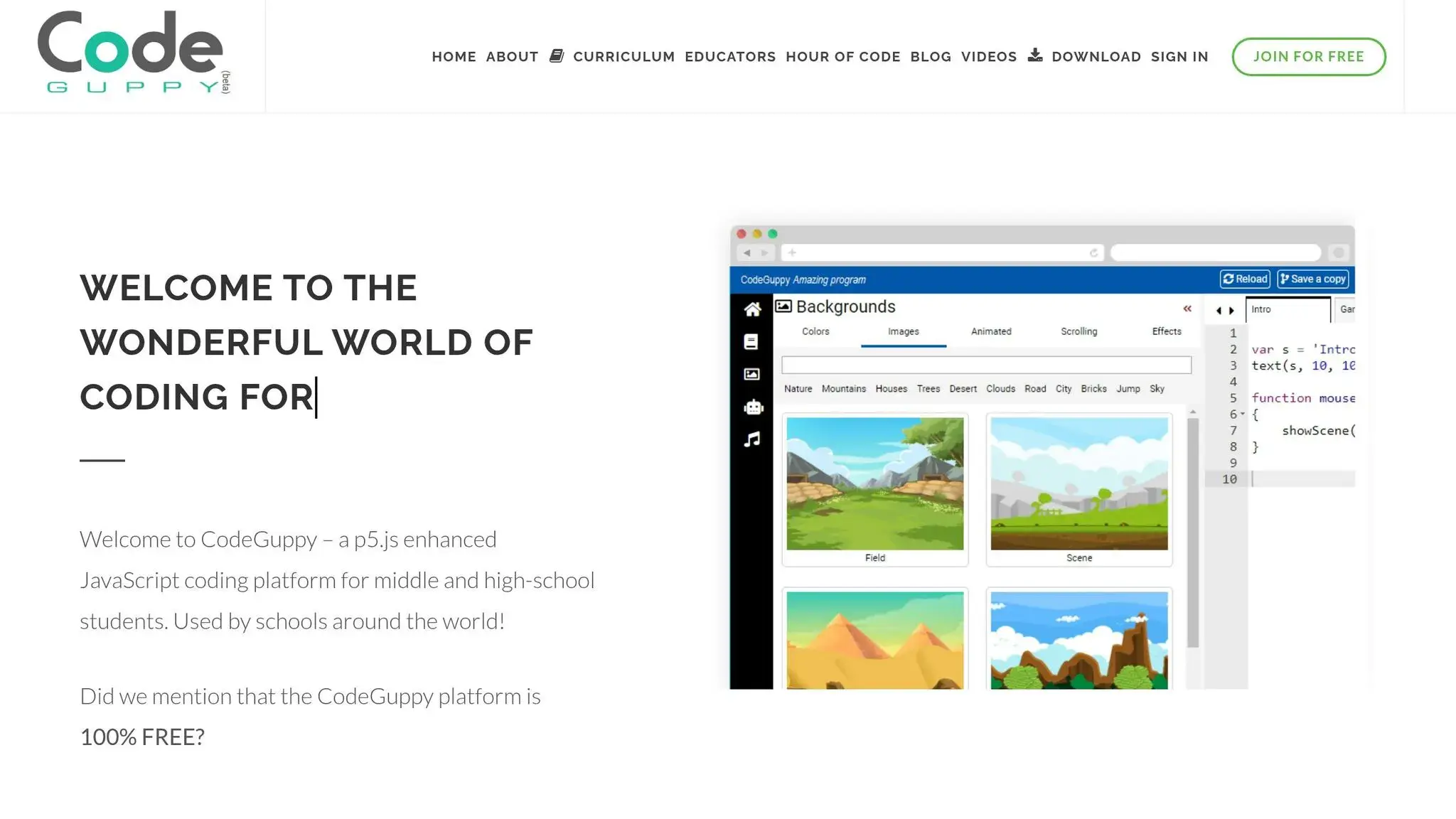
Code Guppy bridges the gap between visual coding and text-based programming by introducing learners to the p5.js JavaScript library. This platform is tailored for older kids and teens ready to write real code. Using JavaScript, students can create graphics, animations, and interactive games, with templates available to guide their learning process.
The platform’s emphasis on creative coding appeals to teens interested in both visual arts and game design. Real-time feedback allows students to see their code come to life immediately, keeping them motivated while developing practical programming skills. Code Guppy is an excellent next step for homeschoolers transitioning to text-based coding.
Stencyl
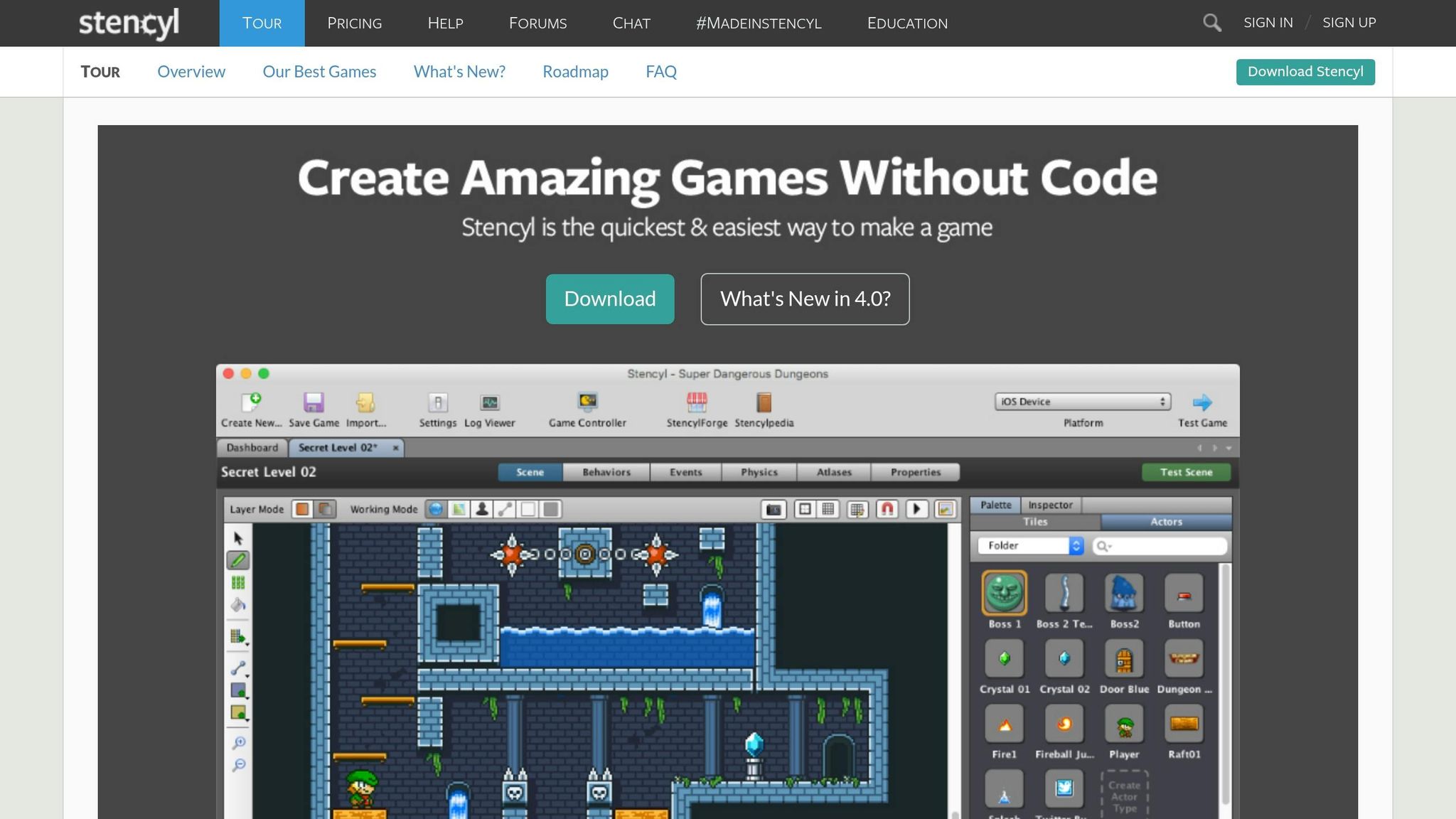
Stencyl offers a no-code experience similar to Scratch but takes things further by enabling students to publish their games on multiple platforms, including web, mobile, and desktop. Its visual interface uses snap-together blocks for game logic, making it accessible for beginners while still supporting more advanced projects. Students can design platformers, puzzles, and even physics-based games – all without writing a single line of code.
What sets Stencyl apart is its focus on game publishing. Once a project is complete, students can share their creations on iOS, Android, Windows, Mac, and Linux. This real-world publishing feature gives homeschoolers a glimpse into professional game development, making it an exciting choice for those eager to share their work with a broader audience.
CodaKid: A Paid Option for Advanced Learning
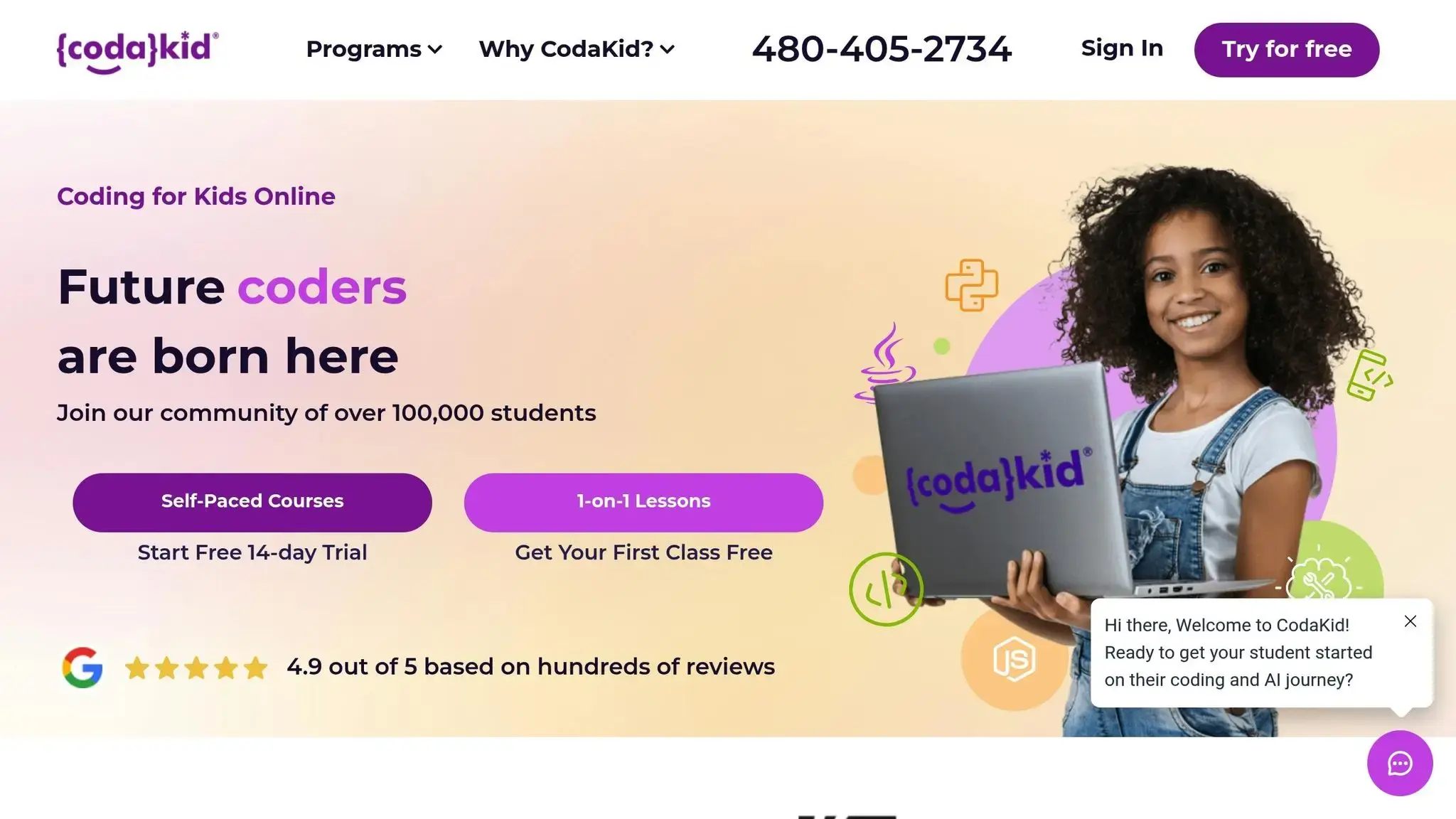
CodaKid takes coding education to the next level by introducing homeschoolers to kid-friendly programming languages like Python, JavaScript, and Java – the same languages professional game developers use. It’s a step up from the visual block-based tools often used for beginners, offering a more advanced and immersive learning experience.
What sets CodaKid apart is its project-based approach. Instead of tackling random exercises, students work on building complete projects like video games, Minecraft mods, and robotics creations. This hands-on method mirrors the workflows of real game studios, making the learning process both practical and engaging. The curriculum was crafted by David Dodge, a seasoned developer with over 30 titles for Sega and Sony under his belt.
“CodaKid’s programming courses provide a structured and engaging learning experience that can help children develop coding skills while working on fun and interactive projects.” – CodaKid
CodaKid’s pricing starts at $29/month for unlimited access to more than 85 self-paced courses. For those seeking a more personalized experience, 1:1 lessons are available for $249/month. This premium option includes weekly sessions with the same instructor, a customized curriculum, live help desk support, and certificates of completion.
For students ready to graduate from block-based coding to text-based programming, CodaKid provides a seamless transition. It builds on the foundational skills gained from beginner platforms like Scratch and Code.org, guiding learners into professional-grade development environments. This structured progression helps solidify core concepts while preparing kids for more complex coding challenges ahead.
Choosing the Top Free Game Design Platforms for Your Homeschooler
When selecting a coding platform for your homeschooler, consider their age, typing skills, and personal interests.
For younger kids (ages 5–10), platforms like Scratch or Code.org are excellent starting points. These visual, block-based tools act like training wheels, helping kids grasp coding basics in an engaging way. As they grow and become more confident with typing, you can introduce text-based languages like Python or JavaScript. (Many parents find Python programming is perfect for kids due to its readability.) If drag-and-drop no longer holds their attention, it’s a sign they’re ready for the next step. A March 2025 survey found that over 75% of professionals still regard coding as a crucial skill, even in an AI-driven world.
By adapting to these age-based milestones, you can ensure your homeschooler’s coding journey stays both exciting and appropriately challenging.
Factors to Consider
Beyond age and readiness, think about their interests and the devices you have at home. If your child loves Minecraft, for instance, platforms that teach modding with Java could be a perfect fit. For an art enthusiast, learning web development with HTML and CSS might spark their creativity. With computing jobs making up over 60% of projected new STEM roles, aligning their passions with practical coding skills can set them up for future success.
Keep in mind that most free, web-based platforms work well on Chromebooks or tablets. However, more advanced projects might require a computer with at least 4GB of RAM. Starting with free tools is a smart way to gauge their interest before committing to paid platforms or upgrading your equipment.
Conclusion (Top Free Game Design Platforms)
Teaching game design through free coding platforms offers a flexible and engaging way to prepare kids for the future. These tools help develop critical skills like logic, problem-solving, and computational thinking, all while allowing students to learn at their own pace. Without the pressure of a traditional classroom, kids can tackle challenges and grow their skills step by step.
The platforms mentioned here – Scratch, Code.org, CodeCombat, Blockly Games, Code Guppy, and Stencyl – each bring their own strengths. Whether your child is starting with coding for beginners using visual, block-based tools or ready to dive into text-based programming, there’s something for every level. Each platform encourages creativity and builds game design skills in a unique way.
Starting with free tools is a practical way to see if your child has a genuine interest in programming. These platforms create a safe space for experimentation, where mistakes become valuable learning moments.
With coding projected to be as essential as reading and writing by 2026, free platforms allow kids to explore without financial pressure. They can discover their passion and build confidence before moving on to more advanced tools.
These resources provide a strong starting point for your child’s coding adventure. Dive in today – choose a platform and a project that sparks their interest, whether it’s crafting a platformer game, designing an interactive story, or solving puzzles. Watch as their confidence grows and their ideas come to life through the power of code.
FAQs (Top Free Game Design Platforms)
What ages are best suited for the free coding platforms mentioned?
Scratch is a fantastic starting point for kids aged 8–14 who are just stepping into the world of coding. Its user-friendly, visual drag-and-drop interface allows young learners to dive into creating games, stories, and animations while picking up basic coding concepts along the way.
Code.org offers a range of resources tailored to different age groups and skill levels. For elementary students (ages 8–11), Sprite Lab introduces block-based game design, making it an engaging way to learn. Younger kids (ages 5–12) can experiment with JavaScript-based blocks in Game Lab to create simple games and animations. As learners grow, App Lab (ages 12–18) and Python Lab (ages 13–18) provide opportunities to tackle more complex challenges with JavaScript and Python, bridging the gap to real-world coding.
These platforms give homeschoolers the flexibility to select activities that align with their child’s age, interests, and abilities, ensuring coding remains both accessible and enjoyable throughout their learning journey.
How can homeschooling parents effectively use free coding platforms for teaching game design?
Homeschooling parents can seamlessly integrate free game-design platforms like Code.org and Scratch into their lessons through project-based activities. Dedicate 45–60 minutes each week to focus on specific modules, such as building a simple game or experimenting with interactive animations. These projects can connect to other subjects, like applying math concepts for scorekeeping or developing storytelling skills through narrative design.
To keep track of progress, parents can use printable lesson plans and progress trackers. Encouraging kids to document their journey in a journal or digital portfolio adds another layer of learning. This process allows them to reflect on challenges, solutions, and coding concepts like events or debugging.
To make it even more exciting, consider hosting a family showcase. Kids can present their games, explain their creative process, and receive feedback from family members. This not only reinforces coding skills but also nurtures creativity, problem-solving abilities, and critical thinking.
What’s the difference between block-based and text-based coding platforms for game design?
Block-based coding platforms, such as Scratch and Code.org’s Sprite Lab, make programming accessible by using a simple drag-and-drop interface. Learners can snap together colorful blocks to build programs, sidestepping the hassle of syntax errors. This approach allows beginners to focus on core concepts like sequencing, logic, and storytelling, making it a user-friendly way to dive into coding without prior experience.
On the other hand, text-based coding platforms, like Code.org’s Game Lab, let users write actual code in languages such as JavaScript. These platforms are ideal for more advanced projects, offering greater flexibility and the ability to create complex games. However, they come with a steeper learning curve, as users must understand programming syntax, proper punctuation, and debugging – challenges that can be daunting for those new to coding.