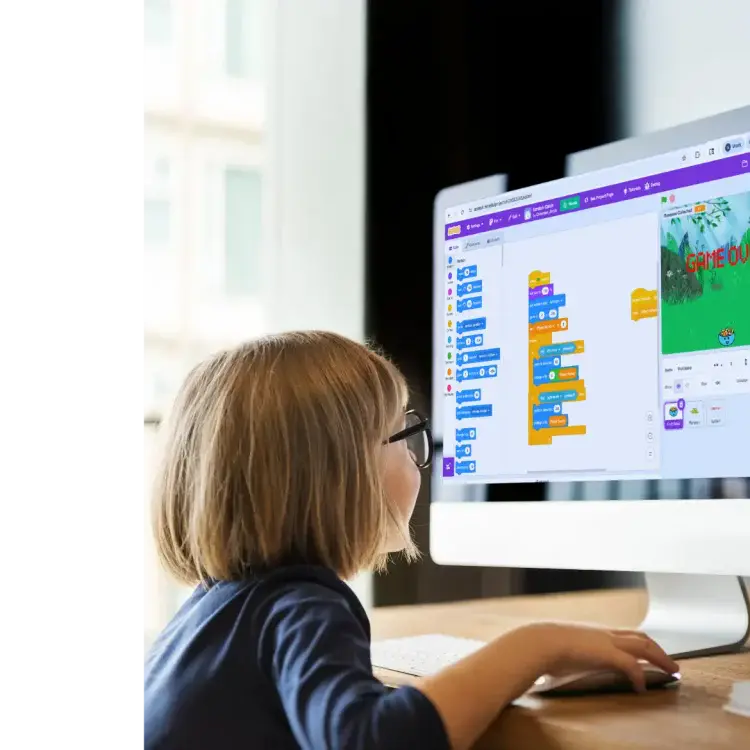
Visual coding platforms for kids make it easier for them to learn programming by using drag-and-drop interfaces that turn coding into a fun, interactive experience. These tools help children develop problem-solving, logical thinking, and creativity, while preparing them for future STEM opportunities. Here’s a quick rundown of the best platforms:
- Scratch: Free, block-based visual coding platform for kids ages 8–16. Great for games, animations, and storytelling.
- Code.org: Free K–12 curriculum with block-to-text progression. Ideal for classrooms and self-paced learning.
- Tynker: Paid platform for ages 5–18, offering block coding, Python, and Minecraft modding.
- Blockly Games: Free, puzzle-based learning for beginners, focusing on logic and sequencing.
- Khan Academy: Free courses for ages 8+, teaching JavaScript, HTML, and SQL with animations and games.
- Bitsbox: Paid subscription for ages 6–12, focusing on app creation using JavaScript.
- CodeCombat: Game-based learning for ages 9+, teaching Python and JavaScript. Free and paid options.
- Replit: Free and paid plans for ages 12+, offering professional-grade coding tools for real-world projects.
- CodaKid: Paid courses for ages 6–16, covering Python, game development, and Minecraft modding.
- JetLearn: Premium 1:1 classes for ages 6–16, focusing on AI, robotics, and coding.
Quick Comparison of Visual Coding Platforms for Kids
| Visual Coding Platform for Kids | Age Range | Focus | Cost | Format |
|---|---|---|---|---|
| Scratch | 8–16 | Games, animations | Free | Self-paced |
| Code.org | 6+ | K–12 curriculum | Free | Self-paced, classroom |
| Tynker | 5–18 | Block coding, Minecraft | $20/month | Self-paced |
| Blockly Games | 8+ | Logic puzzles | Free | Self-paced |
| Khan Academy | 8+ | JavaScript, HTML | Free | Self-paced |
| Bitsbox | 6–12 | App creation | $16.95–$54.95/month | Subscription |
| CodeCombat | 9+ | Python, JavaScript | Free; $9.99/month | Game-based |
| Replit | 12+ | Professional coding | Free; $20+/month | Browser-based |
| CodaKid | 6–16 | Python, game dev | $29/month | Self-paced, tutoring |
| JetLearn | 6–16 | AI, robotics | Premium pricing | 1:1 classes |
These visual coding platforms for kids cater to different age groups, interests, and learning styles. Whether your child is just starting or ready for advanced coding, there’s a platform for every need.
Table of Contents
What do people have to say about CodaKid?
What Makes Good Visual Coding Platforms for Kids
Picking the right visual coding platforms for kids can be the difference between a child falling in love with programming or feeling overwhelmed. The best platforms share key features that cater to young learners at various developmental stages.
Age-appropriate design is a must. Coding can start as early as age 5, but the interface needs to match a child’s abilities. For younger kids, simple icons and intuitive navigation work best, while older children benefit from more detailed coding blocks and advanced tools.
A clear progression path is another essential feature. According to Common Sense Education, beginners thrive with block-based coding that gradually transitions into text-based programming. This ensures kids can grow without outgrowing the platform.
Top visual coding platforms for kids also align with educational standards like CSTA, ISTE, or STEM.org, helping kids develop computational and critical thinking skills.
Gamification is a proven motivator. Platforms that incorporate project-based learning enhance retention by as much as 60%. Kids can stay engaged by creating games, animations, and puzzles, making learning both fun and rewarding.
Safety Features
Safety features are non-negotiable, especially for platforms with community interactions. Look for moderated spaces, age-appropriate filters, and strong privacy protections to ensure kids can share their creations safely. Additionally, visual coding platforms for kids should be flexible enough to support different learning preferences.
For instance, visual learners benefit from colorful, well-designed coding blocks, while kinesthetic learners thrive with drag-and-drop interfaces. Social learners, on the other hand, gain from collaborative tools. Visual coding platforms for kids that offer live guidance and allow customization – like adjustable visuals for accessibility – ensure no child is left behind.
Creativity
Beyond coding, good visual coding platforms for kids should encourage creativity. Kids should have the freedom to design characters, craft animated stories, or build interactive games, blending technical skills with imaginative expression.
Here’s how these criteria align with different types of learners:
| Child Profile | Recommended Starting Visual Coding Platforms for Kids | Why It Fits |
|---|---|---|
| Absolute beginner, age 5-7, limited reading skills | Kodable or Scratch Jr. | Simple icons and game-like progression make it easy to start. |
| Curious experimenter, age 8-10, loves storytelling | Scratch | Encourages creativity through animations and offers a safe online community. |
| Goal-oriented learner who thrives on live feedback | Codingal 1-on-1 plan | Personalized lessons keep them engaged and challenged. |
| Independent learner with classroom teacher support | Code.org Course C-F | Structured puzzles work for self-study or group learning, and it’s free. |
| Gaming enthusiast wanting Minecraft mods | Tynker plan with Minecraft integration | Combines coding with a popular game for added excitement. |
Finally, think about the long-term value of your choice. Some visual coding platforms for kids are free, while others require a subscription. Consider whether the platform helps your child build a portfolio, publish apps, or participate in coding competitions. With 71% of new STEM jobs in computing, investing in the right platform could be a step toward a bright future.
1. Scratch
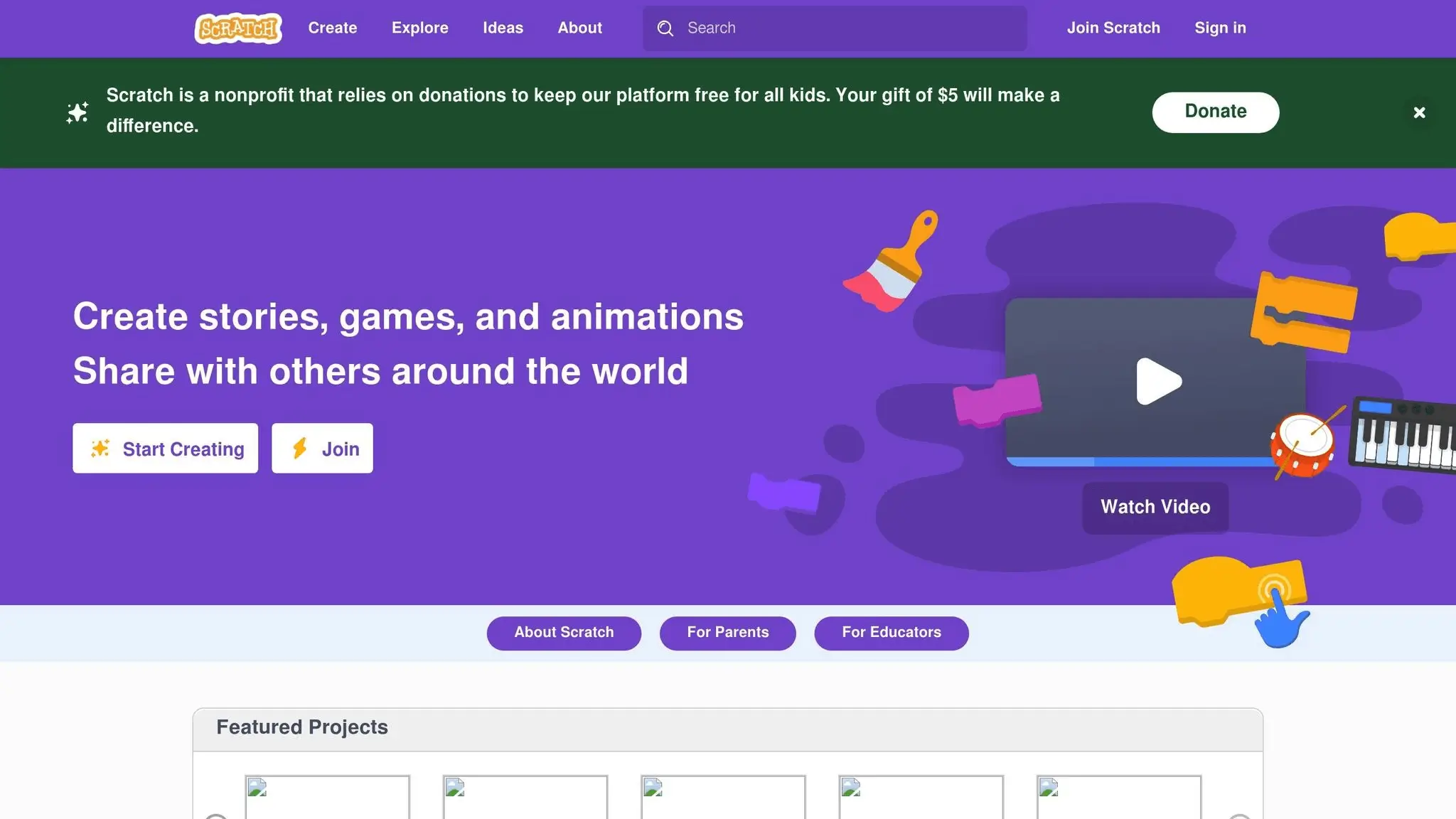
Scratch, developed by MIT, stands out as a leading visual platform for kids’ programming, boasting 103 million users, 123 million projects, and surpassing one billion projects as of April 12, 2024.
Using a drag-and-drop interface, Scratch allows kids to snap together vibrant coding blocks, transforming their ideas into projects like games, animations, and interactive stories. This approach feels more like playing than traditional learning, making it an engaging way to introduce programming concepts.
Young learners can dive into interactive storytelling by creating “choose your own adventure” scenarios with animated characters and branching dialogues. They can also develop games like maze navigators, Flappy Bird clones with gravity effects, or virtual pet simulations. Other popular projects include catch-the-falling-object games, animated greeting cards, music composers, and drawing apps. This wide range of creative possibilities has earned Scratch praise from educators and industry leaders alike.
“Scratch makes digital creation as simple as snapping together LEGO bricks – each block fits perfectly to form interactive projects.” – JetLearn
Even Apple CEO Tim Cook has highlighted Scratch’s influence, calling it a “powerful tool that empowers kids aged 8–11 to unleash their creativity and dive into the world of coding with its user-friendly interface”.
Recommended Age Range
Scratch is designed for ages 8 to 16, though its accessibility has attracted users of all ages. For younger children between 5 and 7, MIT offers ScratchJr, a simplified version tailored to early learners. Families can start with ScratchJr and transition to Scratch as kids develop stronger reading and logical thinking skills.
Learning Focus
Scratch is ideal for creating games, animations, and interactive stories. It supports a variety of projects, from basic ideas to more intricate designs, allowing learners to grow their skills at their own pace.
Learning Format
With a self-paced learning model, Scratch encourages kids to explore and experiment independently. Its vibrant online community, which attracts over 95 million monthly visits, offers a space for young programmers to share their creations and draw inspiration from others. This collaborative environment makes learning both accessible and enjoyable.
Cost
Scratch is completely free – no hidden fees, premium features, or subscription tiers. While an account is optional, creating one lets kids save and share their projects. The platform is funded through grants and donations, ensuring it remains accessible to all families, regardless of financial situation.
2. Code.org
Code.org is a nonprofit organization with a clear mission: to bring computer science education to every child. It has a massive reach, serving over 99 million students and 2.9 million teachers around the globe.
The platform has inspired students to create an astounding 332 million projects, and its Hour of Code initiative engages tens of millions of participants in nearly 200 countries. With courses available in more than 63 languages and used across 180 countries, Code.org has truly made programming accessible worldwide.
Using a drag-and-drop block system, Code.org simplifies programming for young learners who might feel overwhelmed by traditional text-based coding. Its Computer Science Fundamentals (CSF) curriculum introduces key concepts through interactive lessons designed to spark creativity and critical thinking while connecting to real-world applications. Students can explore tools like Sprite Lab and Play Lab to design games and animations, all while mastering core programming concepts such as sequencing, loops, events, algorithms, conditionals, and variables. The curriculum also includes unplugged lessons – activities that teach coding principles without any need for devices. These lessons provide a balanced approach, ensuring that learners of all ages can build coding skills at their own pace.
Recommended Age Range
Code.org offers courses tailored to K–12 learners. Here’s how the curriculum is structured:
- CS Fundamentals: Designed for elementary students (K–5), with beginner-friendly courses like Courses A and B for pre-readers.
- CS Discoveries: Targets middle and early high school students (grades 6–10).
- CS Principles: Advanced coursework for high school students (grades 9–12).
Whether students are complete beginners or ready to tackle more advanced challenges, Code.org provides a clear progression path as their skills grow.
Learning Focus
Code.org covers a wide range of topics, including game and animation design, internet basics, programming fundamentals, app creation, and art and design. Through these projects, students not only learn programming but also develop persistence and critical thinking skills. The curriculum aligns with K–5 CSTA standards, and 90% of workshop attendees say they would recommend it to other educators.
Learning Format
Flexibility is a hallmark of Code.org. The platform offers teacher-led lessons, self-paced activities, and unplugged options. This variety ensures students can choose a learning style that works best for them, whether in a classroom setting or through independent exploration. Educators and parents can also create accounts to access community forums and additional resources.
Cost
One of the most appealing aspects of Code.org is that it’s completely free – no hidden fees, premium features, or ads. As Frank Lee, a Code.org CS Principles Facilitator, emphasizes:
“Code.org is totally free – teacher accounts, student accounts, all features, everything.”
While the platform is free for K–5 learners, costs for grades 6–12 are often covered through scholarships and grants, ensuring broader accessibility.
3. Tynker
Tynker is a well-known visual coding platform for kids that has captivated the interest of over 100 million students globally. Designed to grow alongside its users, Tynker offers coding solutions that range from picture-based programming for preschoolers to advanced text-based coding languages like Python and JavaScript for teenagers.
The platform evaluates each child’s skill level to ensure they start on the right learning path. Through its engaging, story-driven lessons, kids can learn essential programming concepts in a safe, moderated environment. They also get the chance to create their own projects, share them, and connect with a global community of young coders.
Tynker has partnered with organizations like NASA and Mattel to make coding even more exciting. These collaborations have introduced space-themed projects and STEM-focused content, including Barbie coding lessons, which aim to inspire more girls to explore coding and STEM fields.
Recommended Age Range
Tynker is designed for children aged 5 to 18 years, with tailored approaches for different age groups:
- Tynker Junior: This version is ideal for younger learners aged 5–7. It uses tap-based picture coding and voice-overs, making programming accessible even for pre-readers.
- Tynker Platform: For kids aged 7–12, the platform offers drag-and-drop block coding. Tools like the Mod Creator let kids develop their own Minecraft mods.
- Advanced Courses: Older students can transition to real-world programming languages like Python and JavaScript, gaining skills that extend beyond the basics.
Learning Focus
Tynker encourages kids to go beyond simple coding by exploring creative outlets like game design, music, and animation. Students can dive into digital music creation, bring stories to life through animation, and tackle hands-on projects. The platform’s offerings include courses in game design, Minecraft modding, Python, JavaScript, and advanced topics like Processing 1 (using p5.js). Teens can also explore data science, art, and image processing.
Learning Format
Tynker uses a self-paced learning system with over 5,000 lessons that combine video tutorials, interactive coding challenges, and skill assessments. The platform features a mix of lectures, puzzles, projects, and quizzes, creating a dynamic learning experience. Parents can monitor their child’s progress through a dedicated dashboard, while students benefit from self-guided courses and even a free one-on-one session with a coding coach.
Cost
Tynker’s mobile app boasts a 4.7-star rating, reflecting its popularity and user satisfaction. As Tynker puts it:
“Tynker is the world’s number one visual coding platform for kids ages 5 to 18 for a reason – it works!”
A subscription provides access to a structured curriculum with progressively challenging lessons, ensuring kids learn at a comfortable yet stimulating pace.
4. Blockly Games
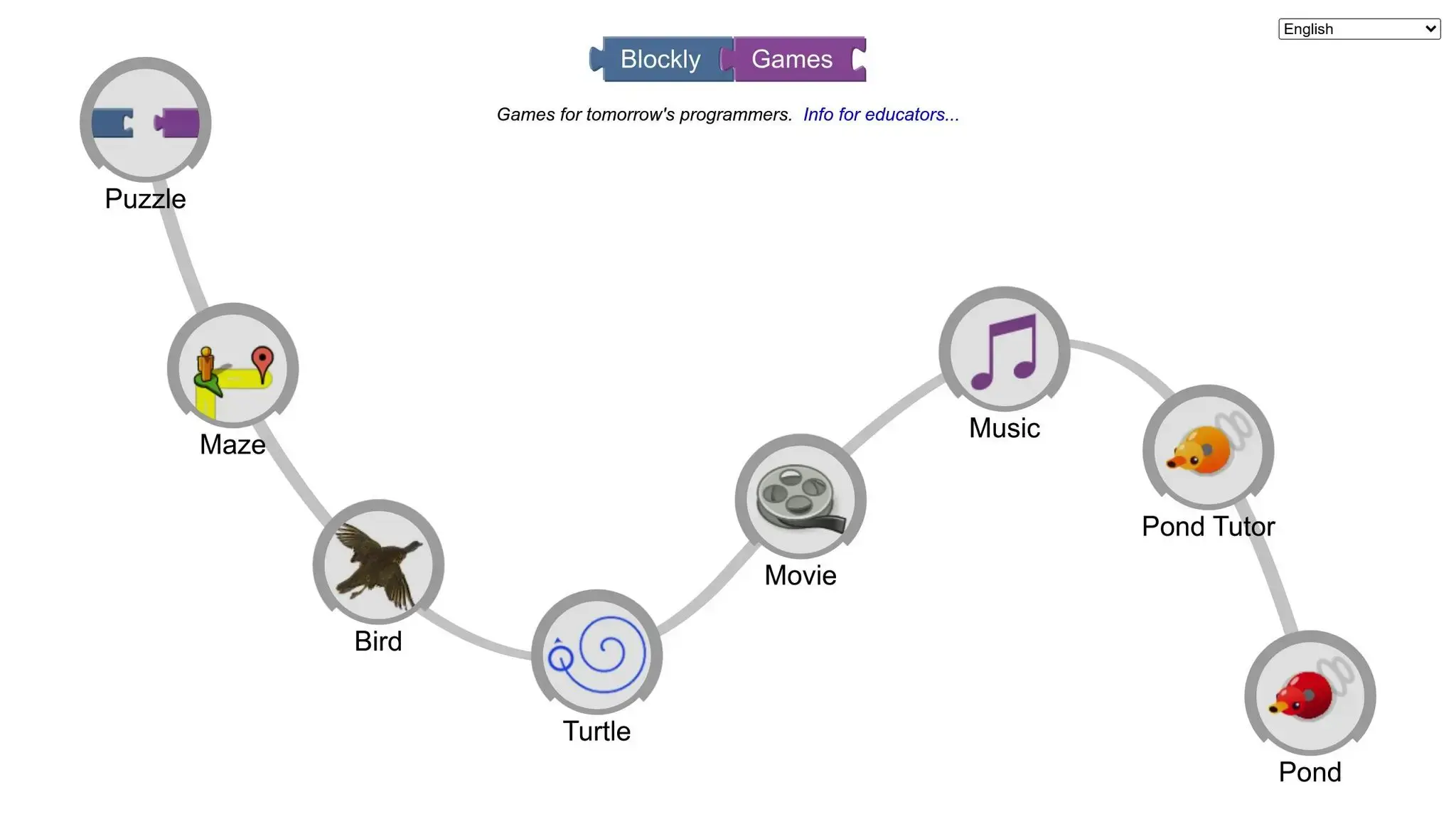
Blockly Games is a free, interactive platform designed to teach programming through fun, puzzle-based games. Using a block-based interface similar to Scratch, it introduces coding concepts in a way that’s both engaging and beginner-friendly.
The platform features eight different games: Puzzle, Maze, Bird, Turtle, Movie, Music, Pond Tutor, and Pond. Each game includes multiple levels that gradually build problem-solving and logical thinking skills – with minimal need for typing.
Recommended Age Range
Blockly Games doesn’t specify an exact age range, but its straightforward design makes it ideal for younger learners. For context, similar tools like Robo Wunderkind’s Robo Blockly app are typically geared toward kids aged 8–16.
Learning Focus
Through its interactive puzzles, Blockly Games introduces key programming concepts like logic, sequencing, and debugging. Kids learn to break down complex tasks into smaller steps, predict outcomes, and solve problems systematically. As they progress, they strengthen computational thinking skills, laying the groundwork for more advanced, text-based coding projects.
Learning Format
Blockly Games is entirely self-paced, allowing learners to tackle games and levels at their own speed. While the platform is web-based, it also supports offline play by letting users download the games. This flexibility ensures uninterrupted learning, even without internet access.
For an enhanced experience, teachers and parents can start with large-screen demonstrations before letting kids explore independently. The platform supports multiple languages, making it accessible to learners from diverse backgrounds.
Cost
Blockly Games is 100% free – no subscriptions, hidden fees, or premium features. It’s also ad-free and doesn’t track user data, ensuring a safe and distraction-free environment. Additionally, its open-source nature allows educators and developers to customize the platform to meet specific learning needs.
5. Khan Academy – Computer Programming
Khan Academy’s Computer Programming section provides an engaging, beginner-friendly way to dive into real coding languages like JavaScript, HTML/CSS, and SQL. The platform uses visual tools paired with step-by-step tutorials to make learning accessible and interactive.
This approach bridges the gap between block-based programming and text-based coding. Students develop essential skills, such as working with variables, creating animations, organizing data in arrays and objects, and writing functions – all while gaining confidence in coding.
Recommended Age Range
These courses are best suited for kids in 3rd grade and above, typically ages 8 and older. While Khan Academy Kids caters to younger children, the Computer Programming section requires basic reading skills and logical thinking, which usually emerge during elementary school. The text-based format makes it a great fit for students ready to move beyond visual block coding. Research even suggests that children exposed to coding at an early age tend to perform better academically.
Learning Focus
The curriculum emphasizes animation and game design to teach programming concepts in a fun and practical way. Students learn to:
- Use variables and functions effectively.
- Create animations and interactive designs.
- Store and manage data with arrays and objects.
- Build basic web pages using HTML and CSS.
- Apply SQL for advanced data filtering.
This blend of programming and web development skills lays a solid foundation for future learning. The courses are designed to be self-paced, making it easy for students to explore topics at their own speed.
Learning Format
Khan Academy’s self-paced structure allows students to learn without the stress of deadlines. This flexible format helps kids address their unique learning needs, whether they’re catching up or racing ahead. Interactive lessons offer immediate feedback, adapting to each student’s progress and style throughout their coding journey.
Cost
The best part? Khan Academy’s Computer Programming section is entirely free. There are no hidden fees, subscriptions, or premium upgrades, making it an accessible resource for families everywhere.
6. Bitsbox
Unlike many platforms that rely on block-based coding, Bitsbox takes a different route with a text-based approach centered on app creation. Instead of dragging and dropping blocks, kids use real JavaScript to build their apps, learning through customized commands that make creating projects fast and engaging.
What makes Bitsbox stand out is its specific focus on app development. More than a million children have already created apps using this platform, highlighting its ability to captivate young learners.
But Bitsbox isn’t just about coding – it’s a well-rounded learning experience. While working on their projects, kids also strengthen their math and reading skills and enhance cognitive abilities like attention span, visual processing, memory, and problem-solving. This broad approach makes Bitsbox more than just a coding tool – it’s a platform for comprehensive skill-building.
Recommended Age Range
Bitsbox is designed for children aged 6–12 but can accommodate younger or older kids with the right support. For younger kids (ages 6–8), parental assistance is often needed, and they typically opt for simpler, shorter projects. Older kids (ages 9–12) work more independently and progress through projects at a quicker pace. Impressively, even kids as young as 4 have successfully used Bitsbox with one-on-one guidance. The general rule? If a child can read, they can start coding with Bitsbox.
Learning Focus
Bitsbox specializes in app and game creation, teaching kids to design interactive projects they can play with and share. This hands-on focus helps kids grasp essential coding skills by working on real, functional apps. The step-by-step, project-based approach ensures they’re not just learning theory – they’re building something tangible and fun, which keeps them motivated and excited to learn.
Learning Format
Bitsbox’s self-paced structure is ideal for busy families, allowing kids to learn at their own speed and in a way that fits their unique learning style.
Cost
Bitsbox uses a subscription-based model with several options to suit different preferences:
- Digital Bitsbox: Starts at $19.95 per month or $16.95 per month when billed annually ($203.40/year). All materials are delivered via email.
- Basic Bitsbox: For those who prefer physical materials, this plan costs $29.95 per month plus $6 shipping, or $24.95 per month with an annual subscription ($299.40/year plus shipping).
- Premium Bitsbox: Includes extra content at $54.95 per month plus shipping, or $47.95 per month with an annual plan ($575.40/year plus shipping).
For those who prefer one-time purchases, complete level packages range from $299.95 to $499.95. Subscriptions renew automatically but can be canceled anytime. New users can also try a free coding project by signing up for the Bitsbox email list.
7. CodeCombat
CodeCombat turns coding into an adventure game, where kids tackle missions that make learning coding feel like an exciting quest. A study involving 49 first-grade students in primary schools in Macao revealed that using CodeCombat significantly boosted their attention, engagement, and satisfaction with learning materials. Overall, students showed increased motivation across key areas.
Research further highlights that introducing programming through CodeCombat in primary schools helps develop computational thinking skills.
The platform starts younger learners with drag-and-drop block coding before transitioning them to text-based coding in Python and JavaScript. This gradual shift ensures a smooth learning curve. It also combines coding with English Language Arts, helping kids improve both their technical and literacy skills. This structured approach makes it easy for kids to adapt to different learning formats.
Recommended Age Range
CodeCombat is designed for kids aged 9 and up. However, creating an account requires users to be at least 13 years old.
Learning Focus
The platform focuses on teaching Python and JavaScript through fun, game-based challenges. Kids write code to complete levels, turning abstract coding concepts into hands-on skills. These interactive lessons allow learners to progress at their own pace, making the experience both engaging and accessible.
Learning Format
CodeCombat offers a self-paced learning experience that works seamlessly across multiple devices, including tablets and iPads. The course structure introduces progressively challenging lessons, enabling students to advance at a pace that suits them.
Cost
CodeCombat follows a freemium model. The core levels, including the entire “Computer Science 1” unit, are free to access. For those seeking additional features, premium plans unlock extra content, heroes, and bonuses:
- Monthly Premium: $9.99 per month (includes 3,500 bonus gems and access to the “mage” class)
- Lifetime Plan: $99 one-time payment
For educators, there are special pricing options:
- Single Teacher License: $70 per year
- Multiple Students: $50 per student per year (for groups of two or more students)
To ensure families feel confident in their purchase, CodeCombat offers a 100% money-back guarantee on premium subscriptions.
8. Replit
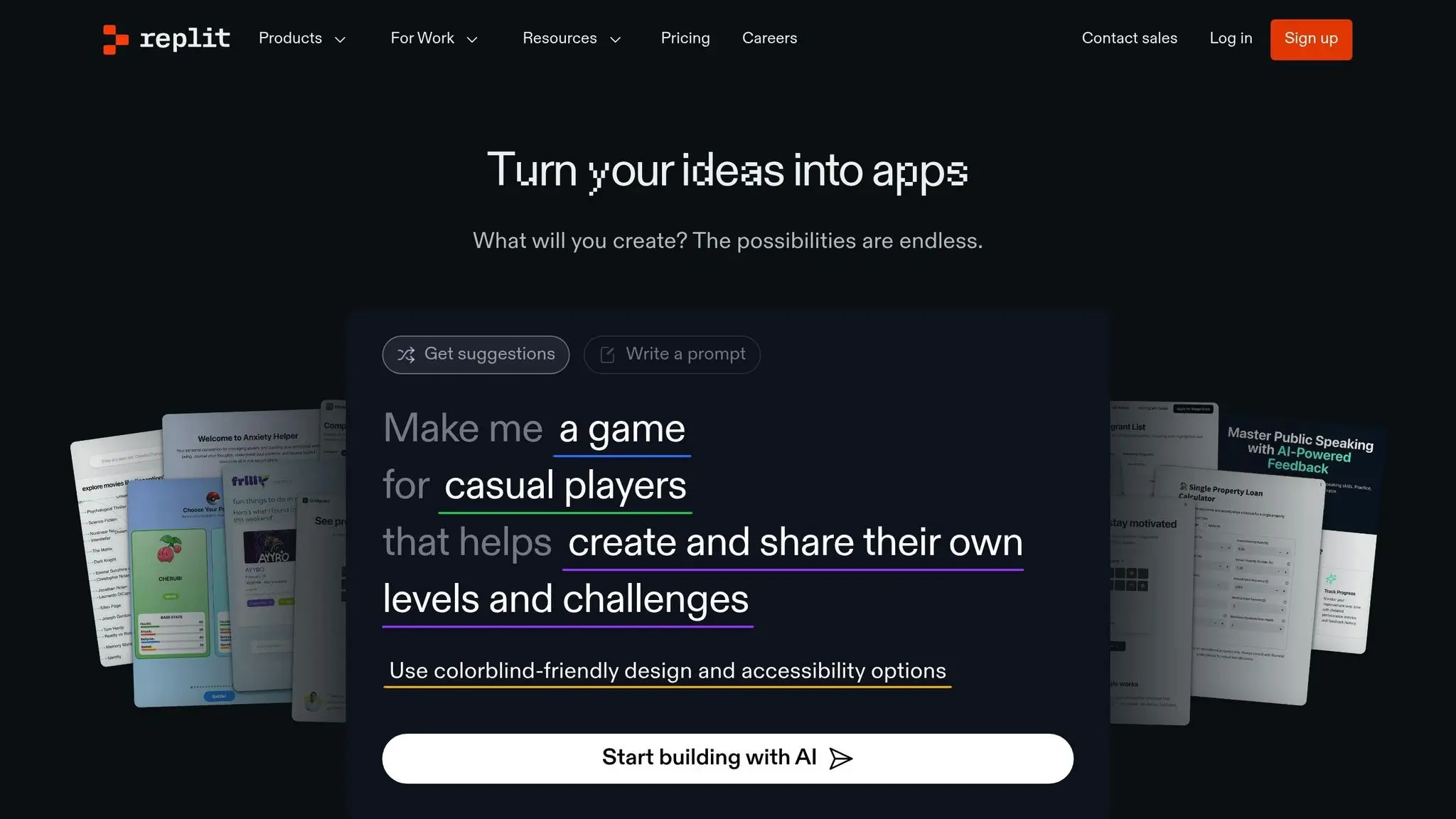
Replit is an online IDE designed to give teens access to professional coding tools. Unlike block-based platforms, it focuses on text-based programming using real languages like Python, HTML, and JavaScript. For example, in 2019, a 13-year-old used Replit to create an AI program capable of recognizing handwritten numbers from the MNIST dataset.
One of Replit’s standout features is its real-time collaboration mode, allowing multiple users to work on the same code simultaneously. With support for over 40 programming languages, it’s perfect for individual projects, group work, tutorials, and coding challenges.
Recommended Age Range
Replit is most suitable for kids aged 12 and older, especially teens who are ready to move from visual coding to text-based programming. It’s ideal for hands-on learners and budding developers eager to build real-world projects.
Learning Focus
Replit offers a variety of courses and tutorials covering topics like Python, game development, AI, and web development. Students can learn scripting with Python and HTML, enabling them to create websites, games, and even mobile apps.
Learning Format
The platform provides a self-paced learning experience entirely within the browser, meaning students can access their projects from any device without needing extra software. Its collaborative tools encourage peer learning and teamwork, while built-in tutorials help beginners grasp the basics. This makes it a smooth transition from visual coding platforms to more advanced, text-based programming.
Cost
Replit offers several pricing options:
- Starter (Free): Includes basic features, limited AI tools, and the ability to create up to 10 public apps.
- Replit Core: Costs $20 per month (billed annually) or $25 per month on a monthly plan. This tier offers unlimited apps, full access to AI tools, and $25 in monthly credits.
- Teams: Priced at $35 per user monthly, this plan includes centralized billing and $40 in monthly credits per user.
- Enterprise: Custom pricing is available for organizations with a minimum of 20 users.
The free plan is a great starting point for beginners, while the paid plans cater to those who want to explore advanced features and take their coding skills to the next level.
9. CodaKid

CodaKid is an online academy dedicated to teaching coding and AI skills. It uses real programming languages to guide students through hands-on projects like creating games, coding apps, programming drones, and building websites. Here’s a closer look at its age suitability, learning approach, formats, and pricing.
Recommended Age Range
CodaKid’s courses are tailored for children aged 7 and up, though younger kids may require extra assistance. It also offers private and small group online lessons for kids between 6 and 16, ensuring the content is crafted specifically for younger learners.
Learning Focus
The platform focuses on teaching practical programming skills through project-based learning. Topics range from AI development and Python to JavaScript, Minecraft modding, Roblox game creation, web development, and drone programming. These courses encourage students to work on projects that mimic real-world applications, helping them gain valuable experience.
Learning Format
CodaKid provides several learning options to suit different needs:
- Self-Paced Courses: Students can follow HD video lessons at their own pace, pausing and testing their projects as they go. Support is available via chat or email, and learners get unlimited access to over 85 courses.
- Private Tutoring: This option pairs students with US-based instructors from top universities for one-on-one sessions. Using the Mastery Method, these weekly lessons include a customized curriculum, progress tracking, and consistent mentorship.
- Virtual Camps: These weeklong summer camps feature two-hour daily sessions on topics like AI, Roblox, or Minecraft, offering an interactive and collaborative group learning environment.
Cost
CodaKid’s pricing is divided into three main categories:
- Self-Paced Courses: For $29 per month, students get unlimited access to over 85 courses, complete with video tutorials, project-based learning, help desk support, and certificates of completion.
- Private Lessons 1:1: At $249 per month, this option includes weekly personalized sessions with a dedicated instructor, a tailored curriculum, progress tracking, and flexible scheduling.
- Virtual Camps: Prices vary depending on the camp and topic, offering an immersive one-week experience led by expert instructors.
The self-paced courses provide an affordable way to dive into coding, while the private lessons are ideal for students seeking personalized guidance. Virtual camps add an engaging group dynamic to the learning experience.
10. JetLearn
JetLearn is an online platform dedicated to teaching kids and teens coding and programming skills, preparing them for future opportunities in technology. The academy has been recognized in HolonIQ’s Europe EdTech 200 list for three consecutive years (2022, 2023, and 2024). It also holds accreditation from STEM.org and certification from Education Alliance Finland.
Recommended Age Range
JetLearn caters to children and teens between the ages of 6 and 16, offering a curriculum tailored to suit various developmental stages. The program is divided into three levels:
- Foundation (ages 6–8)
- Advanced (ages 8–10)
- Pro (ages 10 and up)
As of June 2025, JetLearn’s AI projects include age-specific activities like the “Smile Detector” for ages 6–8, the “AI Pet Recognizer” for ages 9–11, the “Chatbot Tutor” for ages 12–14, and the “AI Resume Screener” for ages 15–16. This structure ensures that students learn in an age-appropriate and skill-focused environment.
Learning Focus
JetLearn’s curriculum emphasizes AI, robotics, and coding, developed in collaboration with experts from leading universities and the tech industry. Students dive into coding languages such as Scratch and Python, along with web and app development. The program also encourages creativity and problem-solving through hands-on projects.
JetLearn explains, “JetLearn offers personalized online classes for kids (ages 5–18) in AI, STEM, and Math – taught by expert teachers to spark creativity, confidence, and future-ready skills.”
The courses aim to build a strong foundation in coding while preparing students for challenges like Olympiads, hackathons, and even college admissions.
Learning Format
JetLearn provides flexible learning options to meet diverse student needs:
- Live 1:1 Classes: These sessions, conducted via video conferencing, offer personalized instruction tailored to each student’s pace.
- Self-Paced Classes: Students can progress through lessons at their own speed, with adaptive plans that adjust to their learning style.
Parents have praised the program for its engaging and well-structured curriculum. For instance, in June 2025, Silvia Pepe reviewed the Game Design with Roblox Summer Camp and shared, “The curriculum is well-structured, easy to follow, and highly interactive, and the instructor is patient and engaging”.
Cost
JetLearn offers premium, personalized instruction, but pricing depends on the program format and duration. To help parents determine the best fit for their child, the platform recommends scheduling a trial class before committing to a full program.
Visual Coding Platforms for Kids Comparison Table
Here’s a quick overview of some popular visual coding platforms for kids, highlighting their age suitability, learning focus, format, cost, and features specific to the US. This table helps you decide which platform aligns best with your child’s interests and learning preferences.
| Platform | Age Range | Learning Focus | Format | Cost (USD) | Key US Features |
|---|---|---|---|---|---|
| Scratch | 7–12 years | Block coding, creative projects, game design | Self-paced; free online | $0 | Developed by MIT Media Lab |
| Code.org | 6+ years | K–12 curriculum; block-to-text transition | Self-paced; classroom support | $0 | Designed to integrate with US school curricula |
| Tynker | 6–16 years | Block + Python; Minecraft modding; AI/ML | Self-paced; guided lessons | Free to start; $20/month | Includes AP Computer Science courses |
| Blockly Games | 8+ years | Logic puzzles; block-based programming | Self-paced games | $0 | Created by Google |
| Khan Academy – Computer Programming | 12+ years | JavaScript, HTML; structured practice | Self-paced video lessons | $0 | Part of a non-profit educational initiative |
| Bitsbox | 8–12 years | App development; typed code | Monthly project boxes | Varies by subscription | Ships physical coding projects within the US |
| CodeCombat | 10+ years | Python/JavaScript through gaming | Game-based learning | Free tier available | RPG-style coding experience |
| Replit | 12+ years | Python, HTML; real development tools | Cloud-based coding | Starts at $0 | Professional-grade development environment |
| CodaKid | 6–16 years | Real languages (Python, Java); game development | Self-paced: $29/month; Private lessons: $249/month | Includes US-based live support | |
| JetLearn | 6–16 years | AI, robotics, Python; personalized learning | Live 1:1 and self-paced options | Premium pricing; trial available | STEM.org accredited with age-appropriate tracks |
Comparison
As you can see, these platforms vary widely in cost, teaching methods, and content focus. Free, self-paced options like Scratch and Blockly Games are great for independent learners, while paid programs such as CodaKid and JetLearn offer more personalized instruction and advanced topics.
For US families, platforms like Scratch and Code.org stand out for their alignment with local education standards and resources. Whether your child is just starting or ready for more advanced topics, this table offers a solid starting point for making an informed choice.
How to Choose the Right Visual Coding Platforms for Kids
Selecting the best visual coding platform for your child involves considering their age, interests, and learning preferences. It’s even better if you include them in the decision-making process – it gives them a sense of ownership and excitement.
Start by matching the platform’s features to your child’s current skill level. For younger kids, platforms with visual, game-like interfaces are usually a hit. On the other hand, teens often benefit from more advanced, text-based coding environments that challenge their growing abilities.
Keeping Them Engaged
Your child’s interests play a huge role in keeping them engaged. Are they into video game design, robotics, web development, or app creation? For example, if your child loves Minecraft, look for a platform that supports Minecraft modding. As Grant Smith, Director of Education for codeSpark, explains:
“I look for programs that balance providing content knowledge with open creativity… Kids learn coding best when they are able to express themselves through relevant projects. Kids should have a choice and be able to express their voice.”
Also, consider their learning style. Kids who thrive on structure and real-time interaction might do better with live classes, while self-paced programs can be ideal for independent learners with flexible schedules. Think about whether the platform offers live or self-guided formats and how that fits your child’s needs.
Curriculum Structure
The curriculum structure is another critical factor. Look for hands-on, project-based learning that encourages creativity, problem-solving, and a deeper understanding of coding concepts. Scott Luikart, Salesforce MVP, emphasizes:
“A hallmark to a good coding curriculum for youth and young adults is gamification. Engaging young people in coding requires their excitement – gamification and fun built-in really drives youth to go further and try more.”
It’s also worth checking if the platform provides a pathway from visual coding to text-based programming. While visual coding is a great starting point, transitioning to text-based languages like Python or JavaScript is essential for more advanced projects. A Northwestern University study found that 50% of high school students using block-based programming struggled when moving to text-based coding. Platforms with a clear progression can help ease this transition.
Don’t forget to evaluate the quality of instructors and support. Experienced, approachable teachers and accessible help desks can make a huge difference in your child’s learning journey. These elements create a safe and encouraging environment for young coders.
Safety and privacy are also non-negotiable, especially for online platforms. As educator Brian Aspinall points out:
“The terms of service. While corporate apps need to monetize, tools like Scratch (built by teachers for teachers) respect student data and privacy.”
Before committing, ensure your child has the necessary equipment and that the platform’s schedule works for your family. Take advantage of free trials or demo sessions to see how engaged your child is, what they create, and how confident they feel using the platform.
Lastly, consider user reviews and whether the platform aligns with educational standards. With 33 states passing laws in the last five years to integrate programming into school curricula, choosing a platform that complements these standards can give your child an academic edge.
Conclusion
Visual coding platforms are transforming the way children learn to program by simplifying complex concepts with easy-to-use drag-and-drop interfaces.
What makes visual coding so effective is its ability to teach core programming principles – like sequencing, loops, conditionals, and events – in a way that’s both engaging and approachable. As Knowledge-Hub.com puts it:
“Visual coding builds foundational knowledge that children can build upon when transitioning to textual coding languages like Python or JavaScript.”
Each platform brings its own strengths to the table. Whether it’s Scratch’s storytelling focus, Code.org’s structured lessons, or CodaKid’s integration with professional tools, these platforms are designed to spark curiosity and make learning to code exciting. Visual coding not only makes programming more accessible but also nurtures essential skills like problem-solving, logical thinking, and creativity. Plus, the instant feedback and interactive interfaces help build confidence and encourage kids to experiment.
Consider exploring free trials or demos to find the platform that best suits your child’s needs. At its core, teaching coding is about developing creative problem-solvers who can shape the digital world. As ALI Staff from Accelerate Learning highlights:
“Coding is a vital skill in today’s classrooms, just as important as traditional subjects like math or history. It’s a powerful tool that sharpens logic, enhances problem-solving abilities, and boosts creativity.”
Every coding journey starts with a single block. Armed with these insights, you can choose a platform that grows with your child and helps them build skills that will last a lifetime.
FAQs
What should I look for in visual coding platforms for kids?
When choosing visual coding platforms for kids, it’s important to prioritize age-appropriate content, ease of use, and platforms that make learning interactive and enjoyable. The goal is to find a program that introduces foundational coding concepts in a way that’s both fun and accessible.
Look for platforms that integrate real-world programming languages or tools alongside game-like elements to keep kids engaged. Additionally, selecting platforms that align with educational guidelines and offer structured skill-building paths can ensure your child continues to progress as they develop their coding abilities.
How do visual coding platforms prepare kids for advanced programming languages?
Visual coding platforms make it easier for kids to dive into programming by breaking down complex ideas into manageable pieces. With their drag-and-drop interfaces, children can concentrate on learning the basics of programming logic and problem-solving without the frustration of syntax errors. This approach helps them develop a solid grasp of computational thinking early on.
Once they feel more comfortable, kids can move on to text-based coding. The skills they pick up – like spotting patterns, debugging, and organizing sequences – carry over naturally to more advanced programming languages. This smooth transition makes the leap to text-based coding less overwhelming and much more approachable.
What safety and privacy precautions should I take when my kids use visual coding platforms?
When your kids are exploring visual coding platforms, their safety and privacy should be a top priority. Many platforms follow regulations like the Children’s Online Privacy Protection Act (COPPA), which ensures that parental consent is required before collecting personal data from children under 13. Take the time to read through the visual coding platform for kids’ privacy policy to see exactly how your child’s information is managed.
You can take additional steps to keep your child safe by using parental controls and privacy settings. These tools let you monitor their activity, limit access, and block the sharing of personal details. It’s a good idea to review and update these settings regularly to ensure ongoing protection. Beyond technical measures, having open conversations with your child about online safety can help create a secure and positive environment for their learning journey.















