Learning to code has become an essential skill for kids, offering them a head start in a tech-driven world. From creating games to building apps, online coding platforms now make programming fun and accessible to children of all ages. Here are the top 10 best online coding classes for kids in 2026, tailored to various age groups, skill levels, and interests:
- CodaKid: Teaches real programming languages like Python, Java, and Lua through projects like Minecraft modding and Roblox game creation. Offers self-paced courses, private lessons, and virtual camps.
- Tynker: Combines drag-and-drop coding with text-based languages like Python and JavaScript, offering self-paced courses, live classes, and seasonal camps.
- Code WizardsHQ: Live small-group classes with real-time instructor feedback, focusing on step-by-step coding education.
- CodeCombat: Turns coding into a role-playing game adventure, teaching Python, JavaScript, and HTML through interactive quests.
- MakerKids: Focuses on hands-on projects like game development and animations, using Scratch, Python, and Java.
- CodeMonkey: Game-based learning for younger kids, starting with visual coding and transitioning to text-based programming.
- Khan Academy: Free, self-paced lessons in JavaScript, HTML, CSS, and SQL, ideal for beginners and advanced learners alike.
- MIT App Inventor: A drag-and-drop platform for creating Android apps, perfect for kids aged 10 and up.
- Blockly: A visual programming tool that introduces coding basics and generates real programming languages like Python and JavaScript.
- Kodable: Game-based coding for elementary students, progressing from basic logic to JavaScript and Swift.
These platforms cater to different learning styles, from self-paced tutorials to live classes, and offer a range of pricing options, including free resources. Whether your child is a complete beginner or ready for advanced programming, there’s a course to match their needs.
Quick Comparison (Top 10 Best Online Coding Classes)
| Platform | Age Range | Programming Languages/Tools | Format | Price |
|---|---|---|---|---|
| CodaKid | 8–18 years | Python, Java, Lua, HTML, CSS | Self-paced, live, camps | $29–$249/month |
| Tynker | All ages | Python, JavaScript, HTML, CSS | Self-paced, live, camps | Varies |
| CodeCombat | 9+ years | Python, JavaScript, HTML | Self-paced | Subscription |
| MakerKids | 6–13 years | Scratch, Python, Java | Virtual classes | Varies |
| CodeMonkey | 4–14 years | CoffeeScript, HTML, CSS | Self-paced | $9.99/month |
| Khan Academy | All ages | JavaScript, HTML, CSS, SQL | Self-paced | Free |
| MIT App Inventor | 10+ years | Visual block-based programming | Self-paced | Free |
| Blockly | 5–10 years | Python, JavaScript, PHP | Self-paced | Free |
| Kodable | K–5 grades | JavaScript, Swift | Self-paced | $9.99–$24.99/month |
Start with free options like Khan Academy or Blockly if you’re unsure. For more structured learning, platforms like CodaKid or Code WizardsHQ provide guided lessons. Choose a program that fits your child’s age, interests, and learning style to make coding engaging and rewarding.
Table of Contents
CodaKid Mastery Method™ – Our Unique Approach to Online, 1-on-1 Kids Coding Education
How to Choose the Right Online Coding Class for Your Child
Picking the right coding class for your child can feel like a daunting task with so many options out there. The key is to match the program to your child’s age, learning style, and interests while ensuring it offers the right level of challenge and support. Here’s how you can narrow down the best choice.
Start with age appropriateness. For younger kids (ages 5-8), look for programs that use visual, block-based programming languages with drag-and-drop interfaces – they’re easier for little ones to grasp. Kids between 9-12 can start tackling more complex ideas and might be ready for text-based coding. Teenagers, on the other hand, can dive into advanced languages like Python or JavaScript. Always check if the program clearly outlines the target age group and required skill level.
Programming Languages and Tools
Next, think about the programming languages and tools being taught. If your child is into Minecraft, consider courses that teach game modding with Java or Python. For budding app developers, platforms that focus on Swift or JavaScript might be a better fit. Also, check whether the program uses real-world programming languages or simplified versions – authentic tools offer skills that can be applied more broadly.
The instructional format is another crucial factor. Some kids thrive with self-paced tutorials, where they can learn independently at their own speed. Others benefit from the structure and interaction of live classes. Many platforms now offer a mix of learning methods, including self-paced courses, live sessions, and virtual camps, so you can choose one that suits your child’s preferred way of learning.
Support Resources
Don’t overlook support resources. Programs with strong support systems – like help desks, forums, direct access to instructors, and progress tracking – can make a huge difference. These resources not only help kids when they’re stuck but also give parents a way to monitor progress and identify areas where extra help might be needed.
Certificates of completion are another bonus to consider. These can be a great confidence booster for your child and serve as proof of their hard work. Many platforms now offer digital badges or certificates that kids can share with family and friends, or even include in future academic or career portfolios.
When it comes to pricing and flexibility, make sure to weigh your options carefully. Self-paced programs often cost between $20-50 per month, while private tutoring can range from $200-300 monthly. Look for platforms that offer free trials, money-back guarantees, or options to pause subscriptions during busy times like exams or vacations.
A project-based learning approach is often more engaging than traditional lectures. Programs where kids create games, apps, or websites give them hands-on experience and help them see how their coding skills can be applied in real life.
Lastly, check the technical requirements. Some platforms may need specific software or have system requirements that older devices can’t handle. Look for programs with clear setup instructions and reliable technical support to avoid any early frustrations.
1. CodaKid

CodaKid is an online coding academy designed for kids and teens, co-founded by Lauren Nguyen and David Dodge. Unlike platforms that rely on simplified interfaces, CodaKid uses professional development environments and real programming languages to teach coding.
The academy takes a project-based approach, engaging students in hands-on activities like creating Minecraft mods, developing Roblox games, building websites, and programming AI. These projects not only deliver practical results but also keep students motivated by showing them the real-world applications of their work.
CodaKid boasts a library of over 85 courses, covering everything from beginner-friendly projects to advanced topics like artificial intelligence and web development. Students can dive into courses that teach skills in areas such as Minecraft modding, Roblox game creation, and web development, all while working with industry-standard tools.
Recommended Age Range
CodaKid is tailored for learners aged 8 to 18. The platform starts younger students with visual, game-based concepts and gradually transitions them to text-based programming languages, making it accessible and challenging for a wide age range.
Programming Languages and Tools Taught
The curriculum includes widely-used programming languages such as Python, JavaScript, Java, HTML, CSS, and Lua. Students also learn in professional-grade development environments. Popular courses focus on topics like Minecraft modding using Java, Roblox game development with Lua, web development with HTML, CSS, and JavaScript, and AI programming using Python.
Instructional Format
CodaKid provides three flexible learning formats to suit different needs:
- Self-Paced Courses: Students work independently through video tutorials and hands-on projects, progressing at their own speed.
- Private 1:1 Lessons: Weekly sessions with dedicated instructors offer personalized guidance, with the curriculum tailored to each student’s pace and interests.
- Virtual Camps: These intensive, one-week programs run during summer breaks, focusing on specific topics like AI development or game creation through daily sessions.
Pricing
CodaKid offers flexible pricing based on the learning format:
- Self-Paced Courses: $29/month for unlimited access to the course library, tutorials, help desk support, and certificates.
- Private 1:1 Lessons: $249/month, including weekly personalized sessions, a customized curriculum, and progress reports.
- Virtual Camps: Prices vary depending on the program and duration.
2. Tynker
Tynker stands out as an online coding platform that grows with your child’s abilities, offering a mix of visual programming and game-based learning to keep young learners engaged. It’s designed to help children create games, animations, and interactive stories while gradually building their coding skills.
The platform starts with drag-and-drop coding, making it approachable for beginners, and transitions to text-based programming as students gain confidence. This step-by-step progression ensures kids develop a strong understanding of coding concepts, moving from simple to more challenging projects.
Recommended Age Range
Tynker is designed for a wide range of ages. Younger kids can begin with easy-to-use visual coding interfaces, while older students can tackle more advanced projects and dive into programming languages as they progress.
Programming Languages and Tools Taught
Tynker introduces kids to both visual block coding and text-based languages like Python and JavaScript. It also covers essential web development tools such as HTML and CSS, giving learners hands-on experience with real-world programming concepts through interactive projects.
Instructional Format
Tynker caters to various learning preferences with several instructional formats:
- Self-Paced Online Courses: Interactive lessons and projects allow kids to learn independently at their own pace.
- Live Online Classes: Small group sessions provide real-time interaction with instructors and peers.
- One-on-One Tutoring: Personalized sessions help address specific learning goals and challenges.
- Seasonal Camps: Focused programs dive into specific topics, offering an immersive, themed experience.
Pricing
Tynker offers different subscription plans and course bundles to suit various needs. For the latest pricing details, check out Tynker’s official website.
3. Code WizardsHQ
Code WizardsHQ takes a hands-on, live approach to teaching coding, starting with the basics and gradually moving into more advanced topics through a step-by-step curriculum. This structured learning path is tailored to suit different age groups, ensuring students progress at a comfortable pace.
Designed specifically for kids and teens, Code WizardsHQ offers live, small-group classes that create a supportive and interactive learning environment. Instructors provide real-time feedback, helping students navigate through projects and master increasingly complex programming concepts. The project-based format ensures students build essential coding skills by actively applying what they learn.
Whether you’re looking for extended courses or shorter, more intensive programs, Code WizardsHQ keeps the focus on practical, project-driven learning.
For the latest course offerings, check out the Code WizardsHQ website.
4. CodeCombat
CodeCombat takes coding education and turns it into a role-playing adventure, where students guide heroes through fantasy quests by writing code. This gamified approach blends the excitement of gaming with the practicality of learning real-world programming skills.
What sets CodeCombat apart is its focus on teaching actual coding syntax instead of relying on simplified block-based programming. Students write real code to control characters, cast spells, and solve puzzles, directly linking their commands to on-screen actions. The platform’s curriculum is recognized by the College Board for AP Computer Science Principles, showcasing its academic quality. It also earned the 2017 SIIA CODiE Award for Best Creativity Tool for Students and is a favorite among Common Sense Education reviewers.
Recommended Age Range
CodeCombat is designed for students aged 9 and older, making it a great fit for grades 4 through 12. It’s particularly effective for learners between the ages of 9 and 16, covering a range from upper elementary to high school.
“CodeCombat is recommended for schools with students aged 9 and up and has been enjoyed by students ranging from upper elementary through high school.” – CodeCombat
Programming Languages and Tools Taught
Students on CodeCombat can dive into Python, JavaScript, HTML, and CoffeeScript, while also exploring foundational computer science concepts. The curriculum is divided into 11 structured units: six focus on computer science, three on game development, and two on web development, ensuring a hands-on and practical learning journey.
Instructional Format
The platform is self-paced, allowing students to progress through game levels at their own speed. To get started, the first unit, Computer Science 1, is completely free for both students and teachers. This gives families and educators a chance to try out the platform before deciding on a subscription.
Pricing
For those who want to unlock all 11 units and access additional game content, CodeCombat offers a monthly subscription. This allows students to continue their coding adventures and expand their skills at their own pace.
5. MakerKids
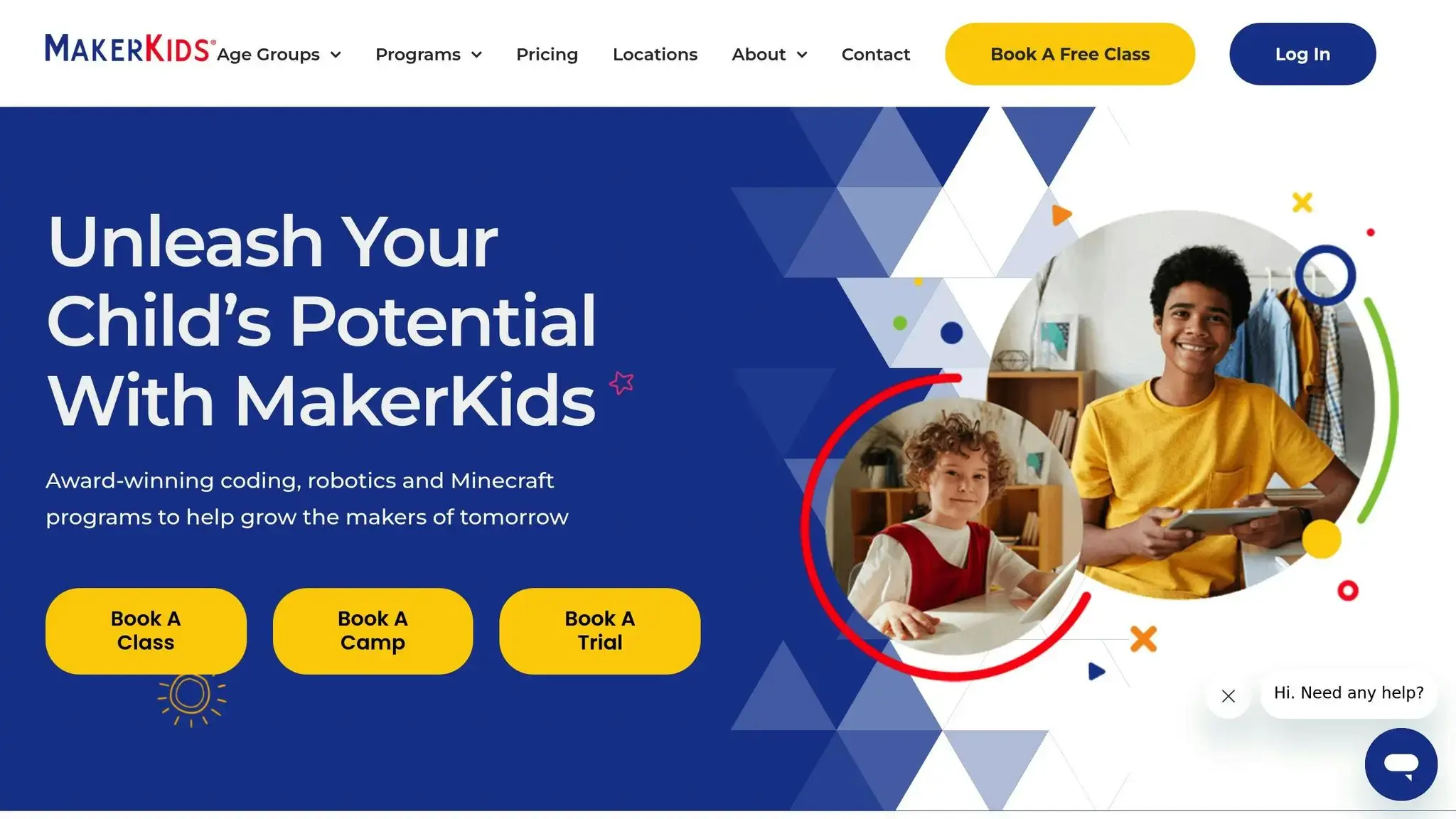
MakerKids is another standout platform offering virtual coding education. Through project-based learning, kids can dive into game development, animation, and interactive media creation – all while building real-world technical skills and growing their confidence.
What sets MakerKids apart is its hands-on approach. Instead of focusing solely on theory, students get to immediately apply coding concepts by creating their own games, animations, and interactive projects. This direct connection between writing code and seeing tangible results makes the learning process not only engaging but also unforgettable.
“In June 2025, MakerKids offered virtual programs, camps, and parties on Coding, Robotics, and Minecraft for kids aged 6-13. These programs aim to help kids develop real-world technical skills by creating projects like games, fostering confidence and social skills, and promoting a positive approach to technology.” – MakerKids About Us page, 2025
Recommended Age Range
MakerKids caters to children between the ages of 6 and 13. Classes are divided into groups based on grade levels, with separate instruction tailored for grades 3–5 and grades 6–8. This ensures that kids receive age-appropriate lessons and can interact meaningfully with peers in their group.
Programming Languages and Tools Taught
The curriculum introduces a variety of programming languages and tools. Beginners start with Scratch, where they can design games and animations in a visually intuitive way. For more advanced learners, Python is taught for tasks like website development, software automation, and data analysis. Additionally, Java is offered in select courses, particularly for Minecraft modding.
Instructional Format
MakerKids organizes its lessons into three progressive levels, ensuring a smooth learning journey:
- Beginner Level: Covers basics like coding games, character creation, storyboarding, animation techniques, and beta testing.
- Intermediate Level: Focuses on coding syntax, enabling students to control characters and objects on-screen with greater precision.
- Advanced Level: Explores more complex topics, including website design and in-depth Python programming.
All classes are delivered virtually, allowing students to learn from home while benefiting from live instructor guidance and opportunities to collaborate with peers. This structured, tiered approach ensures students can progress from foundational concepts to mastering advanced programming skills, making the learning experience both comprehensive and accessible.
6. CodeMonkey
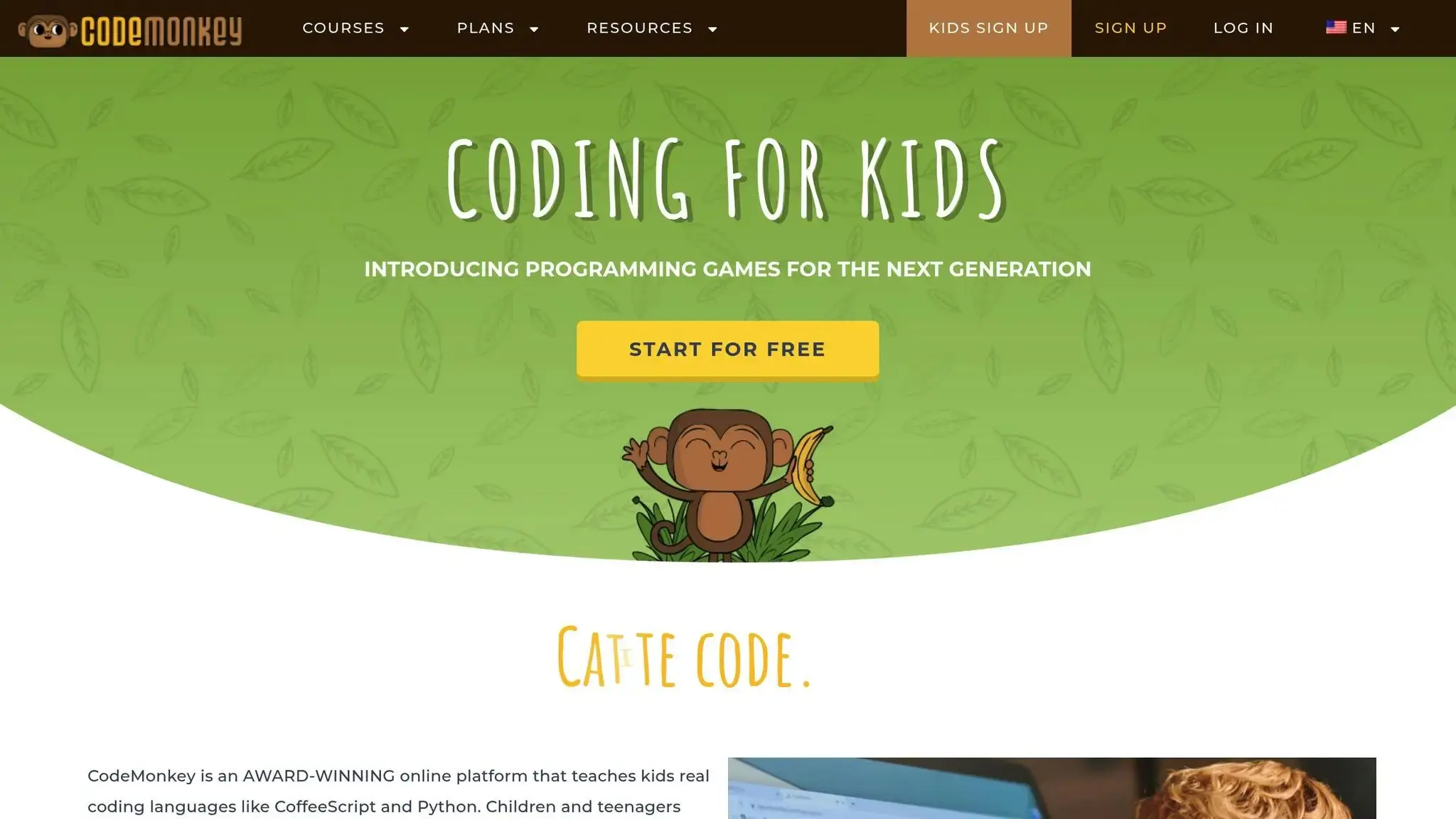
CodeMonkey takes a playful approach to teaching coding by using a game-based format. Kids guide a monkey through various challenges using code, creating a fun and interactive way to learn. The focus is on problem-solving and exploration, making coding feel like an adventure rather than a lesson.
One of its standout features is the visual feedback system. As kids write code, they see the monkey in action – collecting bananas, dodging obstacles, or solving puzzles. This immediate connection between their input and the monkey’s actions helps kids grasp programming logic effortlessly.
The curriculum transitions smoothly from drag-and-drop blocks to text-based coding, introducing real syntax and programming concepts. Beginners start with visual programming blocks, similar to Scratch, while more advanced lessons dive into concepts used in real-world software development.
Recommended Age Range
CodeMonkey is designed for kids from kindergarten to 8th grade. Here’s how it breaks down:
- Ages 4–6: Start with CodeMonkey Jr., focusing on basic sequencing skills.
- Ages 6–11: Elementary students take on the main courses, tackling progressively harder challenges.
- Ages 11–14: Middle schoolers explore advanced coding tasks and projects.
Programming Languages and Tools Taught
The platform primarily teaches CoffeeScript, a language that compiles to JavaScript. CoffeeScript offers a balance of simplicity and readability, making it a great starting point for young learners. For older or more advanced students, the curriculum expands to include HTML and CSS, enabling them to create websites and interactive projects.
Core programming concepts like loops, conditionals, functions, and variables are taught through hands-on challenges. Instead of abstract explanations, kids learn by applying these concepts directly in the games, making the lessons stick.
Instructional Format
CodeMonkey follows a self-paced learning model, allowing kids to progress through lessons at their own speed. The platform tracks their progress automatically, and built-in hints help them overcome challenges when they get stuck.
For educators and parents, the platform offers progress reports and classroom management tools, making it suitable for both home and school environments. This structure ensures flexibility while keeping learning organized and effective.
Pricing
CodeMonkey provides a free tier with limited access to introductory courses. For full access, individual subscriptions cost $9.99 per month or $78 per year, which includes all courses and progress tracking.
For schools, classroom licenses start at $500 per year for up to 30 students, with discounts available for larger groups. Educational plans also come with teacher training resources and curriculum guides aligned with computer science standards, making it a comprehensive solution for schools.
7. Khan Academy
Khan Academy offers a hands-on introduction to essential programming languages and web technologies. For instance, kids can dive into JavaScript with the “Hour of Drawing with Code” program, learn the basics of HTML and CSS through the “Hour of Webpages”, and explore SQL in the “Hour of Databases”. There’s even a follow-up course, “More SQL: Querying and Managing Data”, to deepen their understanding of database management.
Check out the next platforms to continue building your child’s coding abilities.
8. App Inventor
MIT App Inventor brings mobile app development to life with its intuitive, drag-and-drop interface. Designed to make coding approachable, it empowers kids to create real Android apps without writing a single line of traditional code. It’s a fantastic way for children to see their ideas come alive on smartphones and tablets.
The platform uses a block-based system, where students connect colorful code blocks, much like assembling a puzzle. This method allows them to build everything from simple games and quizzes to more advanced apps that use features like the camera, GPS, or text messaging. By focusing on visual coding, kids grasp programming logic and app structure without the stress of syntax errors or complex coding languages.
What makes App Inventor so engaging is the ability to build, test, and share functional mobile apps. Beginners often start with fun projects like a “Magic 8-Ball” app or a basic drawing tool. As they grow more confident, they can tackle more complex creations, such as location-based games or apps that respond to movements like tilting or shaking the phone.
Recommended Age Range
App Inventor is best suited for kids 10 and older, though some younger children (around 8 years old) can succeed with adult guidance. The platform requires logical thinking and the ability to break problems into manageable steps. Middle schoolers (ages 11–14) often find it especially rewarding, as they have the skills to handle meaningful projects while still enjoying the playful, visual interface.
Programming Concepts and Skills
Through App Inventor’s block-based system, kids learn key programming concepts like loops, conditionals, variables, and functions. While they aren’t writing traditional code, they develop computational thinking skills that can later be applied to text-based programming languages.
The platform also introduces mobile app development essentials, including user interface design, event handling, data storage, and hardware integration. Students gain hands-on experience with app testing and debugging, refining their creations through trial and error.
Learning Format
App Inventor is entirely self-paced, making it ideal for independent learners. Step-by-step tutorials guide beginners through initial projects, while more advanced users can dive into open-ended challenges. This flexibility allows kids to learn at their own speed, whether they’re following instructions or experimenting with their own ideas.
Parents love the convenience of this setup, as kids can work on projects anytime – whether it’s during downtime at home or on the go. Since the platform is web-based, students can access their projects from any computer with an internet connection.
Pricing
MIT App Inventor is completely free – no subscriptions, no hidden fees. All that’s needed is a Google account to get started. Families and schools alike appreciate this cost-free approach, especially for those exploring coding education on a budget.
The free access includes unlimited project creation, a full library of tutorials, and the ability to publish apps directly to personal devices. Kids can create and share as many apps as they want, making it a fantastic tool for budding developers to explore their creativity without financial barriers.
9. Blockly
Google’s Blockly takes a unique approach to teaching coding by acting as the backbone for many popular programming platforms rather than functioning as a standalone course. This visual programming editor powers initiatives like Code.org and influences platforms globally, reaching tens of millions of students every year. Blockly enables drag-and-drop coding across multiple platforms, making programming accessible to learners of all ages.
The platform features colorful, interlocking blocks that snap together like puzzle pieces, allowing kids to build programs without having to type complex code. What sets Blockly apart is its ability to generate real programming languages such as JavaScript, Python, and PHP. This feature makes it easier for learners to transition from visual coding to text-based programming, showing them how their block-based creations translate into actual code. It’s a seamless way to bridge the gap between beginner-friendly tools and more advanced coding skills.
Blockly is excellent at teaching core programming concepts through interactive puzzles and creative problem-solving activities. Kids can learn sequencing, loops, and conditionals by arranging blocks in logical patterns. The platform also introduces variables, functions, and even sensor integration, all of which lay a strong foundation for tackling more advanced programming challenges in the future.
Recommended Age Range
Blockly caters to a broad age range, generally recommended for kids between 5 and 10 years old. Younger children (ages 5–7) often start with simple projects, such as making objects move, change colors, or produce sound effects. Older kids (ages 7–9) can dive into more advanced logic, including conditionals and loops. For example, in Code.org courses designed for grades K–5, Blockly has proven to be an effective tool for building early coding skills.
Programming Languages and Tools Taught
While Blockly itself is a visual programming tool, it serves as a gateway to understanding real-world coding languages like JavaScript, Python, and PHP. Through its drag-and-drop interface, learners grasp essential concepts such as sequencing, loops, variables, functions, and conditionals. Some implementations, like Blockly Pro (available through Make Wonder’s subscription service), allow students to transition directly from block-based coding to JavaScript. Blockly also integrates with robotics projects, enabling kids to program devices like Dash robots using the same intuitive block-based interface.
Instructional Format
Blockly operates as a self-guided learning tool embedded within various educational platforms. Instead of offering standalone courses, it provides the technology behind interactive coding lessons featured on numerous websites and apps. Depending on the platform, students might solve game-like challenges, participate in storytelling activities, or even program robots – catering to a range of learning preferences and interests.
Pricing
As an open-source project developed by Google, Blockly itself is entirely free. However, the cost of accessing Blockly-based lessons depends on the platform being used. Many platforms, such as Code.org, offer free access to interactive activities and challenges built on Blockly. Some premium options, like Make Wonder’s Blockly Pro, charge subscription fees for advanced features and additional content. Families can explore a wealth of free Blockly-powered resources before deciding whether to invest in paid upgrades.
10. Kodable
Kodable wraps up our list as a coding platform tailored specifically for elementary school students. The app uses a game-based approach to teach programming fundamentals, making it a great fit for young learners who enjoy interactive challenges and fun gameplay. Kodable offers a structured learning path, starting with beginner-friendly activities and progressing to real JavaScript and Swift programming. This progression unfolds through engaging, game-like modules designed to keep kids motivated.
The platform is divided into three games, each targeting different skill levels and age groups:
- Kodable Basics: Perfect for pre-readers and early readers, this introduces foundational coding concepts through self-guided play.
- Kodable Creator: Builds on the basics by introducing variables, functions, and events.
- Bug World: Takes students into object-oriented programming with real JavaScript concepts such as classes, objects, and inheritance.
One of Kodable’s standout features is its Kid-Optimized Development Environment (KODE). This tool allows children to write actual JavaScript and Swift code while simplifying the syntax, helping them grasp real programming languages without feeling overwhelmed by technical details.
Recommended Age Range
Kodable’s age recommendations align with its tiered curriculum. It’s designed for students in grades K–5, with Common Sense Media suggesting it for ages 6 and up. However, even younger learners as early as 5 can engage with its content effectively.
- Kodable Basics: Designed for grades K–2, ideal for early readers.
- Kodable Creator: Geared toward grades 3–5 (though some sources suggest starting as early as grade 2).
- Bug World: Targets ages 7–10 but is available for kindergarten and up.
Parents and educators have reported success with the app, noting that a 5-year-old can quickly grasp the basics, while a 7-year-old can master core programming concepts in just a summer camp setting.
Programming Languages and Tools Taught
Kodable introduces students to coding concepts ranging from basic logic to advanced object-oriented principles using real JavaScript and Swift. Kids start with foundational skills like sequential steps, conditional statements (if/then), and loops. As they progress, they learn more complex topics such as variables, functions, and events, eventually tackling object-oriented programming concepts like classes, objects, and inheritance.
The Bug World game focuses on teaching JavaScript in a strategy-based environment, while the KODE editor enables students to toggle between JavaScript and Swift code outputs. Along the way, learners build essential skills like logical thinking, problem-solving, debugging, and creativity.
Instructional Format
Kodable’s self-paced activities and challenges encourage kids to explore and experiment. Its game-based format includes puzzles and coding challenges that unlock new levels, keeping learners engaged. Teachers and parents can track progress using built-in reporting tools, making it easy to monitor achievements and identify areas where extra help might be needed.
Pricing
Kodable offers different pricing plans for families and schools:
- Home plans:
- Monthly: $24.99/month
- Yearly: $9.99/month (billed annually at $119.99, saving 60%)
- Lifetime: $199.99 (one-time payment)
- Includes a free 7-day trial.
- School plans:
- Kickstart: Free
- Premium: $1,750/year (up to 250 students)
- Premium+: $2,500/year (unlimited students, bilingual support)
- All Access: $3,500/year (24/7 access, includes home use).
Platform Comparison Chart (Top 10 Best Online Coding Classes)
Choosing the right coding platform for your child can feel overwhelming, but a side-by-side comparison makes it easier. Below is a detailed chart that outlines key aspects of the top platforms, helping you decide based on your child’s age, interests, and preferred learning style.
| Platform | Age Range | Programming Languages/Tools | Instructional Format | Pricing | Main Strengths |
|---|---|---|---|---|---|
| CodaKid | 8–18 years | Python, JavaScript, Java, HTML, CSS, Lua | Self-paced courses, private 1:1 lessons, virtual camps | $29/month (self-paced), $249/month (private lessons) | Teaches real programming languages with professional tools and personalized instruction |
| Tynker | 6-16 years | Python, JavaScript, HTML, CSS | Self-paced courses, live classes, one-on-one tutoring, seasonal camps | – | Offers curriculum from beginner to advanced levels |
| Code WizardsHQ | 8-18 years | Scratch, Python, HTML/CSS | Live small-group classes | – | Provides structured learning with real-time feedback |
| CodeCombat | 9+ years | Python, JavaScript, HTML, CoffeeScript | Self-paced game levels | Monthly subscription | Features RPG-style gameplay to make coding fun |
| MakerKids | 6–13 years | Scratch, Python, Java | Virtual classes with progressive levels | – | Focuses on hands-on, project-based learning |
| CodeMonkey | 4–14 years | CoffeeScript, HTML, CSS | Self-paced game challenges | $9.99/month or $78/year | Uses monkey-themed games with increasing difficulty |
| Khan Academy | All ages | JavaScript, HTML, CSS, SQL | Self-paced video lessons | Free | Completely free with an academic approach |
| App Inventor | 10+ years | Visual block-based programming for Android | Drag-and-drop interface | Free | Allows kids to create real mobile apps |
| Blockly | 5–10 years | JavaScript, Python, PHP (generated from blocks) | Visual programming puzzles | Free | Developed by Google with a focus on visual coding |
| Kodable | K–5 grades | JavaScript, Swift | Self-guided games and activities | $9.99/month (yearly) or $24.99/month | Perfect for younger learners with a user-friendly approach |
Additional Insights (Top 10 Best Online Coding Classes)
Pricing varies significantly. Platforms like Khan Academy and Blockly are completely free, making them excellent starting points for beginners. For kids who enjoy gaming, CodeCombat offers a cost-effective option at approximately $2 per week when billed annually.
The age range also differs widely. Kodable focuses on early learners in kindergarten through fifth grade, while platforms like CodaKid cater to older kids, spanning ages 8–18. For teens ready to tackle more advanced concepts, App Inventor provides a great introduction to mobile app development. Meanwhile, platforms like Tynker offer a broad curriculum, suitable for everyone from beginners to high school students working toward AP Computer Science courses.
Instructional formats vary as well. Khan Academy provides flexible, self-paced video lessons, while CodeCombat and CodeMonkey turn learning into a game. For those seeking a more structured approach, CodaKid and Code WizardsHQ offer live or personalized lessons, ensuring tailored guidance.
Programming tools range from beginner-friendly block-based coding to professional languages. CodaKid, for instance, dives straight into real-world programming languages, while Tynker gradually builds skills that can lead to advanced coursework.
This chart and the accompanying details can help you identify the platform that best aligns with your child’s age, interests, and learning preferences, setting them on the path to coding success.
Final Thoughts (Top 10 Best Online Coding Classes)
Learning to code can unlock a world of possibilities for kids. Beyond just programming, it helps sharpen critical thinking, problem-solving, and logical reasoning – skills that are incredibly useful no matter what career path they follow. Whether they dream of becoming a software engineer, doctor, artist, or entrepreneur, coding provides a strong foundation for thriving in today’s tech-driven world.
The secret to success? Finding the right fit for your child’s unique learning style. Look for a platform that aligns with their interests and skill level. Take into account factors like their attention span, preferred way of learning, and current hobbies or passions. This personalized approach reflects the variety of methods highlighted in our platform reviews. As shown in our comparison chart, each platform comes with its own set of features – choose one that resonates with your child’s needs.
Don’t feel pressured to start with the fanciest or most expensive option. Many families begin with free resources and gradually move on to more advanced or personalized platforms as their child’s interest grows. The most important step is simply taking that first step. Once your child starts to enjoy coding, you can explore platforms with more advanced tools or tailored instruction.
And remember – coding is a journey, not a race. Programs that are fun and engaging often lead to better long-term outcomes than those that feel rushed or overly intense. Look for platforms that celebrate progress, encourage creativity, and make coding feel like an exciting adventure rather than a chore.
FAQs (Top 10 Best Online Coding Classes)
What should I look for when selecting an online coding class for my child?
When choosing an online coding class for your child, it’s important to find one that suits their age, skill level, and personal interests. Look for programs that use fun and interactive teaching techniques, like gamified lessons or hands-on projects, to keep them engaged and eager to learn.
Don’t forget to factor in practical details such as flexible scheduling, small class sizes, and access to support or community resources. Make sure the course offers a well-rounded curriculum that teaches key programming skills while aligning with your child’s future learning goals. The right program can ignite their imagination and build a strong base for a future in tech.
How can I find a coding program that matches my child’s interests and learning style?
To choose a coding program that matches your child’s interests and learning style, start by figuring out what sparks their curiosity. Do they love building games, crafting stories, or tackling puzzles? Focus on programs that align with these interests and offer activities suited to their age and skill level.
Also, think about how your child learns best. Some kids connect with visual tools, while others thrive on hands-on projects or problem-solving tasks. Pick a program that combines engaging, age-appropriate lessons with their preferred learning approach. This way, they’ll stay motivated and eager to dive into coding!
Are there any free resources to help kids start learning coding before enrolling in a paid program?
If you’re looking to introduce kids to coding without diving into a paid program right away, there are plenty of free resources that make it easy and fun to get started. These tools often include beginner-friendly tutorials, hands-on coding exercises, and interactive platforms designed to keep kids engaged while they learn.
For example, free coding games and educational apps offer an entertaining way to teach programming concepts. Tools like Scratch are especially popular – kids can use its drag-and-drop interface to create animations, stories, and games, all while learning the basics of coding. These resources are perfect for sparking curiosity and helping kids develop foundational programming skills without spending a dime.