Minecraft has become a powerful tool for teaching kids programming through engaging, hands-on experiences. From block-based coding to text-based languages like Java, Python, and JavaScript, Minecraft coding platforms help students learn essential coding concepts while having fun. Here’s a quick look at the best Minecraft coding games in 2026:
- CodaKid: Offers 85+ self-paced courses teaching Java, Python, and JavaScript through Minecraft modding. Ideal for ages 6–18, starting at $29/month.
- Minecraft Hour of Code: Free, one-hour block-based coding activities for ages 6+, introducing loops, conditionals, and functions.
- Microsoft MakeCode: Combines block coding with JavaScript and Python, allowing users to switch between visual and text-based programming.
- Minecraft Education Edition: Features coding worlds and lesson plans for schools, teaching Python, JavaScript, and block coding.
- Minecraft Modpacks: Advanced options like FTB Academy and Create focus on automation, logic, and Lua scripting, suitable for ages 12+.
Each platform caters to different skill levels, from beginners to advanced learners, making Minecraft a versatile way to start coding.
Quick Comparison (Best Minecraft Coding Games):
| Platform | Age Range | Languages Taught | Cost | Key Features |
|---|---|---|---|---|
| CodaKid | 6–18 | Java, Python, JavaScript | $29/month | Self-paced courses, modding projects |
| Minecraft Hour of Code | 6+ | Block-based | Free | Short, beginner-friendly coding tutorials |
| Microsoft MakeCode | 6+ | Blocks, JavaScript, Python | Free | Switch between block and text coding |
| Minecraft Education Edition | 6+ | Blocks, Python, JavaScript | Varies (schools) | Story-based coding worlds, lesson plans |
| Minecraft Modpacks | 12+ | Lua (via mods) | Free (hardware needed) | Advanced automation, logic systems |
Choose a platform based on your child’s age, experience level, and interest in coding. Start with free tools like Hour of Code or MakeCode, and progress to more advanced courses or modding projects as they grow.
Table of Contents
EASIEST Way to Install Minecraft Mods (2025 Guide!)
1. CodaKid Minecraft Coding Courses

CodaKid turns the fun of Minecraft into a gateway to learning how to code. With 85+ courses, the platform merges the creative elements of the game with hands-on programming lessons, making it a great choice for kids and teens who want to explore coding. Let’s dive into what makes these courses stand out.
Programming Languages Taught
CodaKid’s Minecraft courses cover Java, Python, and JavaScript. Through these, students gain practical experience:
- Java: Students learn by creating Minecraft mods, building everything from custom weapons and creatures to unique game mechanics. The focus is on object-oriented programming, and they progress from basic mods to more advanced multi-class applications and server-side programming.
- Python: Lessons focus on automation scripts and server plugins, helping students understand how Python integrates with Minecraft.
- JavaScript: These courses teach web development skills, which can be applied to creating and managing Minecraft server websites.
The hands-on approach ensures learners don’t just memorize concepts – they actively apply them to projects within Minecraft’s world.
Age Suitability and Skill Level
Designed for kids and teens aged 6–18, the courses adapt to different experience levels. Beginners start with visual coding, gradually moving into text-based programming. For more advanced learners, there are challenging projects like creating custom game mechanics and multiplayer features. The self-paced format means students can learn at their own speed, whether they’re tweaking simple blocks or developing complex mods.
Educational Value
CodaKid’s courses go beyond just teaching code – they encourage problem-solving, logical thinking, and project planning. Students learn how to debug their code, work on multi-step projects, and grasp the basics of software architecture. By the end of each course, they’ve built a functioning mod or feature for Minecraft, showcasing their skills.
Additionally, the curriculum introduces industry practices like version control, code documentation, and testing. Students earn certificates of completion and build a portfolio of mods, giving them something tangible to show for their efforts.
Ease of Setup and Accessibility for US Users
Getting started is straightforward, thanks to step-by-step guides for installing tools like the Java Development Kit and Minecraft Forge. The courses include video tutorials and live support to help with any issues along the way.
Pricing starts at $29/month for unlimited access to all self-paced courses. For those seeking more personalized instruction, private 1:1 lessons are available for $249/month. The platform also offers virtual summer camps for group learning. With flexible online scheduling, CodaKid is easily accessible for students across the US.
2. Minecraft Hour of Code Activities
Hour of Code introduces millions of students to coding through free, one-hour programming tutorials. Among these, the Minecraft-themed activities stand out, blending the game’s universal appeal with structured lessons that are easy to follow, whether in a classroom or at home.
These activities use block-based programming, where students drag and drop commands instead of typing lines of code. Through this hands-on approach, they learn essential coding concepts like loops, conditionals, and functions by solving puzzles and creating simple programs within the Minecraft universe.
Programming Concepts Covered
The Minecraft Hour of Code activities focus on fundamental coding principles, such as sequential commands, loops, conditional statements, and event handling. While they don’t teach traditional text-based programming directly, they lay the groundwork for logical thinking that can later be applied to languages like Java, Python, and JavaScript.
Students use colorful, interlocking blocks to create commands. For example, they might combine a “move forward” block with a “repeat” loop to navigate a maze or use “if/then” conditionals to adapt to different in-game situations. This visual approach makes coding intuitive and engaging.
Age Range and Skill Levels
These tutorials are designed for students ages 6 and up and require no prior coding experience. Each activity takes about an hour to complete, making them ideal for quick, impactful lessons. While they’re especially popular during Computer Science Education Week in December, they’re available year-round for anyone interested.
The activities start with simple tasks, such as basic movement commands, and gradually introduce more complex programming ideas. Younger learners can stick to the basics, while older students can tackle advanced challenges that combine multiple concepts.
Educational Benefits
Beyond teaching coding, these activities help students develop computational thinking skills that are valuable across many subjects. They learn how to break down complex problems into smaller, manageable steps, identify patterns, and troubleshoot when their code doesn’t work as expected. The immediate visual feedback – like seeing a character move through the Minecraft world – makes the lessons engaging and reinforces learning.
Students also practice algorithmic thinking and logical sequencing. For instance, creating a program to build a house or navigate an obstacle course mirrors the problem-solving techniques used by professional developers, but in a way that’s accessible and fun.
Simple Setup and Accessibility for US Classrooms
Getting started is easy – all you need is a web browser and an internet connection. There’s no need to install software or own a Minecraft account, which is a huge plus for schools with limited IT resources or strict software policies. Teachers can access lesson plans, track student progress, and even print certificates of completion – all from the same platform.
These activities are compatible with tablets, Chromebooks, and traditional computers, making them adaptable to the variety of devices found in US classrooms. Plus, with support for multiple languages, they’re accessible to students from diverse backgrounds. The printable certificates provide a fun, tangible way for students to celebrate their coding achievements.
Next, we’ll dive into how Microsoft MakeCode for Minecraft opens even more doors for young coders.
3. Microsoft MakeCode for Minecraft
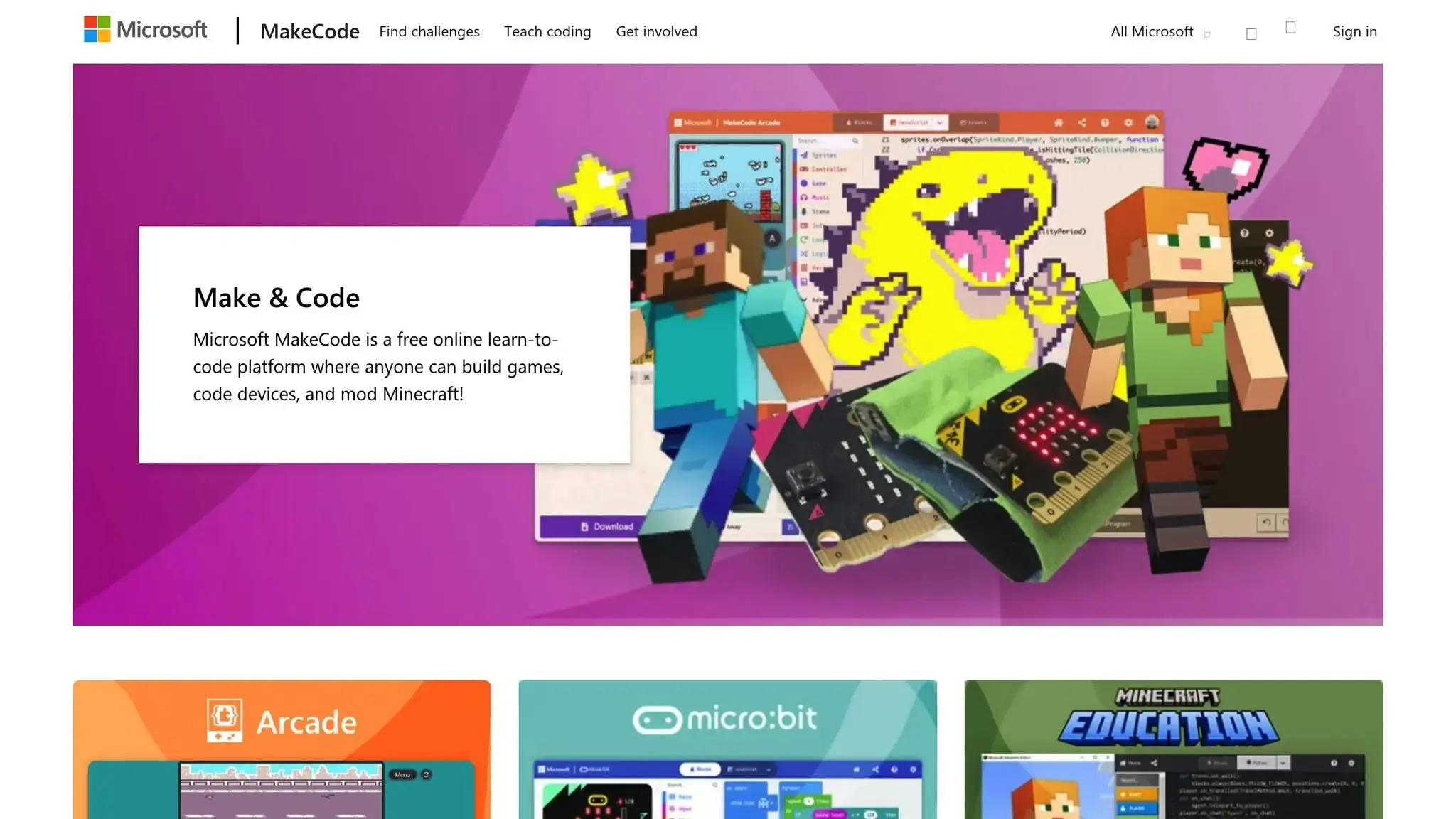
Microsoft MakeCode for Minecraft combines the simplicity of block coding with the depth of professional programming. This free platform allows users to start with visual drag-and-drop blocks and gradually move into coding with JavaScript and Python, two of the most widely used programming languages in the industry.
One standout feature of MakeCode is its “Language Toggle,” which lets users switch between blocks, JavaScript, and Python instantly. This means you can write code using blocks and immediately see how it translates into text-based languages.
Programming Languages Taught
MakeCode offers three coding approaches: visual blocks, JavaScript, and Python. Its drag-and-drop interface feels like putting together puzzle pieces, making it perfect for beginners. More advanced users can seamlessly toggle to text-based code for a deeper dive into programming.
“MakeCode allows coding with visual blocks, based on a drag and drop interface for beginners, as well as in text with a JavaScript interface for the more experienced learners.”
For those ready to step up, the JavaScript and Python editors include helpful tools like IntelliSense, error detection, and tooltips. These features make coding easier to learn while reinforcing essential programming concepts such as variables, control flow, loops, if statements, and functions. Advanced learners can even explore more complex topics like recursion, fractals, and object-oriented or distributed programming – all within the familiar Minecraft environment.
Skill Levels and Progressive Learning
MakeCode is designed to cater to a range of skill levels. Beginners can start with visual blocks, while more experienced coders can dive into JavaScript or Python. Its progressive design allows users to transition smoothly from one level to the next as they build confidence and expand their knowledge.
Educational Value
MakeCode fosters computational thinking and problem-solving skills by encouraging users to break down complex projects into smaller, manageable pieces of code. This mirrors the strategies used by professional developers. The instant visual feedback within the Minecraft world helps turn abstract programming concepts into something more tangible.
“Coding with blocks or text, MakeCode teaches the 101 of programming languages, including variables, control flow, if statements, loops and functions. More advanced users smoothly ramp up to more complex concepts such as recursion, fractals and object oriented or distributed programming.”
This hands-on approach strengthens Minecraft’s role as a powerful educational tool.
Ease of Setup and Accessibility
The platform’s browser-based design makes getting started incredibly simple. All you need is a web browser and an internet connection – no software installation required. This setup is especially convenient for schools, as it eliminates IT headaches.
MakeCode also integrates seamlessly with Minecraft Education Edition, giving teachers access to tutorials, progress tracking, and project-sharing features. Additionally, it works with Minecraft Bedrock, making it a great choice for both classrooms and home use.
4. Minecraft Education Edition Coding Worlds
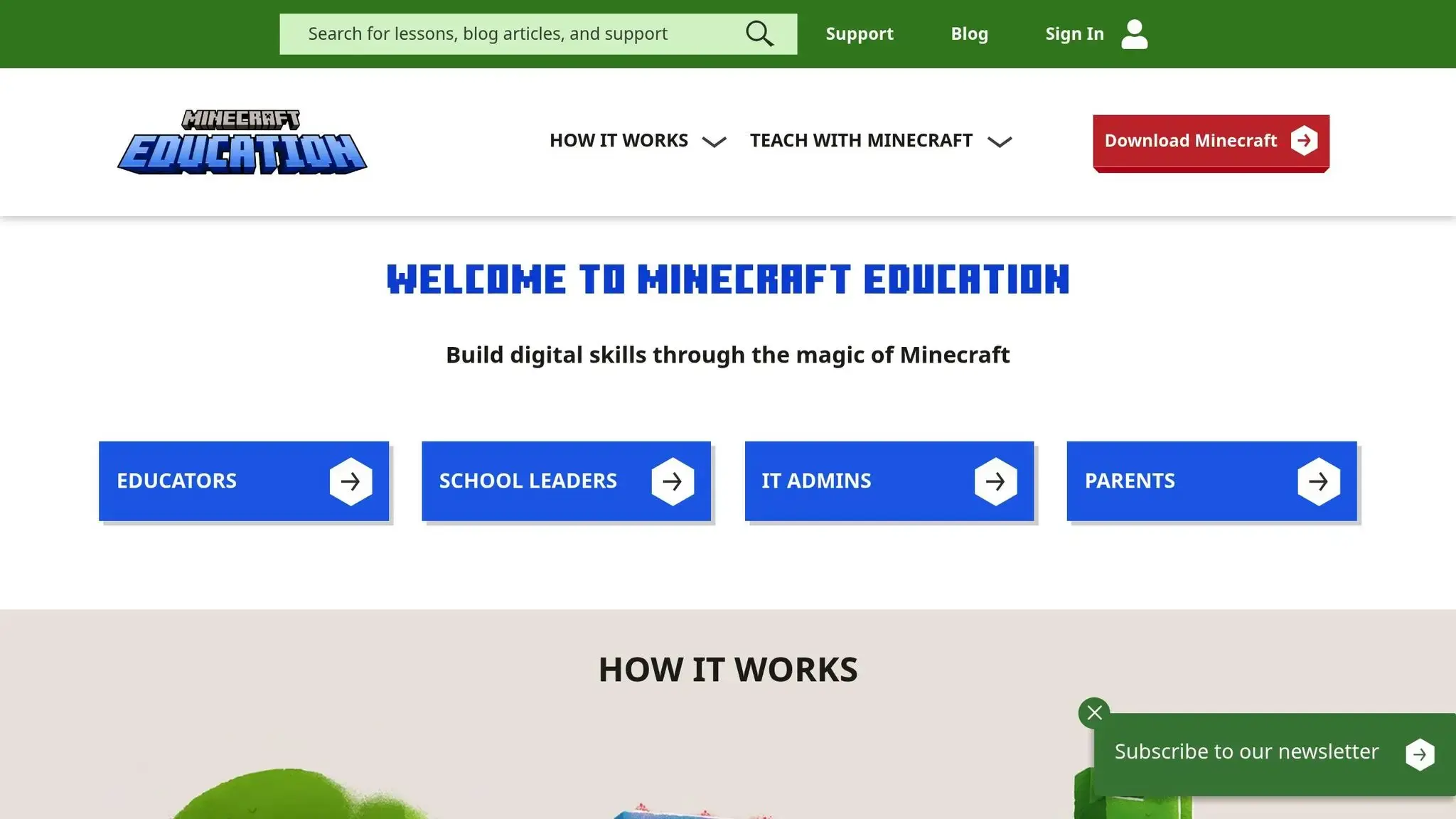
Minecraft Education Edition turns coding lessons into exciting adventures, offering specially designed worlds for school learning. Unlike other Minecraft coding platforms, this version combines storytelling with technical skill-building, making it a unique tool for learning. Through its immersive gameplay and structured courses, students are seamlessly introduced to real-world coding challenges.
Courses such as “Python 101” and “Python Islands” teach Python basics through interactive storylines, where programming feels more like play than traditional study.
Programming Languages Taught
Minecraft Education Edition supports a variety of programming languages:
- Block-based coding: Using Code Builder (activated by pressing “C”), beginners can experiment with drag-and-drop programming.
- Python: Lessons focus on running scripts, modifying gameplay, and creating mini-games.
- JavaScript: Introduces concepts like event-driven programming and basic web development.
This range ensures both younger beginners and older, more advanced learners can find a suitable starting point.
Age Suitability and Skill Level
Block-based coding is ideal for younger students, typically aged 6–10, as it builds computational thinking without requiring knowledge of syntax. For older students, transitioning to text-based coding provides a natural progression, allowing them to deepen their skills.
Educational Value
The platform offers hands-on problem-solving that helps students develop computational thinking. By tackling challenges step by step, they learn key programming concepts like variables, data types, loops, and conditional statements through practical application.
The storytelling aspect enhances the learning experience. For example, as students assist CodingMine or navigate Python Islands, they’re not just memorizing syntax – they’re also honing critical thinking and project management skills.
Ease of Setup and Accessibility for US Users
Minecraft Education Edition is particularly easy for US schools to adopt, thanks to its education-focused design and pre-built lesson plans. Activities like the Hour of Code provide a simple introduction to coding concepts, using Minecraft’s familiar gameplay to engage students right from the start.
5. Best Minecraft Modpacks for Coding and Automation
Minecraft modpacks take the game to a whole new level, turning it into a playground for coding, automation, and engineering. These curated packs allow players to build automated factories, program robots, and create complex redstone circuits that mimic real-world engineering problems. They’re a fantastic way to make coding interactive and fun, complementing structured courses with hands-on challenges.
Some of the most popular modpacks, like FTB Academy and All the Mods, introduce players to industrial automation using tools such as Applied Energistics 2 and Thermal Expansion. These mods push players to think critically, optimize processes, and solve automation issues – skills that are directly transferable to careers in software development and systems engineering.
The Create mod, often included in educational modpacks, is another standout. It focuses on mechanical engineering, letting players design conveyor belts, steam-powered systems, and rotating machinery. This hands-on experience makes abstract programming concepts feel more tangible and relatable.
Programming Languages Taught
While modpacks focus more on logic and systems thinking than strict coding syntax, they still introduce foundational programming concepts. Players work with conditional statements via redstone circuits, loops through repeating systems, and data management using item sorting mechanisms.
For those looking to dive deeper, advanced modpacks introduce Lua scripting through ComputerCraft, where players can program in-game computers and robots. The OpenComputers mod takes it a step further, simulating real-world computing environments where students write actual code to control virtual machines. This gradual progression – from visual logic to text-based coding – makes it accessible for beginners while still challenging advanced learners.
Age Suitability and Skill Level
Modpacks are best suited for players aged 12 and up who already have a basic understanding of Minecraft. The complexity of modern modpacks often requires patience and critical thinking, which might be frustrating for younger kids. However, for middle and high schoolers, they provide an excellent opportunity to explore advanced programming concepts.
Beginners should start with simpler packs like FTB Academy, designed specifically for educational purposes. More experienced players can take on challenging modpacks like Enigmatica 6 or All the Mods 7, which include hundreds of interconnected mods that demand careful planning and resource management.
Educational Value
Modpacks shine when it comes to teaching systems thinking and project management. Players learn to design multi-step projects, manage intricate resource chains, and integrate various technological systems. These are the same skills that software developers and engineers use in their daily work. Plus, the trial-and-error nature of modpacks helps students build resilience and debugging skills as they troubleshoot their automated systems.
Multiplayer servers add another layer of education by fostering teamwork and communication. Players need to coordinate their projects, share resources, and solve problems together. These collaborative experiences mirror real-world coding environments, making them an excellent tool for developing problem-solving and social skills.
Ease of Setup and Accessibility for US Users
Modern tools like CurseForge make installing modpacks a breeze, reducing the technical challenges that used to come with modded Minecraft. With just a few clicks, students can dive into these rich learning environments.
That said, running modpacks requires more powerful hardware than standard Minecraft. To play larger modpacks smoothly, students will need computers with at least 8GB of RAM and dedicated graphics cards. While this can be a hurdle for some US schools and families, the educational benefits often make the investment worthwhile for those serious about coding education.
Conclusion (Best Minecraft Coding Games)
The best Minecraft coding games in 2026 present a variety of engaging options for young learners in the US to develop real coding skills. The key is finding a platform that aligns with the child’s age, interests, and learning goals.
Here’s a quick breakdown of some top choices: CodaKid offers structured, project-based courses in Java and Python, perfect for kids ready to dive into text-based programming. MakeCode provides a free and seamless transition from visual block coding to text-based coding, making it ideal for beginners. For educators and homeschooling families, Minecraft Education Edition delivers classroom-ready coding worlds with built-in lesson plans and tools for collaborative learning and problem-solving.
For those just starting out, Hour of Code activities offer a quick introduction to gauge interest in Minecraft coding. On the other hand, advanced modpacks cater to older students, challenging them with complex automation and systems thinking tasks.
The secret to success lies in choosing the best Minecraft coding games that match the learner’s needs. Younger children often thrive in visual programming environments, while older kids and teens can benefit from text-based coding and complex projects. Starting with free tools like Hour of Code or MakeCode can help spark interest before committing to more in-depth platforms like CodaKid.
FAQs
What is the ideal age to start with the best Minecraft coding games, and how do they adapt to different skill levels?
The best Minecraft coding games are perfect for kids aged 7 and up, with many programs suggesting a starting point around age 8. These games are built to evolve with learners, offering step-by-step tutorials and structured lessons that make it simple for beginners to dive in.
For those with more experience, advanced coding challenges and modding tools allow them to expand their skills even further. Whether your child is new to coding or already has a foundation, these platforms provide a fun, interactive way to learn while keeping the experience both educational and exciting.
How do the best Minecraft coding games help learners move from block-based coding to text-based programming languages like Java or Python?
The best Minecraft coding games typically begin with block-based coding, a method that uses visual drag-and-drop blocks to simplify programming concepts. This approach makes it easier for beginners to grasp the basics without feeling overwhelmed.
As learners become more comfortable, these platforms gradually introduce text-based coding, showing how the visual blocks translate into actual programming languages like Java, Python, or JavaScript.
This step-by-step progression not only strengthens foundational skills but also keeps the learning experience engaging. By working with both visual tools and real code, students gain practical programming knowledge that prepares them for more advanced challenges and future projects.
What kind of computer is needed to run advanced Minecraft modpacks, and how can families or schools prepare for it?
To enjoy advanced Minecraft modpacks without hiccups in 2026, you’ll need a computer with at least a quad-core processor, 8 GB of RAM, and a dedicated graphics card such as the NVIDIA GeForce RTX 5070 or a comparable option. These specs help ensure smooth gameplay, even when running demanding mods.
For families and schools, it’s wise to invest in computers that meet these requirements and keep them in good shape with regular updates and antivirus protection. Additionally, sticking to reliable modding platforms and tools can make the experience both safe and fun for kids and students.