
Want to ensure your child learns AI safely at home? Parental controls make it easier to manage screen time, block unsuitable content, and monitor online interactions. With safe AI learning tools becoming more accessible, these safeguards are essential for creating a secure and productive environment.
Key Takeaways:
- Content Filtering: Block inappropriate material and ensure age-appropriate resources.
- Screen Time Management: Set limits and schedule focused safe AI learning periods.
- Monitoring Interactions: Review AI tool usage, lesson progress, and online activities.
Top Tools for Parents:
- Qustodio: Filters content, sets time limits, and tracks activity across devices.
- Bark: Uses AI to monitor online activity and flag potential safety concerns.
- Panda Dome Family: Offers real-time screen monitoring and GPS tracking.
New to AI? Start with our beginner’s guide to AI for kids.
Table of Contents
Inside CodaKid: The AI & Coding Course Every Parent Should Know About
Why Parents Need Controls for Safe AI Learning
Safe AI learning opens up incredible opportunities for kids but comes with risks like exposure to inappropriate content, too much screen time, and privacy concerns. Parental controls can help create a safe, productive environment for your child’s educational journey.
While many reputable platforms already have safety measures in place, adding personal monitoring tools can provide an extra layer of security. As CodaKid puts it, “review the platform’s safety policies and consider using parental controls or monitoring tools for added peace of mind”. By combining the platform’s built-in safeguards with your own controls, you can better protect your child. Here’s a closer look at the key areas where parental controls make a difference.
Blocking Inappropriate Content
AI learning often pulls from a wide range of online resources, which can include content that isn’t suitable for all ages. Parental controls help filter this content, ensuring that it aligns with your child’s age and developmental stage. For younger kids (around 6–10 years old), this could involve using block-based coding tools instead of more complex, text-heavy programming. For teens, these controls can help limit access to unverified or inappropriate material, keeping their focus on reliable educational resources.
Managing Screen Time and Productivity
One of the toughest challenges for parents is balancing screen time with productive learning. It’s not just about limiting hours but making sure those hours count. For example, 30 minutes of focused AI learning is far more effective than an hour of aimless browsing. Parental controls allow you to set specific learning times and track whether those sessions are actually building skills. Studies show that learning activities like coding and engaging with AI can improve a child’s logical thinking and problem-solving abilities by up to 70%. By setting clear practice periods, you can ensure steady progress while preventing AI activities from taking over your child’s day.
Monitoring AI Interactions for Safety
When kids interact with AI tools or online instructors, it’s important for parents to have visibility into those interactions. Monitoring features, like the ability to review recorded sessions or audit live classes, can help you ensure that these exchanges stay ethical and age-appropriate. Many platforms also offer progress dashboards and regular performance reports, giving you insight into what your child is learning and creating. Some even go a step further by scheduling Parent-Teacher Meetings at key milestones, keeping you in the loop about your child’s educational progress.
Top Parental Control Tools for AI Learning
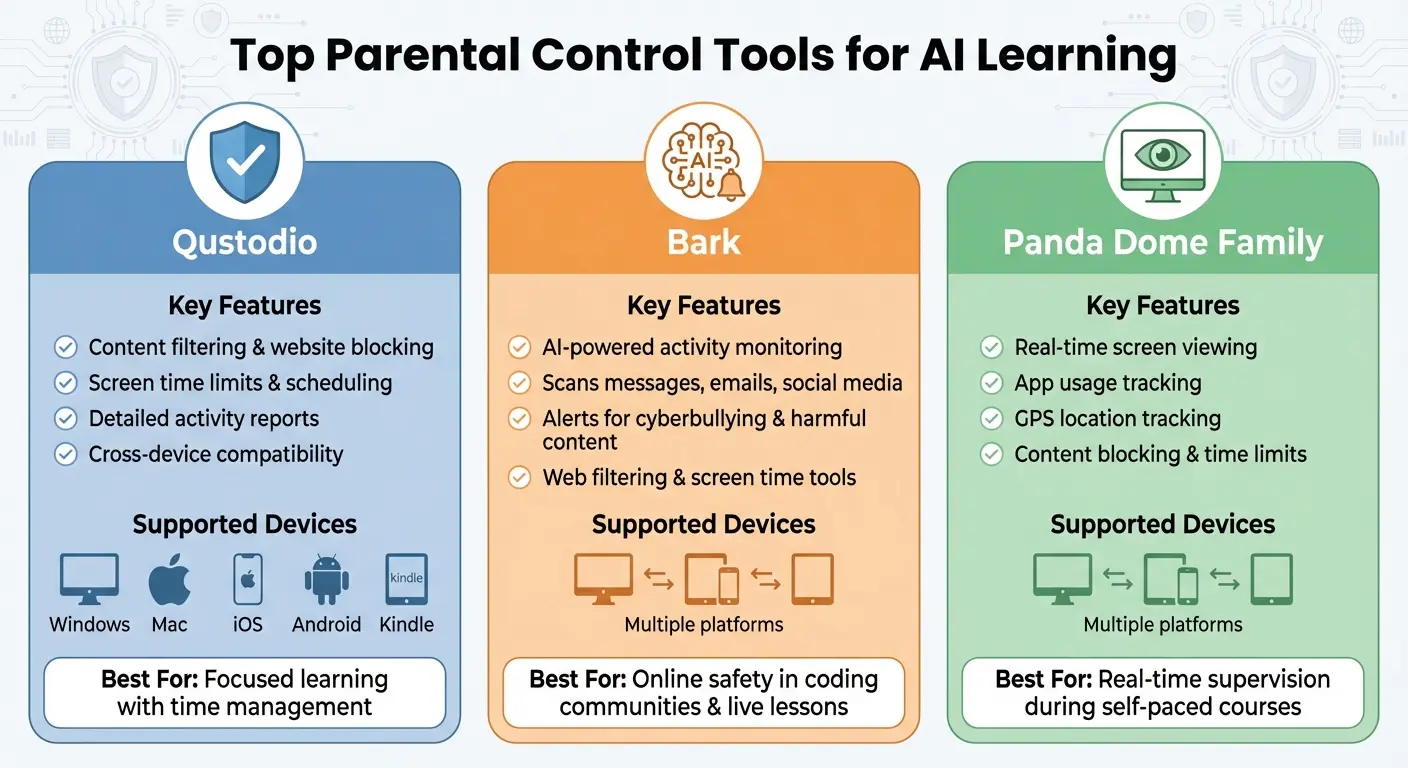
Top 3 Parental Control Tools for AI Learning: Features Comparison
AI learning platforms like CodaKid come equipped with solid safety features, but adding parental control tools can give you even more oversight. These tools help you manage your child’s online activity, track learning time, and monitor interactions, complementing the platform’s existing safeguards. Here are three standout options to ensure a safer learning environment at home.
Qustodio: Keeping Focused with Content Filtering and Time Limits
Qustodio is a great choice for blocking inappropriate websites and setting screen time limits. It allows you to schedule dedicated learning periods while restricting access to non-educational sites. Plus, it provides detailed reports on website visits, app usage, and activity duration, so you can confirm your child stays on track with their CodaKid courses. The best part? Qustodio works across various devices, including Windows, Mac, iOS, Android, and Kindle, ensuring consistent rules no matter where your child is learning.
Bark: AI Monitoring for Online Safety

Bark takes a slightly different approach by using artificial intelligence to monitor your child’s online activity. Instead of outright blocking, it scans text messages, emails, and social media for potential safety concerns, alerting you to issues like cyberbullying or exposure to harmful content. This is particularly helpful if your child participates in online coding communities or live lessons. Bark also includes tools for web filtering and screen time management, giving you a well-rounded way to oversee their digital world without micromanaging.
Panda Dome Family: Real-Time Oversight
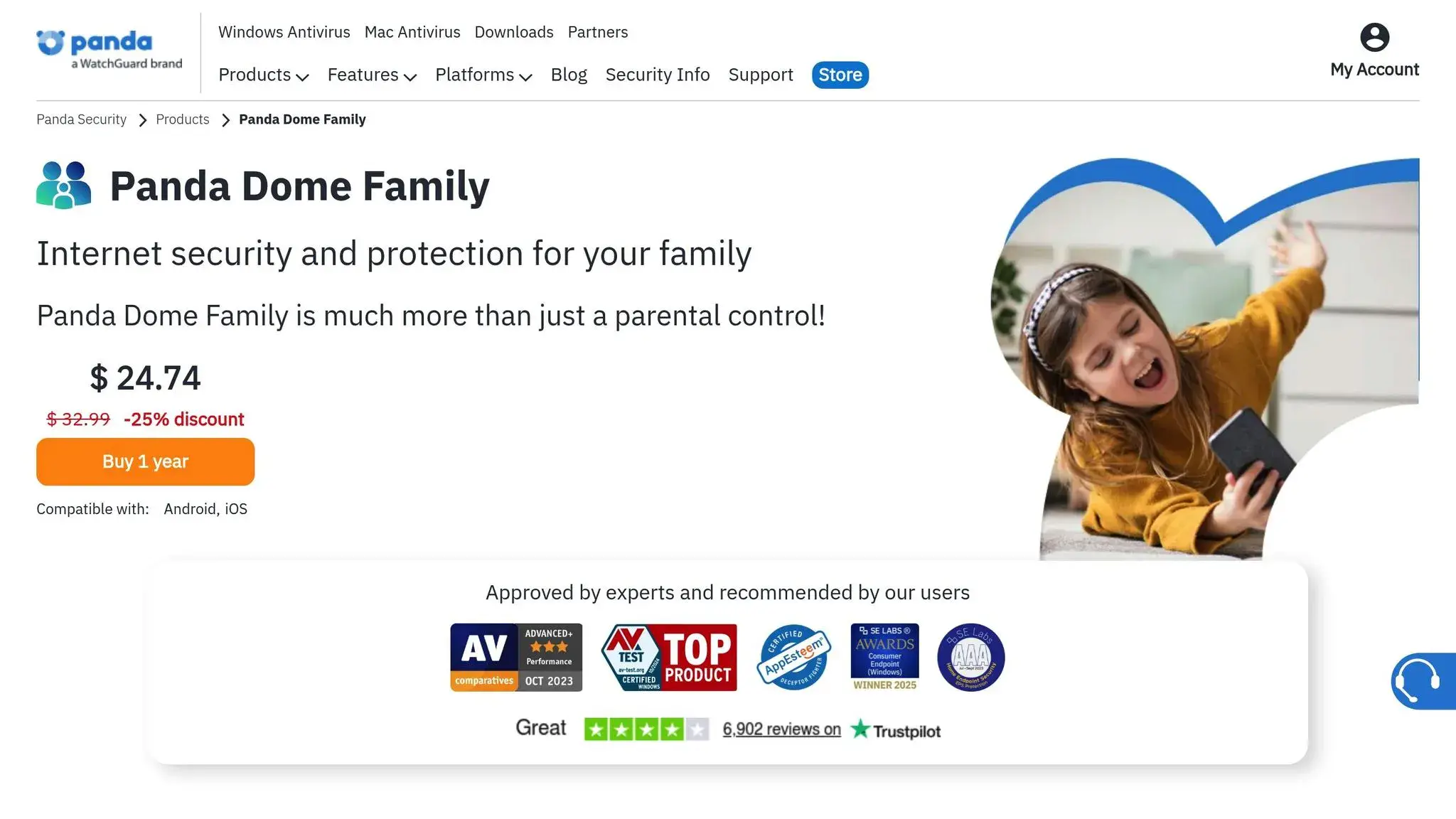
For parents who want real-time supervision, Panda Dome Family is worth considering. This tool allows you to remotely view your child’s screen, track their app usage, and even locate them via GPS. It’s especially handy during CodaKid’s self-paced courses, letting you ensure they’re focused on coding rather than getting distracted. Alongside standard features like content blocking and screen time limits, Panda Dome’s live monitoring adds an extra layer of accountability during study sessions.
How to Set Up Parental Controls on Devices and AI Platforms
To manage your child’s digital activities effectively, you’ll need to activate parental controls on two levels: the device itself and the AI platform they use. Start by setting up controls on the device.
Setting Up Device-Level Controls
Most devices offer built-in parental control features that are quick to configure. Here’s a breakdown for popular devices:
- Windows: Navigate to Settings > Accounts > Family & Other Users. Here, you can add your child’s account and set restrictions on content, screen time, and app permissions.
- Mac: Open System Preferences > Screen Time to schedule downtime and block specific websites.
- iOS: Go to Settings > Screen Time to limit app downloads and set time restrictions for categories like education or entertainment.
- Android: Access Settings > Digital Wellbeing & Parental Controls. Use Google’s Family Link to connect your child’s account and monitor app usage and browsing activity remotely.
Once the device is secured, ensure it has all necessary connections and peripherals to function seamlessly. Then, move on to setting up controls on the AI platform.
Adjusting AI Platform Settings
With device-level controls in place, focus on the AI platform’s safety settings. Many platforms provide tools specifically designed for parents, such as dashboards to track learning progress and class schedules.
If your child participates in private lessons, check whether the platform offers features like live session audits or class reviews. These tools are essential for ensuring professional and appropriate interactions between instructors and students. Additionally, look for monitoring options like progress reports and scheduled updates to stay informed about your child’s activities.
For assistance, reach out to the platform’s support team. For instance, CodaKid is known for its responsive help desk, which makes setting up their self-paced courses and live sessions straightforward.
These steps will help you maintain oversight while ensuring your child has a safe and productive learning experience.
Using Parental Controls with CodaKid‘s AI Programs

CodaKid offers a safe and engaging platform for young learners, but adding parental oversight can enhance your child’s experience. With over 100,000 students in more than 140 countries and an impressive 4.9 out of 5-star rating based on 350+ reviews, CodaKid is a trusted choice for tech education. Here’s how you can keep track of your child’s learning journey across CodaKid’s main program types.
Monitoring CodaKid’s Self-Paced AI Courses
CodaKid’s self-paced courses include over 85 video lessons, featuring AI tracks designed for kids aged 9 and up. For $29 per month (with a 14-day free trial), students get unlimited access to these resources. To stay involved, you can schedule regular practice times and review completed projects together. Parent Christy Lynn highlights the platform’s responsive support:
“The response to help requests is always immediate and they do a great job finding and explaining the issues he may be having”.
This hands-on approach helps you stay informed about your child’s progress while encouraging consistent learning.
Supervising CodaKid’s Private 1:1 Lessons
CodaKid’s private lessons, starting at $249 per month, are built around the Socratic teaching methodology known as the Mastery Method. These sessions are led by carefully selected instructors. As parent Terrence Masson shares:
“CodaKid is outstanding in the quality of its instructors and ease of operation… Highly recommended”.
To ensure a productive learning experience, consider sitting in on live sessions occasionally to observe the teaching style and your child’s engagement. You can also request regular updates from Academic Counselors via live chat. The first session is free, giving you a chance to evaluate both the instructor and your monitoring setup.
Overseeing CodaKid’s Virtual AI Camps
CodaKid’s virtual AI camps run for one week, with two-hour daily sessions, and come with a money-back guarantee. These camps are designed to be interactive, with teachers assisting students with setup, questions, and troubleshooting. Before the camp begins, review CodaKid’s safety policies and enable parental controls to monitor live sessions. Parent Ci Tro praises the platform’s support:
“A huge plus for busy parents is the outstanding and swift support from CodaKid. No frustrating long deadlock, but friendly, competent help to keep the kids going and exploring”.
Stay engaged by asking your child to share their daily projects and celebrating their completed work. This not only keeps you informed but also reinforces their enthusiasm for learning.
Creating Family Rules for AI Use
Establishing clear, shared guidelines for AI use at home can help create smart and secure digital habits. By combining controlled access with safe learning platforms, family rules provide structure and empower your child to navigate their digital journey responsibly. A family AI agreement not only fosters accountability but also gives your child a clear framework for making thoughtful online decisions. Including your child in the process builds mutual understanding and commitment.
Writing a Family AI Agreement
Collaborate as a family to decide on safe AI tools and carefully review the safety and privacy policies of each new platform you introduce. This agreement complements device settings and platform controls, creating a layered approach to safety.
Here are some key areas to cover in your agreement:
- Set a schedule: Allocate specific times for using AI tools, balancing them with homework, outdoor play, and family activities.
- Parental controls: Agree on which controls will be in place to monitor usage.
- Session reviews: Establish that you may occasionally review AI sessions to track progress and ensure safety.
Position AI as a tool to enhance critical thinking and creativity, rather than a shortcut for completing tasks. Encourage your child to tackle challenges independently, helping them develop these vital skills.
Celebrate milestones by acknowledging completed projects or achievements, which can keep motivation high and engagement positive. Plan regular feedback sessions to review your child’s AI projects and discuss their progress.
Talking Openly About AI Use
After setting the guidelines, maintaining an ongoing conversation helps reinforce these commitments. Show genuine interest in your child’s learning journey and provide encouragement along the way. Ask them to share details about their latest project, and take time to watch recorded AI lessons together. This can lead to meaningful discussions about how the technology works and its real-world applications.
Keep the dialogue open about online safety, responsible AI use, and appropriate content. Address any concerns calmly, turning potential issues into constructive learning moments. By keeping the conversation active, you can help your child navigate challenges and make informed, responsible decisions as they grow.
Reviewing and Updating Parental Controls
As your child’s AI skills grow, keeping parental controls up to date is essential. Children’s needs evolve as they gain new abilities and progress through different educational stages. For instance, the controls suitable for a 7-year-old learning block-based coding won’t work for a 13-year-old exploring Python or machine learning. Regularly fine-tuning these settings ensures they remain appropriate, bridging the gap between early learning and more advanced skills.
Keeping Tabs on AI Learning Activities
Make it a habit to check in regularly on your child’s use of AI tools. Many platforms provide parent dashboards that track milestones and completed projects, giving you a clear picture of their progress. Reviewing progress reports or recorded sessions can also help you assess the complexity of their work and decide if any adjustments to parental controls are needed.
Adapting Controls as Skills Develop
As your child grows and their technical skills improve, updating controls becomes a must. Younger kids using beginner-friendly tools like Scratch may need stricter content filters, while teenagers exploring career-level tools might benefit from access to professional software and more open-ended environments.
Watch for signs that it’s time to tweak the settings. For example, if your child starts logging in independently, working on projects outside of scheduled times, or moving from block-based coding to text-based languages like Python or Java, it might be time for an update. Trial assessments or feedback from instructors can also help you gauge their readiness for more advanced platforms. Adjusting parental controls in step with their growing skills ensures a balance between safety and the freedom to explore more complex learning tools.
Conclusion
Parental controls are just one part of creating a safe and enriching AI learning environment at home. The real magic happens when you actively engage in your child’s learning journey. While tools like content filters and screen time limits provide important safeguards, showing genuine interest in their projects and celebrating their progress can make a world of difference.
Beyond these tools, platforms with built-in support features can enhance the experience further. For example, CodaKid offers systems that help parents stay informed without needing to constantly monitor their child’s activities. As one parent shared:
“A huge plus for busy parents is the outstanding and swift support from CodaKid. No frustrating long deadlock, but friendly, competent help to keep the kids going and exploring”.
Striking the right balance between guidance and independence is crucial. Use parental controls to set clear boundaries, but also allow your child the freedom to explore and tackle challenges on their own. Regular check-ins on their progress can help you stay involved without hovering over every session.
Keep in mind that your child’s needs will evolve over time. A younger learner exploring basic coding concepts will require different support than a teenager diving into Python or machine learning. Adjust your approach as they grow, ensuring both safety and the opportunity for independent learning. By combining thoughtful controls with active engagement, you can help your child develop essential AI skills in a safe and supportive environment.
FAQs
How can parental controls make AI learning safer for kids at home?
Parental controls play a crucial role in building a safe and productive AI-based learning environment for kids. They work by blocking inappropriate content, tracking online activity, and managing screen time, helping children stay on task with their educational activities while shielding them from harmful material.
With the ability to set clear boundaries and personalize access, parents can shape their child’s AI learning journey, ensuring it remains both secure and effective within the home.
What parental control tools can help ensure safe AI learning at home?
To create a safe and effective AI learning environment for kids at home, start by leveraging built-in parental controls on devices, platform-specific settings, and monitoring tools. Software like Qustodio and Norton Family can help you manage screen time, block inappropriate content, and keep an eye on online activities.
These tools, combined with clear boundaries and active supervision, ensure that kids can safely explore AI while staying engaged and protected throughout their learning experience.
How can I manage my child’s screen time while ensuring productive AI learning?
To manage screen time while fostering productive learning, establish clear daily limits for device use and create a structured schedule that prioritizes focused learning sessions. Incorporate fun, project-based AI courses to ensure screen time is both educational and engaging. Breaks are essential too – encourage outdoor activities or hands-on projects to keep your child energized and motivated.
Leverage parental controls to monitor and guide device usage, maintaining a healthy balance between learning and downtime. Platforms like CodaKid provide interactive and well-organized lessons that make screen time educational and enjoyable for kids.