Finding the right AI tools can transform how students learn — but with so many options, it’s hard to know which ones are actually safe and homeschool-approved. Here are the best AI tools for students in 2026, handpicked for their educational value, privacy standards, and homeschool-friendly features.
- CodaKid: Learn coding and AI concepts for $29/month (self-paced) or $249/month (1:1 lessons). Includes hands-on projects and ethical AI lessons.
- ChatGPT: A top choice for middle and high schoolers with its “Study Mode” and teacher-approved features. Free for many educators; students can access advanced features for $20/month.
- Grammarly: Perfect for improving writing with grammar checks, plagiarism detection, and citation tools. Student Premium costs about $12/month.
- QuillBot: Helps refine essays with paraphrasing, summarizing, and plagiarism tools. Premium starts at $6.25/month.
- Google Gemini: Offers AI support within Google Workspace and a free one-year trial for college students (renewal at $19.99/month).
- Canva: Free for K–12 students and teachers, ideal for creating presentations, posters, and videos.
- Notion: Organize notes and tasks in one place. Students get a 50% discount, making it $8/month.
- Mindgrasp: Summarizes lectures and readings into notes and quizzes. Plans start at $9.99/month.
- Tutor AI: Creates personalized 10-module courses on any subject. Free trial includes three queries; premium is a one-time $39.99 purchase.
- Otter.ai: Transcribes and summarizes lectures in real time. Free plan includes 300 minutes/month; premium is $16.99/month.
- StepWise Math: Focused on grades 6–12, it guides students through math problems for $9.99/month.
Why These Tools Matter:
- Privacy: Most tools meet strict standards like FERPA and COPPA.
- Safety: Features like inappropriate content monitoring and educator controls ensure a secure learning environment.
- Educational Design: Tailored for students, these tools balance learning with ethical AI use.
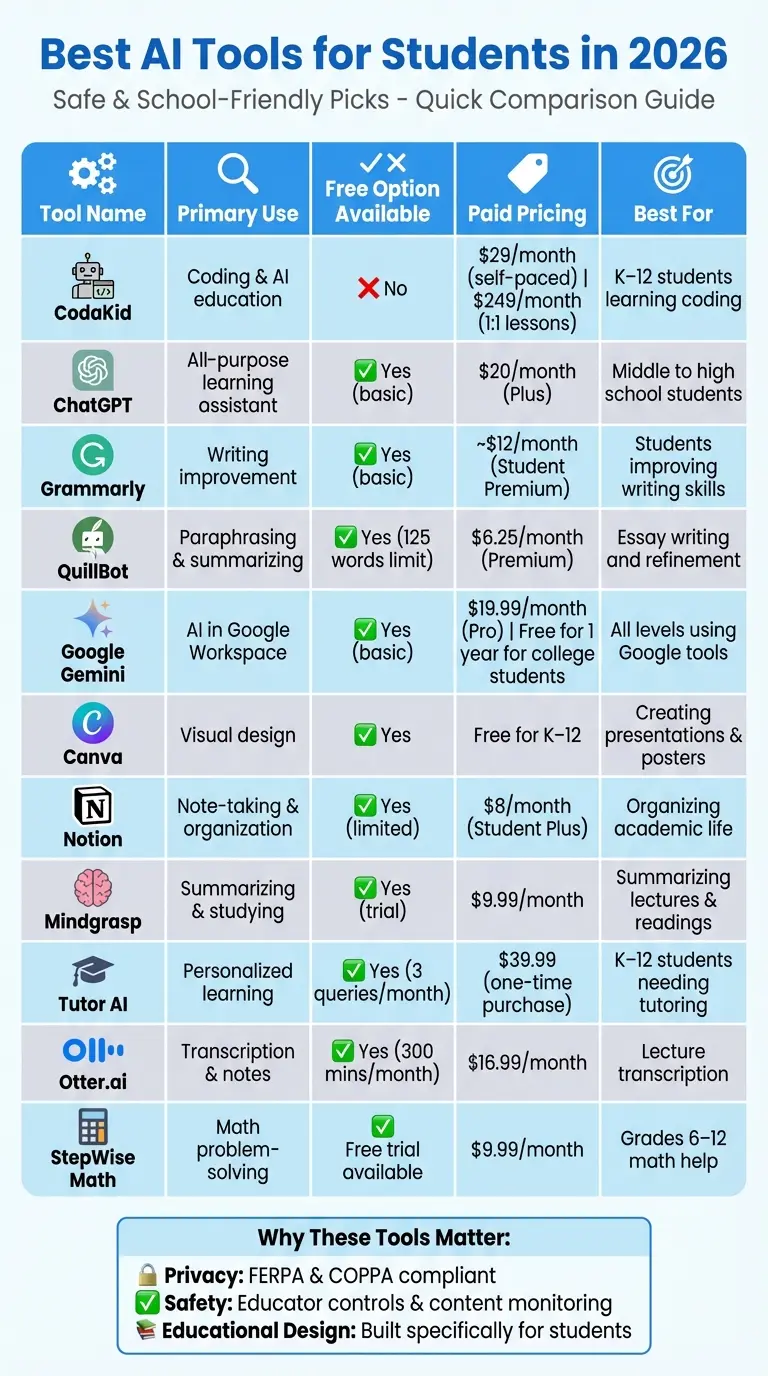
Quick Comparison (Best AI Tools for Students)
| Tool | Primary Use | Free Option | Paid Pricing | Best For |
|---|---|---|---|---|
| CodaKid | Coding & AI education | No | $29/month (self-paced); $249/month (1:1 lessons) | K–12 students learning coding |
| ChatGPT | All-purpose learning assistant | Yes (basic) | $20/month (Plus) | Middle to high school students |
| Grammarly | Writing improvement | Yes (basic) | ~$12/month (Student Premium) | Students improving writing skills |
| QuillBot | Paraphrasing & summarizing | Yes (125 words limit) | $6.25/month (Premium) | Essay writing and refinement |
| Google Gemini | AI in Google Workspace | Yes (basic) | $19.99/month (Pro); Free for 1 year for college students | All levels using Google tools |
| Canva | Visual design | Yes | Free for K–12 | Creating presentations & posters |
| Notion | Note-taking & organization | Yes (limited) | $8/month (Student Plus) | Organizing academic life |
| Mindgrasp | Summarizing & studying | Yes (trial) | $9.99/month | Summarizing lectures & readings |
| Tutor AI | Personalized learning | Yes (3 queries/month) | $39.99 (one-time purchase) | K–12 students needing tutoring |
| Otter.ai | Transcription & notes | Yes (300 mins/month) | $16.99/month | Lecture transcription |
| StepWise Math | Math problem-solving | Free trial available | $9.99/month | Grades 6–12 math help |
These tools help students save time, improve grades, and build skills for the future. Always check your school’s AI policies before use.
Best AI Tools for Students 2026: Features, Pricing & Use Cases Comparison
Table of Contents
4 Open-Source AI Models vs Minecraft (ONE Prompt) | Who Wins?
1. CodaKid
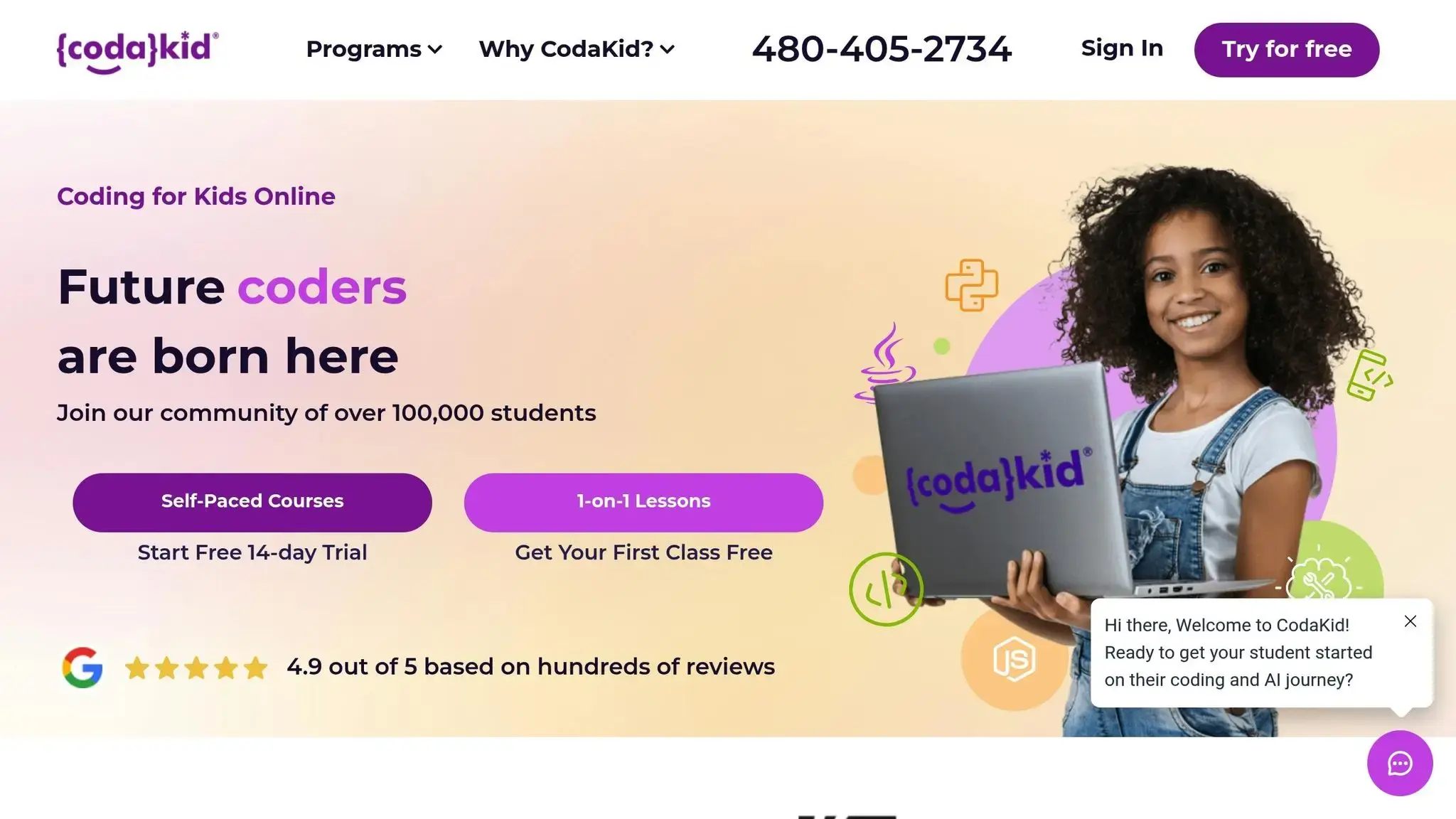
CodaKid is an online platform designed to teach coding and AI to kids and teens, blending technical skills with AI literacy. Offering flexible learning options, it provides self-paced courses for $29/month and personalized one-on-one lessons for $249/month, catering to a variety of learning needs.
Educational Value (Best AI Tools for Students)
CodaKid’s curriculum dives into essential AI topics like Generative AI, Prompt Engineering, and large language models. Students engage in hands-on projects, such as crafting AI-generated videos, while also exploring ethical considerations through activities like the “AI Ethics Game Show.” This approach combines technical knowledge with practical application and ethical awareness.
Age-Appropriateness
The curriculum is thoughtfully divided by age group. Younger learners (8 and up) begin with foundational courses, including “AI Ethics Game Show” and “Prompt Engineering Design.” As they progress, older students tackle more advanced topics, such as “Generative AI – Level 1”, ensuring they build a strong ethical foundation before delving into complex concepts.
Data Privacy and Security
CodaKid prioritizes a safe learning environment. It incorporates reCAPTCHA verification for added security and includes lessons on crafting safe and clear AI instructions within courses like “Prompt Engineering Design.” This ensures students not only learn but also understand the importance of secure and responsible AI usage.
2. ChatGPT
By late 2025, 66% of students were actively using ChatGPT, with 47% of teachers endorsing it. This contributed to an impressive 800 million weekly users worldwide. ChatGPT has become a go-to AI tutor, helping students tackle tricky subjects, create practice questions, and organize essay outlines.
Educational Value (Best AI Tools for Students)
With the 2026 upgrade, ChatGPT introduced Study Mode, a feature designed to act as an interactive tutor. Using guiding questions, it helps students build a step-by-step understanding of concepts. The GPT-5 update further improved the platform, reducing inaccuracies – often called hallucinations – by 45% compared to earlier versions.
Students can also explore specialized tools in the GPT Store, which are tailored for tasks like research, brainstorming, summarizing, and improving writing. While it shines for students in grades 6–12, younger learners might find its explanations a bit too detailed. The real benefit lies in using ChatGPT to grasp how concepts work, rather than relying on it for quick answers. These features make it a powerful ally for students at the right learning stage.
Age-Appropriateness
ChatGPT is particularly well-suited for middle and high school students who can critically assess its responses. To encourage responsible use among younger learners, OpenAI collaborated with Common Sense Media to create the ChatGPT Foundations Course for K–12 educators.
The platform offers several pricing options:
- Free tier for verified U.S. K–12 educators through June 2027.
- ChatGPT Plus at $20/month, with discounts for U.S. and Canadian students.
- Institutional accounts available at many universities.
Data Privacy and Security
ChatGPT is designed with education-focused security in mind, meeting FERPA requirements for data protection. The platform provides various privacy settings depending on the account type. For instance, ChatGPT for Teachers includes features like domain claiming and Single Sign-On, ensuring secure account management. Importantly, data from these accounts is not used to train OpenAI models by default.
That said, not all users feel entirely at ease. 23% of students have concerns about privacy protection, and 21% worry about personal data collection.
“Whether our staff are longtime ChatGPT users or just getting started, this is an exciting step forward. They will have access to AI tools that help them save time and focus on what matters most: supporting our students and community.” – Kerri Holt, Chief Technology Officer, Houston ISD
School-Friendliness
Unlike platforms that focus solely on coding or creative tasks, ChatGPT provides extensive academic support. However, students should always check their school’s AI usage policies, as some professors still prohibit its use for assignments.
The platform is free for verified U.S. K–12 educators through June 2027. OpenAI has also partnered with school districts representing nearly 150,000 teachers and staff to refine its educational applications. While ChatGPT is a valuable tool, students are encouraged to cross-check its information against textbooks or trusted sources, as occasional inaccuracies can still occur.
3. Grammarly
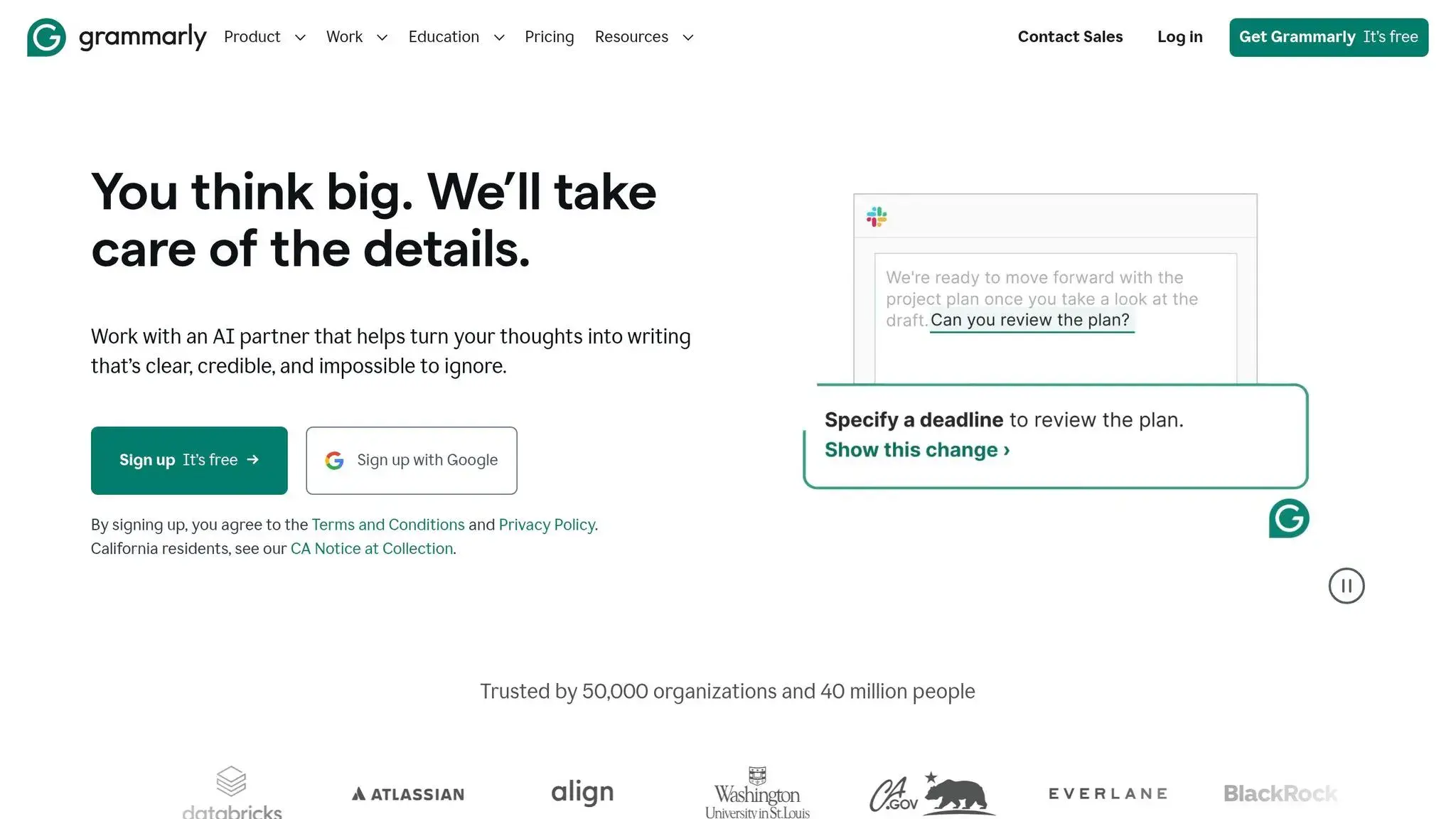
Grammarly has become a go-to writing tool for students, with over 3,000 academic institutions relying on it. A staggering 94% of students who use Grammarly Pro report improvements in their grades.
Educational Value (Best AI Tools for Students)
The 2026 update brings AI-driven tools tailored for academic needs. The AI Grader provides feedback that mimics instructor evaluations based on specific rubrics, while Expert Review delivers insights customized to fields like science or literary theory. Another standout feature, the Citation Finder, helps students locate credible sources and format references in APA, MLA, or Chicago style directly within Google Docs or Microsoft Word.
To support academic integrity, the Authorship tool categorizes text by its origin – whether human, AI-generated, or external – creating a transparent record of the writing process that can be shared with instructors.
“Grammarly helps students and faculty build confidence in their communication. Our engineering students can focus more on demonstrating their subject-matter knowledge through their writing instead of worrying about grammar and voice.” – Michael Goay, IT Executive Director, University of Southern California
Grammarly’s advanced features continue to evolve, meeting the diverse needs of its academic audience.
Age-Appropriateness
Grammarly caters to learners at all levels, from high school students to those pursuing advanced degrees. It’s particularly helpful for international students working on English fluency and tone. The free version offers essential tools like grammar, spelling, and punctuation checks, along with 100 AI prompts per month. For those seeking more advanced capabilities, the Premium plan – discounted to around $12/month for students (down from the standard $30/month) – includes 1,000 AI prompts, plagiarism detection across billions of web pages, and enhanced citation support. Additionally, many universities provide free access through institutional partnerships.
Data Privacy and Security
Grammarly prioritizes user privacy with strong encryption protocols and does not sell or rent personal data to third parties. The platform is designed to bypass password fields and is blocked on most financial and medical websites, ensuring sensitive information remains secure. Users also have full control over their data, with the ability to delete saved documents at any time. Typically, all stored data is removed within 30 days of account cancellation.
Although Grammarly processes text on cloud servers to deliver real-time suggestions, it is not a traditional keylogger. That said, students handling highly sensitive information are advised to disable the browser extension on banking or healthcare sites.
These privacy measures, combined with its academic tools, make Grammarly a trusted choice for students and educators alike.
School-Friendliness
Grammarly actively supports academic integrity with built-in prompts that encourage adherence to institutional policies and transparency about using generative AI. Its plagiarism and AI detection tools scan billions of web pages and academic databases, flagging unintentional overlaps and identifying text that may seem artificially generated. These features align seamlessly with the platform’s commitment to secure, school-friendly AI solutions. Additionally, Grammarly integrates smoothly with learning management systems like Canvas and Blackboard, making it easy for schools to implement.
Outside the classroom, Grammarly’s impact is significant – 100% of surveyed students said it helped them land internships or their first jobs. By 2026, the platform offers real-time language assistance in English, Spanish, French, German, Portuguese, and Italian, with over 30 million daily active users. It’s clear that Grammarly not only boosts writing confidence but also upholds academic standards, making it a reliable tool for students worldwide.
4. QuillBot
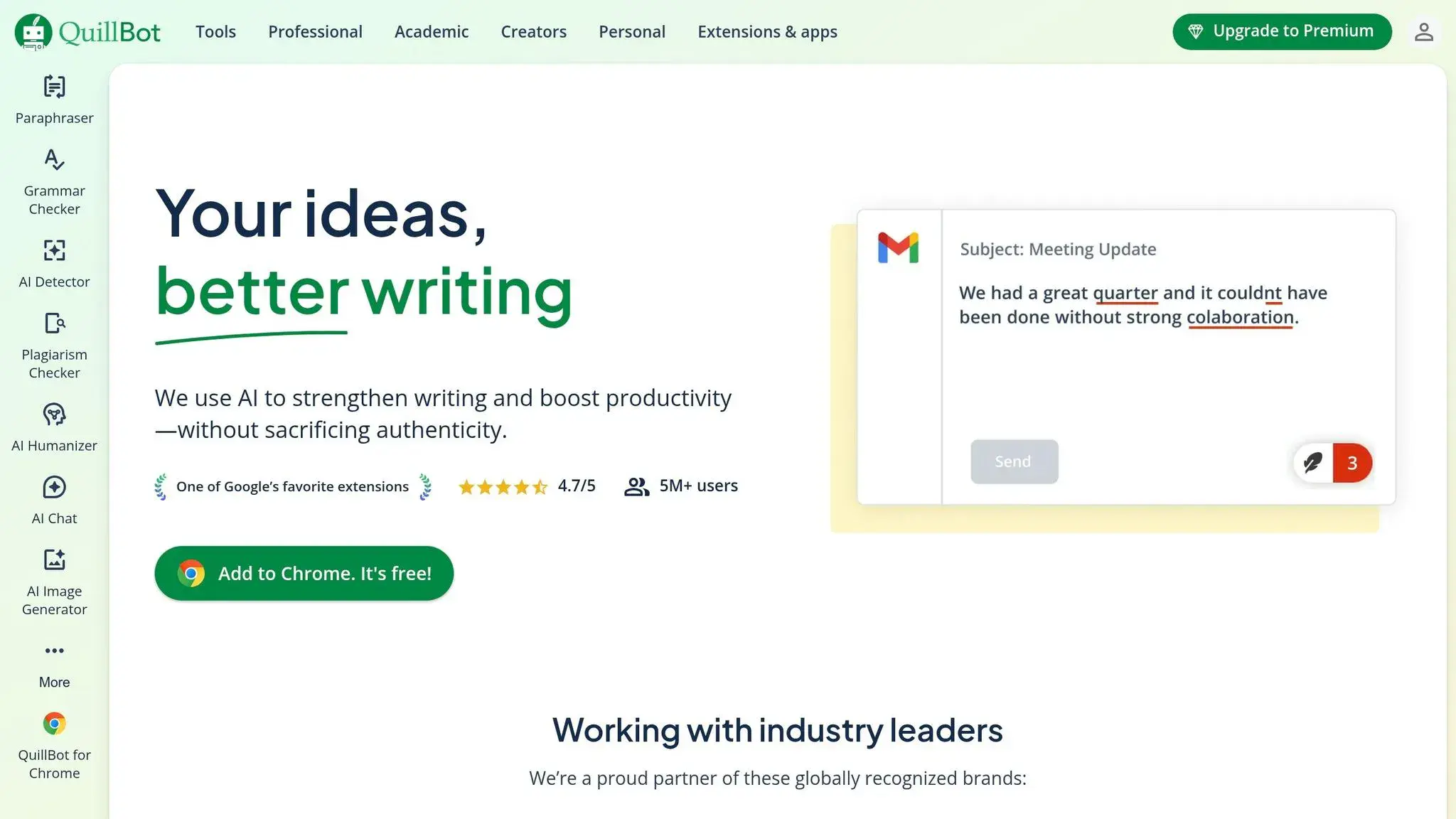
QuillBot welcomes over 2,000 new student users every hour and serves 35 million writers worldwide. Like other AI tools discussed here, QuillBot combines advanced technology with a focus on academic integrity to improve student writing.
Educational Value (Best AI Tools for Students)
QuillBot stands out with its robust set of tools tailored for academic success. The Paraphraser helps refine awkward paragraphs and weak topic sentences by rearranging sentences and enhancing vocabulary and clarity. The Summarizer breaks down lengthy research papers or articles into concise key points, making it easier for students to understand essential content quickly. For maintaining academic standards, the Citation Generator provides one-click formatting for APA, MLA, and Chicago styles, while the Plagiarism Checker ensures originality by scanning for duplicate content. Additionally, QuillBot supports translations in over 30 languages, broadening its accessibility.
“QuillBot has made my work a lot easier. It’s really nice and helpful while writing research articles.” – Vikas, Researcher
The Chrome extension further enhances its usability by integrating directly with platforms like Google Docs, Canvas, and Gmail. This seamless integration allows students to use these tools effortlessly in their daily workflow, benefiting learners across various academic levels.
Age-Appropriateness
QuillBot is designed for a wide range of users, from high school students to advanced research scholars. It’s especially helpful for non-native English speakers aiming to boost their writing confidence. The free plan offers basic paraphrasing in Standard and Fluency modes (with a 125-word limit) and supports 23 languages. For students, the Premium plan, priced at approximately $6.25 per month, unlocks advanced features like Creative and Humanize modes, along with higher word limits.
“English is my second language, and QuillBot made me feel confident in expressing my ideas.” – Alison, Student
QuillBot’s popularity is evident in its 4.7/5 rating on the Chrome Web Store, based on feedback from over 5 million users. Many students highlight how it speeds up the writing process while preserving their personal voice.
Data Privacy and Security
QuillBot is trusted by students and faculty at leading universities worldwide, with partnerships spanning over 140 institutions. To protect users, the platform employs reCAPTCHA to prevent automated misuse and provides clear access to its Privacy Policy and Terms of Service. Its AI Detector is designed to minimize bias, ensuring fair treatment for non-native English speakers using assistive tools. QuillBot’s reliability stems from its use of major models like GPT-5, Gemini, Claude, and Llama.
School-Friendliness
QuillBot emphasizes ethical support for writing, positioning itself as a tool that “writes with you, not for you”. This approach aligns with academic values, focusing on enhancing original work rather than replacing it. By refining human-written content while maintaining the student’s authentic voice, QuillBot supports ethical AI usage. The platform also includes an AI Detector for teachers, helping educators distinguish between responsible AI assistance and misuse.
“As a student, I can confidently say that QuillBot has been a game-changer in my academic journey. It is indispensable for students aiming to improve their writing.” – Danisha Verma, Student
With a 4.7/5 rating on Trustpilot from over 6,100 reviews, QuillBot has earned its reputation as a dependable, school-friendly resource that upholds academic integrity while enhancing the writing experience.
5. Google Gemini
Google Gemini brings advanced AI tools directly into the hands of students and educators. Designed specifically for education, it integrates seamlessly with tools like Gmail, Google Docs, Sheets, Slides, and Google Classroom. This means students can use AI assistance without needing to jump between apps, keeping everything streamlined and accessible.
Educational Value (Best AI Tools for Students)
Gemini’s integration into familiar platforms makes it a game-changer for students. The Gemini 3 Pro model takes things further with its ability to understand multiple formats, allowing students to upload photos of homework or lecture notes and receive step-by-step guidance. Its Deep Research feature can generate detailed reports with cited sources on complex topics, saving students time and effort. For those who prefer to learn on the go, Audio Overviews transform documents and lecture recordings into podcast-style audio.
Another standout feature is Gemini Canvas, an interactive workspace where students can create study guides, practice tests, timelines, and even code. On top of that, the Guided Learning mode, powered by LearnLM, focuses on building a deeper understanding of subjects by offering step-by-step explanations rather than just quick answers. In fact, experts found LearnLM to outperform GPT-4o by 31% in various learning scenarios.
“With Gemini, my planning is so fast and easy. I can adapt my lesson plan to the needs of my students… I feel like I can give more attention to my students and projects using AI rather than spending my whole afternoon or weekends working on the planning.” – Natali Barretto, STEM teacher, Albuquerque Public Schools
In June 2024, Miami-Dade County Public Schools, the third-largest school district in the U.S., introduced Gemini to 100,000 high school students and teachers. This initiative brought personalized learning, real-time language support, and a more inclusive classroom experience. Teachers using Gemini have reported saving up to 10 hours per week on planning and administrative tasks.
Age-Appropriateness
Gemini ensures a safe and tailored experience for students under 18 by incorporating strong safeguards to block inappropriate content. Its Double-Check feature evaluates web content for accuracy, helping teens build critical information literacy skills. Additionally, AI Literacy Onboarding provides youth-friendly resources and videos, endorsed by organizations like ConnectSafely and the Family Online Safety Institute.
“Gemini for teens will provide our high school students with the focused support of AI in a safer environment with appropriate safeguards.” – Dr. Jose L. Dotres, Superintendent, Miami-Dade County Public Schools
For college students, Gemini offers a free one-year trial for those signing up by January 31, 2026. After the trial, the service renews at $19.99 per month.
Data Privacy and Security
Google ensures that Gemini for Education adheres to strict privacy standards. User data is not reviewed by humans or used to train AI models, and the platform complies with regulations like COPPA, FERPA, HIPAA, and FedRamp. School administrators can manage access, review student conversations via Google Vault, and monitor usage metrics through the Admin console to identify students who may need extra support.
“With the Gemini app, we’ve empowered the entire institution with private and secure generative AI at scale and, importantly, with appropriate safety protections.” – Matthew Gunkel, CIO, University of California Riverside
In 2024, San Diego State University incorporated Gemini and NotebookLM into its Google Workspace environment, enhancing learning while maintaining top-tier security. These measures ensure a safe and efficient experience for educational institutions.
School-Friendliness
Gemini is available for free to qualifying institutions, with an optional $15 per user per month upgrade for additional features. It supports over 40 languages and is accessible in more than 230 countries, making it highly adaptable to diverse educational needs. Students aged 18 and older can also use NotebookLM and Gemini directly within Google Classroom to turn class materials into interactive diagrams and flashcards.
“Making Google Gemini accessible to educators, students and staff demonstrates that UST harnesses the power of technology… while ensuring ethical and responsible use, digital safety and future readiness.” – Cheryl R. Peralta, Vice Rector for Academic Affairs, University of Santo Tomas
6. Canva
Canva brings AI-powered design tools into the classroom, giving students the ability to create stunning presentations, posters, videos, and interactive assignments. This (Canva Education) is completely free for K–12 students and teachers, offering access to a treasure trove of resources, including 2 million royalty-free images and 25,000 pre-licensed audio tracks. With a 4.8/5 star rating on Google Play based on over 24 million reviews, it’s clear this platform has made a mark. It even holds the coveted “Editors’ Choice” designation.
Educational Value (Best AI Tools for Students)
Canva makes creativity accessible with features like Magic Media, which allows students to turn text prompts into images or videos, and Magic Write, a tool that helps outline essays and refine presentation scripts. For interactive learning, tools like the Quiz Generator and Magic Charts can create assessments and turn data into engaging visuals. For video projects, Beat Sync automatically matches transitions to music, giving student creations a professional touch.
Collaboration gets a boost with Visual Suite 2.0, enabling students to work together on presentations, whiteboards, and documents in real-time. For language and multicultural projects, Canva’s AI-powered translation tools can convert designs into over 100 languages. This broad suite of tools not only encourages creative expression but also ensures a safe, age-appropriate learning experience.
Age-Appropriateness and Data Privacy
Canva Education prioritizes safety and compliance. AI models and human moderators work together to filter unsafe content, ensuring the platform maintains high educational standards. Students can only join through a teacher’s invitation, giving educators full control over who accesses the classroom environment.
“Help students build digital and design literacy as they explore, create, and collaborate with age-appropriate AI tools on Canva. With built-in safety, trusted content, and full teacher control, students can express big ideas confidently.” – Canva
Canva adheres to strict data privacy standards, being FERPA and COPPA compliant, and is a signatory of the National Data Privacy Agreement. Data is encrypted during transfers, and user information is never shared with third parties. For added security, school districts can enable Single Sign-On (SSO).
School-Friendliness
Teachers have full oversight with Canva Education. They can assign tasks, monitor student progress, and manage which AI tools students can access. Integration with popular Learning Management Systems like Canvas, Blackboard, and Google Classroom makes managing assignments seamless. Canva also offers curated collections to spark student engagement. Accessibility tools, including an Accessibility Checker and AI-generated captions, ensure content is inclusive for all audiences. Rated “Everyone 10+” on major app stores, Canva is well-suited for middle and high school students.
7. Notion
Notion simplifies academic life by combining note-taking, task management, and project tracking into a single platform. Instead of juggling various apps for different classes, students can organize everything – from lecture notes to deadlines for group projects – all in one place. Plus, Notion AI takes it a step further by summarizing messy notes, creating clear outlines, and linking ideas across different subjects.
Educational Value (Best AI Tools for Students)
This platform empowers students to take control of their learning while developing stronger organizational skills. A study conducted between September and November 2024 with 50 university students in Ho Chi Minh City revealed that Notion significantly helped build independent learning habits and even strengthened student-teacher relationships. Additionally, its AI features can combine notes from multiple classes into a well-structured study guide, making exam prep much simpler.
“Notion AI transforms it from an organizational tool into an intelligent academic assistant.” – Life Note Blog
For group projects, Notion acts as a collaborative hub. Its AI can draft proposals, break tasks into manageable pieces, and summarize team discussions. Students can also use pre-designed templates like the Cornell note-taking system or Kanban boards to keep assignments on track. This all-in-one approach makes group work smoother and more efficient.
School-Friendliness
Notion offers a 50% discount for students – just $8 per month with a .edu email – and a free version with limited AI features. As more schools lean toward unified platforms to reduce the hassle of managing multiple tools, Notion fits seamlessly into collaborative learning setups. However, students should carefully review privacy settings and avoid sharing sensitive details, such as full addresses, when setting up their workspace.
8. Mindgrasp
Mindgrasp takes the hassle out of note-taking by transforming lectures, textbooks, and even YouTube videos into organized notes, flashcards, and quizzes. With more than 100,000 users spanning 128 countries, it’s a go-to tool for high school, college, and graduate students juggling demanding coursework. Its AI-driven features are designed to streamline studying and provide robust academic support.
Educational Value (Best AI Tools for Students)
Mindgrasp’s AI Tutor is more than just a summarization tool. It can answer specific questions, help with homework, and pull live references when needed. For those tackling tricky math problems, the Scholar plan ($12.99/month) includes an AI Math Expert that breaks down complex problems step by step. It’s also a game-changer for students with ADHD or dyslexia, as its 24/7 availability and AI-generated summaries make dense materials more manageable.
“It quickly turns lectures and readings into notes, flashcards, and quizzes, saving me hours of work. The AI tutor is great for tough topics, and everything is easy to use and organized.” – Dana Trietsch, College Student
“It helps me understand long research papers in the matter of seconds, gives me study tools for even the most complicated topics, makes practice questions/quizzes, and so much more!!” – Abi Kerr, Pre-med Student
The Scholar and Premium plans also offer a live recording feature that transcribes lectures in real time, so students can focus on engaging in class rather than scrambling to take notes.
School-Friendliness
Mindgrasp fits right into modern academic settings. It integrates smoothly with popular Learning Management Systems (LMS) like Canvas, Blackboard, Panopto, and Moodle through its Chrome extension, making it easy to use in secure, school-approved environments. The Basic plan starts at $9.99/month and includes a 4-day free trial for those who want to test it out first. Reviews often praise its clean design and user-friendly interface, which resonate well with older teens and young adults.
Data Privacy and Security
To protect user information, Mindgrasp employs standard security protocols. However, users are advised to avoid uploading highly sensitive personal data. Some users have noted occasional challenges with the AI’s ability to interpret complex graphs or diagrams from images.
9. Tutor AI
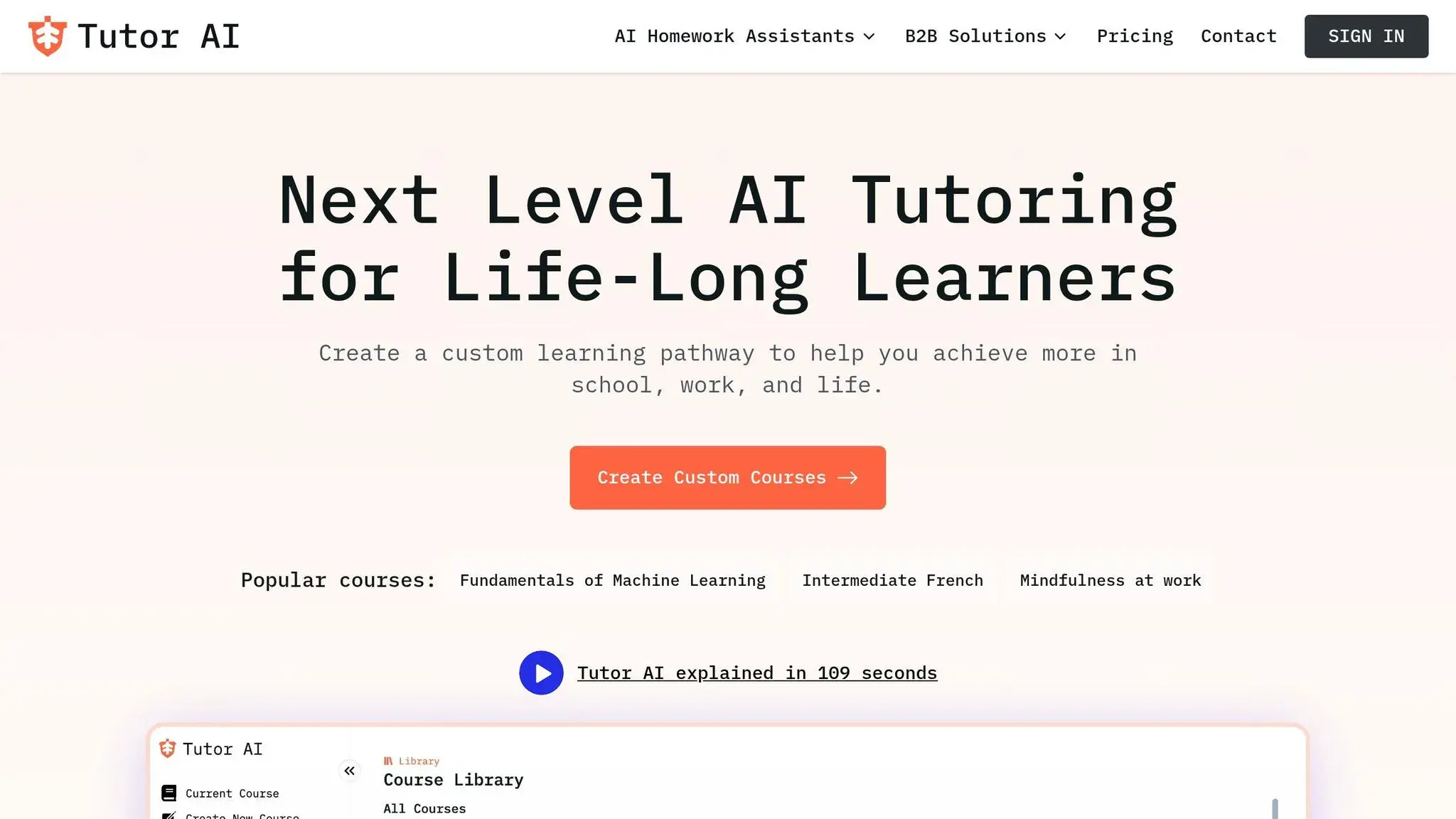
Tutor AI works as a personal tutor, crafting a 10-module course on virtually any topic. Whether you’re curious about photosynthesis, diving into the details of World War II, or tackling algebraic equations, this platform creates a structured course with clear, easy-to-follow lessons in seconds.
Educational Value (Best AI Tools for Students)
Tutor AI makes learning easier by breaking down complex topics into manageable pieces. It offers tools like “Simplify”, “Examples”, and “Ask a question”, which help explain tricky terms, provide relatable context, and answer questions on the spot. To ensure the material sticks, there’s also a built-in quiz feature. For those curious about how it works, the free plan allows users to test the platform with three queries before upgrading to a premium subscription. These features cater to different learning styles, making it a versatile tool for students.
School-Friendliness
The platform’s self-paced approach is perfect for preparing for exams, tackling homework, or understanding tough concepts. It quickly generates curriculum content to meet specific needs. Just make sure to check your school’s policies on using AI tools before diving in.
10. Otter.ai
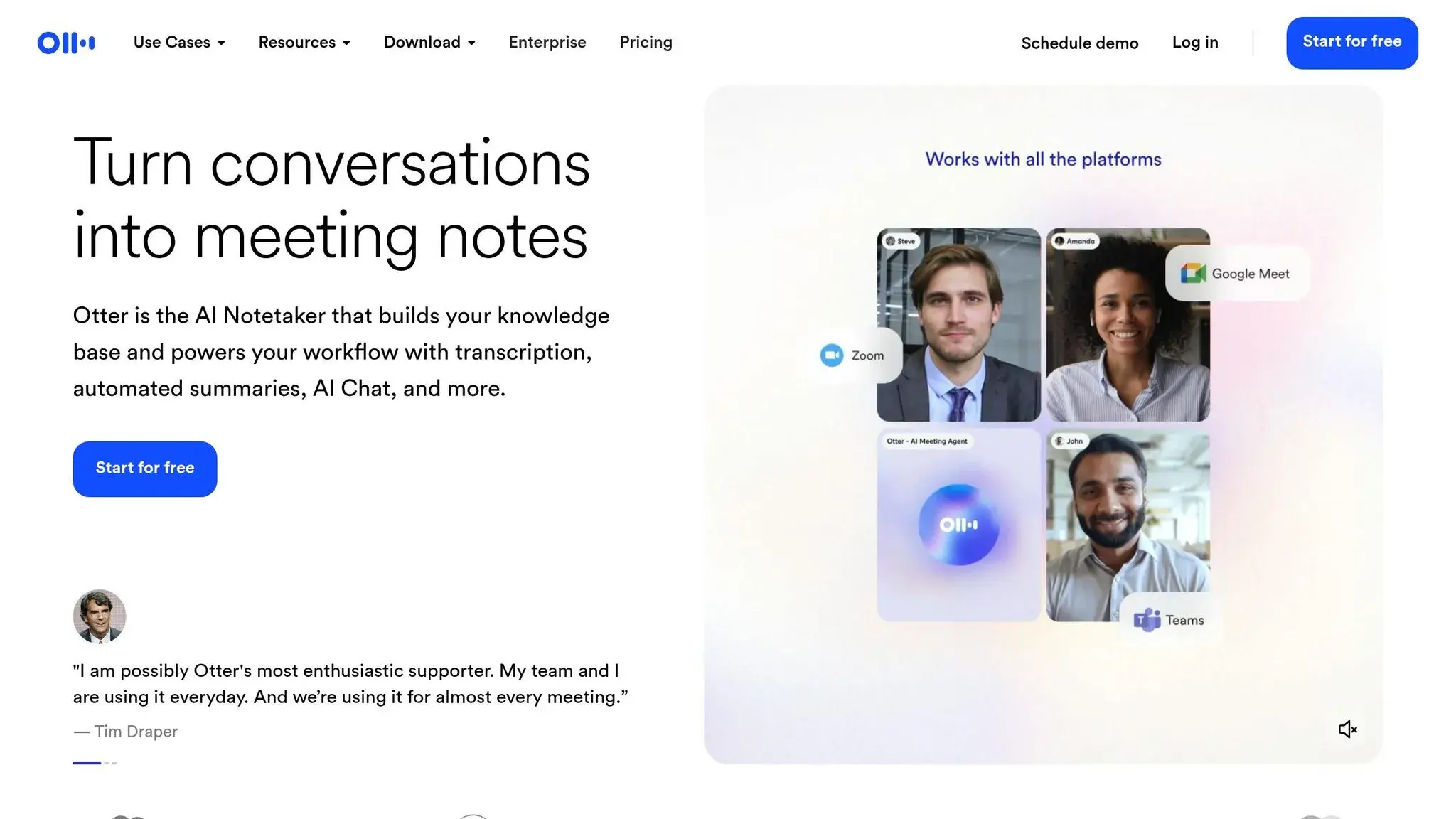
Otter.ai is a tool that automatically records and transcribes lectures in real time, helping students focus on listening and participating instead of scrambling to take notes. After each session, it generates summaries, action items, and key takeaways, which can make reviewing material quicker and more efficient. Its Education Agent feature goes a step further by creating structured study guides, concept maps, and keyword summaries from uploaded notes or recorded sessions.
Educational Value (Best AI Tools for Students)
Otter.ai builds on its transcription capabilities with features tailored for education. It offers up to 95% accuracy in live transcriptions and can save students over 4 hours weekly by automating tasks like transcription and summarization. For instance, its “AI Chat” feature allows users to extract key points or create study plans from lengthy lecture transcripts without needing to sift through everything manually. The free plan includes 300 transcription minutes per month, with each session capped at 30 minutes.
“Using AI in educational contexts makes learning more inclusive. For example, Otter can transcribe audio in real time for students who struggle to keep up with fast-paced lectures or need captions for video content.” – Otter.ai
Age-Appropriateness
Otter.ai primarily targets college students and professionals, rather than younger K-12 learners. Unlike tools specifically designed for younger audiences, it doesn’t emphasize “safe-for-minors” features in its documentation. However, its real-time transcription and searchable lecture notes can be invaluable for students with accessibility needs or those who find it challenging to keep up with fast-paced teaching.
Data Privacy and Security
The free version of Otter.ai uses data for model training, but institutional accounts come with stronger privacy controls. The platform has a formal Privacy Policy, Terms of Service, and Software Service Agreement that outline how it handles data. Moreover, it integrates seamlessly with secure platforms like Microsoft (Calendar/Teams) and Google (Calendar/Meet/Docs), allowing students to work within their school’s existing systems.
“Institutional accounts (provided by your school) usually have better privacy protections.” – Fello AI
These privacy features align well with its classroom-focused functionality.
School-Friendliness
When using Otter.ai, it’s essential to follow school policies. Always get your instructor’s permission before recording lectures. If your school provides an Otter.ai account, use that instead of the free version for enhanced privacy. Be cautious about including sensitive details like full names or addresses in transcriptions or AI chats. To ensure accuracy, use the “Search” and “Highlight” tools to cross-check AI-generated summaries against textbooks, as the AI might occasionally misinterpret certain points.
11. StepWise Math
StepWise Math, created by Querium, is another standout AI tool designed with students in mind. It helps middle and high schoolers tackle tricky math problems by identifying errors in their logic or calculations and providing clear, targeted feedback. This makes it especially useful for students navigating challenging subjects like Algebra and Pre-calculus.
Educational Value (Best AI Tools for Students)
With over 764,000 students using the platform and more than 500 math learning objectives covered, StepWise Math focuses on building a solid understanding of mathematical reasoning. It doesn’t just point out mistakes – it digs into why they happened, offering personalized coaching to help students grasp complex ideas and feel more confident heading into exams.
Age-Appropriateness
StepWise Math is designed for students in grades 6–12. It offers flexible pricing options, including a monthly subscription at $9.99, a family plan for $27 per month (up to three users), and a free trial for those who want to test it out before committing.
School-Friendliness
This tool was built with classrooms in mind. Teachers and parents can access detailed progress reports, making it easier to track how students are performing on specific learning objectives. Plus, its compatibility with a wide range of devices and school systems ensures smooth integration into existing setups. Whether used for individual support or as part of a larger classroom strategy, StepWise Math equips educators with the insights they need to help students succeed.
Tool Comparison Table (Best AI Tools for Students)
This guide highlights tools chosen for their safety features and educational value, making them ideal for classroom settings. Below is a table summarizing key details for quick reference:
| Tool | Primary Use | Free Option | Paid Pricing | Best For |
|---|---|---|---|---|
| CodaKid | Coding & AI education | No | $29/month (self-paced courses); $249/month (1:1 lessons) | K–12 students exploring coding, game development, and AI |
| ChatGPT | All-purpose assistant, brainstorming, drafting | Yes (limited GPT-4 access) | $20/month (Plus); Free via ChatGPT Edu at many universities | Middle school through college for writing, research, and homework help |
| Grammarly | Writing & grammar editing | Yes (basic) | ~$12/month (Student Premium) | Middle school, high school, and college students aiming to improve writing clarity |
| QuillBot | Paraphrasing & summarizing | Yes (125 words at a time) | Premium (unlimited words) | High school and college students refining essays and assignments |
| Google Gemini | Research & workspace integration | Yes (standard) | $19.99/month (AI Pro); Free for 1 year for college students until January 31, 2026 | K–12 and higher education for inquiry-based learning and Google Classroom integration |
| Canva | Visual design & presentations | Yes (basic features) | Varies (Canva for Education is free for K–12) | All K–12 levels for creating visual projects and infographics |
| Notion | Organization & note-taking | Yes (limited queries) | $8/month (Plus for Students, 50% discount) | High school and university students managing notes and study schedules |
| Mindgrasp | Summarizing lectures & documents | Varies | Varies | College students processing large amounts of reading material |
| Tutor AI | Personalized learning & tutoring | Yes (3 queries/month) | $39.99 (one-time purchase option) | K–12 students needing step-by-step guidance in core subjects |
| Otter.ai | Transcription & note-taking | Yes (300 mins/month) | $16.99/month or $8.33/month (annual billing) | High school and college students recording and transcribing lectures |
| StepWise Math | Math problem-solving & feedback | Free trial available | $9.99/month; $27/month (family plan for 3 users) | Grades 6–12 for Algebra, Pre-calculus, and advanced math |
Discounts or Automatic Upgrades
When signing up, use your school email to access discounts or automatic upgrades. Many universities provide free ChatGPT Edu accounts, and Google offers a full year of Gemini AI Pro at no cost for verified college students.
“Students who learn to use AI well will do better in school. Not because AI replaces them, but because it removes the busywork.” – Mohab A. Karim
To save on subscription costs, try free versions first to draft ideas. For long-term use, the one-time $39.99 purchase option for Tutor AI could be a more budget-friendly choice compared to recurring fees.
Conclusion (Best AI Tools for Students)
The AI tools highlighted in this guide are designed to help students excel in various areas like writing, research, organization, creative projects, and coding. However, their true potential shines when used as learning partners, not shortcuts. Each tool has been selected for its secure and classroom-friendly features. For instance, Grammarly and QuillBot enhance writing, while ChatGPT and Google Gemini simplify complex AI concepts. Meanwhile, CodaKid equips students with coding and AI development skills, paving the way for future tech opportunities. Research also shows that combining AI tools with traditional tutoring significantly improves learning outcomes.
A study by Carnegie Mellon University involving over 600 seventh graders found that students who used a mix of human and AI tutoring advanced by 0.36 grade levels per year compared to those relying solely on AI.
“The students winning in 2026 aren’t the ones studying the longest. They’re the ones using the right AI tools to remove friction, clear confusion fast, and stay consistent.” – MyStudyLife
AI can also take care of repetitive tasks like transcription, creating study guides, and organizing projects. This frees up time for students to focus on understanding concepts deeply and honing critical thinking skills – key advantages emphasized throughout this guide. That said, it’s crucial to verify AI-generated outputs against reliable sources since even advanced tools can make mistakes. Fact-checking remains a vital step in the learning process.
When used thoughtfully, AI becomes a powerful ally in learning – helping students work smarter, think critically, and develop skills that last. Whether you’re writing an essay, solving a tough math problem, or creating your first game, AI is here to enhance your journey, not replace it.
FAQs
How do AI tools keep student data private and secure?
The best AI tools built for students put privacy and security front and center by using robust protections. Many platforms rely on encryption to safeguard data, ensuring that only authorized educators or school administrators can access sensitive information. They also adhere to strict regulations like FERPA, which are designed to protect personal details and maintain confidentiality.
These tools are designed with data-minimization principles in mind, meaning they only collect the information needed to support personalized learning. Sensitive data is often anonymized to provide an extra layer of protection. Additionally, many platforms offer schools administrative controls, such as consent dashboards and options for data deletion, allowing districts to oversee and enforce their privacy policies with ease. These combined efforts create a secure and student-friendly environment.
What is the best AI tool to help students improve their writing skills?
Grammarly stands out as a powerful tool for improving writing skills. It assists students in fine-tuning grammar, punctuation, and sentence structure while also providing suggestions to enhance clarity and tone. Whether you’re working on essays, assignments, or creative projects, it’s a reliable companion for producing polished work.
What makes Grammarly even more appealing is its ease of use and flexibility. It caters to various writing styles, from formal to casual, making it suitable for students at any level. Beyond just correcting mistakes, it helps users refine their writing and develop stronger communication skills over time.
Are there any free AI tools students can use for school?
Yes, there are plenty of free AI tools available to help students with tasks like research, writing, note-taking, and even tutoring. For instance, ChatGPT and Google Gemini offer free plans that assist with writing essays, brainstorming ideas, or breaking down complex topics. Microsoft also provides free AI-powered features through its education platform, seamlessly integrated into Office 365 for schools.
These best AI tools are tailored for students, offering privacy protections, parental controls, and settings designed for classroom use. They’re perfect for creating study aids like flashcards, polishing grammar, or summarizing lessons – all without any subscription costs. This makes AI a valuable and accessible learning tool for students across the U.S., regardless of age.