
By 2026, coding is as fundamental for kids as reading and writing. It’s not just about tech skills – it builds logic, problem-solving, and creativity. With countless online coding programs available, choosing the right one can be overwhelming. Here’s a quick guide to the 10 best coding courses for kids this year, tailored to different ages, interests, and skill levels.
Quick Overview:
- CodaKid: Professional tools for ages 6–18. Learn Python, Java, and more. ($29/month for self-paced; $249/month for private lessons)
- Scratch: Free, beginner-friendly block coding for ages 8–16.
- Code.org: Free platform teaching JavaScript, Python, and HTML for ages 4–18.
- Tynker: Structured lessons from beginner to advanced, starting at $7.50/month.
- Blockly Games: Free puzzle-based coding for ages 8–14.
- CodeCombat: Game-based Python and JavaScript learning for ages 9–16. ($9.99/month premium)
- Khan Academy: Free coding lessons in JavaScript, HTML, SQL, and Python for ages 11–18.
- Bitsbox: Monthly subscription for JavaScript app creation, ages 6–14. ($19.95–$44.95/month)
- CodeSpark Academy: Visual coding for ages 5–9, starting at $7.99/month.
- TinkerCAD + Codeblocks: Block-based 3D design for ages 11–13, free.
Each course offers unique features like self-paced learning, hands-on projects, and options for beginners or advanced learners. Whether your child is curious about Minecraft modding, game development, or 3D design, there’s a course to match their needs.
Table of Contents
Coding for Kids | CodaKid Online Coding School
What Makes a Good Online Coding Course for Kids?
The best coding courses for kids combine effective teaching with methods that keep young learners engaged. Here’s what sets the best programs apart:
Age-appropriate curriculum design is key. Courses should match the developmental stages of their audience. For instance, younger kids (ages 6–10) can start with drag-and-drop tools like Scratch, while older kids (ages 11–16) can dive into text-based programming languages like Python or JavaScript.
A variety of programming languages helps kids build a well-rounded skill set. Starting with visual programming tools and gradually introducing text-based languages ensures a smooth learning curve and prepares them for more complex coding challenges.
Interactive Tools
Interactive tools and hands-on projects are essential to keep kids motivated. Game-based learning, coding challenges, and real-world projects make the learning process fun and rewarding while allowing kids to see immediate results from their efforts.
High-quality instructors and support systems play a major role in successful learning. Look for programs with experienced teachers who know how to work with kids. Live help desks, one-on-one instruction, and responsive support systems – whether through community forums or automated tools – are crucial for when kids hit a roadblock.
Flexible Scheduling
Flexible scheduling and self-paced learning options make it easier to fit coding into busy school and extracurricular calendars. Self-paced courses also let kids move quickly through topics they understand while spending extra time on more challenging concepts.
For families in the U.S., transparent pricing in USD is a must. Look for programs that clearly display costs in U.S. dollars and offer free trials or money-back guarantees to ensure value.
Recognition and progress tracking are great motivators. Features like certificates, badges, or portfolios provide kids with tangible proof of their achievements. These tools not only encourage learning but also help parents monitor progress and identify areas where additional support might be needed.
Professional Tools
Professional tools and real-world applications ensure kids learn skills they can actually use. Courses that incorporate industry-standard tools and real development environments help kids build confidence and prepare for real-world scenarios.
Finally, English language support and cultural relevance are important for American students. The best coding courses should use clear, native-level English and reference familiar cultural contexts. Live support and customer service should also align with U.S. time zones to ensure accessibility during convenient hours.
1. CodaKid

CodaKid is an online coding academy founded by Lauren Nguyen and David Dodge. It offers a practical programming education using professional tools, making it accessible for learners of various ages and skill levels.
Age Suitability and Learning Paths
CodaKid is designed for a wide range of ages, providing a curriculum that adapts as students grow. Whether starting with basic concepts or advancing to game and app development, students can progress at their own pace – whether they’re eager to move quickly or prefer to thoroughly master each step.
Programming Languages and Tools
With over 85 courses, CodaKid covers popular programming languages like Python, JavaScript, and Java. Using industry-standard tools, students can work on exciting projects such as Minecraft modding, Roblox game creation, web development, and even AI programming. These projects help kids develop skills they can use beyond the classroom.
Course Formats
CodaKid offers flexible learning options:
- Self-Paced Courses: For $29/month, students get unlimited access to lessons they can complete at their own speed.
- 1:1 Private Lessons: Personalized instruction is available for $249/month, providing tailored learning experiences.
- Virtual Summer Camps: One-week intensive camps focus on specific topics like AI or game development, offering a deep dive into these areas.
Hands-On Projects and Certificates
Every CodaKid course revolves around real-world projects – like creating games, websites, or apps – that give students a sense of accomplishment. To keep learners engaged, the platform also provides certificates of completion, progress tracking, and access to live help desk support. These features ensure students feel supported and motivated as they learn.
2. Scratch
Scratch, created by MIT‘s Lifelong Kindergarten Group, is a beginner-friendly, block-based programming platform. It’s widely used in elementary and middle schools across the U.S. to introduce students to coding concepts.
Age Suitability and Learning Path
Scratch is designed for kids aged 8–16, though even younger learners (as early as 6) can get started with some guidance. It begins with simple tasks like moving characters, called “sprites”, and gradually introduces more complex ideas like variables, loops, and conditionals. This step-by-step approach ensures students build a solid foundation before moving on to more advanced programming. Teachers and parents can track progress through built-in galleries, making it easy to see how students are advancing.
Programming Concepts and Tools
Scratch uses a visual, drag-and-drop interface where coding blocks represent actions like movement, sound, control, and variables. Students can combine these blocks to create scripts that control their animated sprites. The platform also includes tools like a sprite editor and sound editor, and it offers extensions for hardware like micro:bit and LEGO robotics, expanding the range of creative possibilities.
How It Works
Scratch is entirely free and accessible through any web browser, making it easy for students to learn at their own pace. While it supports independent exploration, educators can also use structured curricula to guide lessons. Teachers have the option to create student accounts, monitor progress, and integrate Scratch into classroom activities.
The platform’s online community adds another layer of engagement. Students can share their projects, remix others’ work, and participate in coding challenges. This collaborative environment not only fosters creativity but also helps students gain confidence as they experiment with programming concepts.
Hands-On Learning and Showcasing Work
Scratch focuses on project-based learning, encouraging students to create animations, games, and interactive stories to apply what they’ve learned. While it doesn’t provide formal certificates, students can build digital portfolios to showcase their work, which can be valuable for school assignments or assessments.
3. Code.org
Code.org is a nonprofit organization dedicated to making computer science education accessible to everyone. Its engaging and practical courses simplify coding, making it approachable for learners of all ages.
Programming Languages and Tools
The platform primarily focuses on JavaScript. Additionally, its CS Discoveries course introduces students to HTML and CSS through interactive web design projects. This hands-on approach ensures learners gain experience with tools widely used in the industry.
Projects and Certificates
Code.org’s curriculum emphasizes project-based learning, allowing students to create a variety of projects that highlight their coding abilities. Learners can also earn certificates for completing Hour of Code activities and full courses, providing a sense of accomplishment and progress.
4. Tynker
Tynker has gained recognition as a standout platform in coding education, earning accolades like the Parents’ Choice Gold Award and the Digital Education Awards 2020 Gold Award Winner. It offers a structured approach that gradually introduces more complex coding concepts, making it easier for kids to advance at their own pace.
Age Suitability and Progression Paths
Tynker’s “My Coding Path” guides students through a well-thought-out journey. It begins with foundational skills in Level 2: Create with Code, moves on to hands-on, interactive projects in Level 3: Coding Proficiency, and culminates in Level 4: Python Fundamentals. By the time they reach the final stage, kids are creating simple Python projects like trivia games and calculators.
Programming Languages and Tools Covered
The platform starts with visual, block-based coding – perfect for beginners who are just getting their feet wet. As students grow more confident, Tynker transitions them to Python, setting the stage for tackling more advanced programming challenges.
Project-Based Learning and Certificates
Tynker takes learning beyond the basics with a project-focused approach. Instead of repetitive exercises, students dive into meaningful projects that highlight practical uses for their coding skills. Along the way, they earn badges, certificates, and other rewards that celebrate their progress.
This gamified system not only acknowledges students’ achievements but also keeps them motivated. By completing projects and reaching milestones, kids can see tangible proof of their growth, boosting their confidence. The mix of creative challenges and engaging rewards turns learning into an enjoyable experience, helping Tynker keep students interested and invested over the long term.
5. Blockly Games
Blockly Games, a free platform from Google, uses puzzle-based games to teach coding in a fun and interactive way. This approach blends perfectly with the hands-on learning style seen in many beginner coding courses.
Age Suitability and Learning Path
Designed for kids aged 8–16, Blockly Games offers a step-by-step progression that starts with simple tasks and builds up to more complex challenges. The journey begins with Puzzle, where kids learn the basics of sequencing by connecting blocks to guide a character through mazes. Next comes Maze, which introduces loops and conditional statements through navigation puzzles that grow progressively harder.
As they gain confidence, students tackle Bird, applying logic to help a bird catch worms, and Turtle, which combines coding with geometric drawing. For more advanced learners, Movie and Music allow kids to dive into creating animated stories and composing melodies using programming concepts.
Programming Tools and Languages
The platform uses Google’s Blockly visual programming language, which eliminates the need for kids to memorize coding syntax. Instead, they drag and drop colorful blocks representing commands to create loops, variables, and functions.
To bridge the gap between visual and text-based coding, the platform also shows the JavaScript equivalent of the block code. This feature prepares students for transitioning to more advanced programming languages in the future.
Flexible and Self-Paced Learning
Blockly Games offers a self-paced learning experience, letting kids progress at their own speed. There are no deadlines, so students can revisit earlier levels whenever they feel the need to reinforce concepts.
Each game includes built-in hints and adjusts in difficulty as students advance. Plus, the browser-based format means there’s no need for downloads – kids can start coding right away on any device with an internet connection.
Coding Challenges and Practical Projects
While Blockly Games doesn’t provide certificates, it focuses on hands-on learning through game-based projects. Each level presents a unique coding challenge, encouraging kids to apply what they’ve learned in a practical way.
For instance, in Turtle, students use drawing commands to create geometric art, while in Movie, they build animated stories complete with dialogue and transitions. These projects not only teach coding but also give kids tangible results they can share, fostering a sense of accomplishment.
The platform’s strength lies in its ability to make coding concepts stick through practice and real-world applications. Instead of just memorizing syntax, kids develop problem-solving skills that will serve them well in any programming environment.
6. CodeCombat
CodeCombat brings a fresh twist to teaching kids programming by blending text-based coding with an engaging fantasy adventure game. Instead of relying on visual blocks, students write actual code to navigate dungeons, solve puzzles, and overcome obstacles – all within an immersive gaming experience. This setup guides learners through a structured, step-by-step coding journey.
Age Suitability and Learning Progression
Designed for kids aged 9 and up, CodeCombat uses a story-driven approach where players start with simple commands like hero.moveRight() and gradually move on to writing more advanced functions. As players progress, they unlock items like swords, shields, and pets, which introduce new APIs and control structures. This progression mirrors the growth of their in-game hero, making the learning process both fun and educational. The game covers key concepts such as loops, conditionals, and functions, ensuring students build a solid coding foundation.
Programming Languages and Tools Offered
Unlike platforms that focus on block-based coding, CodeCombat dives straight into real-world programming. It primarily teaches Python and JavaScript, with Python being particularly beginner-friendly. Other available languages include CoffeeScript, Lua, Java, and even C++ (the latter available in China).
Co-founder Nick Winter explains their philosophy:
“If you have a kid and you have a native speaker, obviously that kid is going to learn that language… We want that to happen with the computer as the native speaker of code.”
Course Design and Accessibility
CodeCombat emphasizes hands-on learning through its thoughtfully designed courses. Its in-browser editor turns coding errors into helpful, beginner-friendly hints, transforming mistakes into valuable learning moments. Since the platform is entirely browser-based, there’s no need for downloads, making it easy to use at home or in the classroom.
Nick Winter highlights this approach:
“Every mistake is a teaching opportunity… The goal is to solve that error in ten seconds and move on.”
Hands-On Project Learning
CodeCombat also incorporates project-based learning, especially in its web and game development courses. Students get to build their own websites and games, giving them practical experience and tangible results. These projects ensure that learning coding feels rewarding and purposeful, extending beyond just completing game levels.
7. Khan Academy – Computer Science
Khan Academy is a free platform offering interactive lessons in computer science. Its Computer Science section provides an approachable introduction to programming, making it a great option for families exploring coding.
Age Suitability and Progression Paths
Khan Academy’s Computer Science courses are designed to accommodate various skill levels. For example, the Intro to Python course is a solid starting point for beginners. The platform uses a self-paced learning model, giving students the freedom to progress at their own speed. Parents can also stay involved through the Parent Dashboard, which tracks learning minutes, skills practiced, and lessons completed.
Programming Languages and Tools Covered
The curriculum spans multiple programming languages and tools, including:
- JavaScript: Covers topics like Drawing & Animation with ProcessingJS, creating interactive web pages with HTML/JS, and working with the DOM and jQuery.
- SQL: Focuses on SQLite fundamentals, such as creating tables, inserting data, running queries, and performing joins.
- Python: Introduces core concepts like variables, strings, conditionals, loops, lists, and functions. Python’s growing popularity – rising 7 percentage points between 2024 and 2025 – highlights its importance in fields such as AI, data science, and back-end development.
This wide-ranging curriculum provides a solid foundation for learners to explore different areas of programming.
Course Format
Khan Academy’s self-paced format makes it easy for learners to fit lessons into their schedules. There are no live classes or strict deadlines, which is ideal for those who prefer flexibility. The platform’s interactive approach ensures engagement through hands-on coding exercises paired with instant feedback.
Project-Based Learning
The Intro to Python course takes a practical approach by emphasizing project-based learning.
“Our Intro to Python course teaches real programming skills through fun, hands-on projects like recommendation engines, encryption tools, and disease models. New lessons on lists and dictionaries help your teen understand important computer science concepts while building a strong foundation in coding. It’s creative, practical, and perfect for beginners.”
8. Bitsbox
Bitsbox is a subscription service that delivers monthly, themed coding projects for kids. These projects allow children to create real JavaScript apps on any device with internet access. The platform is designed to grow with the learner, offering a curriculum that adapts to their skill level over time.
Age Suitability and Learning Paths
Bitsbox is ideal for kids aged 6–12, though younger children as young as 4 can join in with adult supervision. The projects are tailored to different age groups and skill levels. Younger kids (6–8 years old) often start with simpler tasks, like tweaking colors or sounds in an app, and typically need more parental help. Older kids (9–12 years old) can take on more advanced challenges, such as modifying core features or adding entirely new ones. Think of it like learning a musical instrument: beginners start by copying code from “Coding Supercards” into a virtual tablet environment, much like playing notes from sheet music. As they gain confidence, they start experimenting and creating their own “melodies” in code.
Focus on JavaScript
Bitsbox keeps things simple by focusing exclusively on JavaScript. This approach ensures kids learn real coding, rather than relying on visual programming blocks. The platform emphasizes hands-on learning – kids type actual JavaScript code and immediately see their apps come to life. Through this process, they explore key JavaScript concepts while building games, animations, quizzes, and other interactive apps.
Flexible Course Format
Bitsbox operates on a self-paced, monthly subscription model. Each month, kids receive new coding materials and instructions, allowing them to work at their own speed without the pressure of deadlines.
Creative Projects and Certificates
Bitsbox’s project-based learning approach turns coding into a fun, creative experience. Kids start by typing provided code and gradually learn to write their own, similar to how musicians progress from playing sheet music to composing original pieces. The end result? Fully functional apps that work across devices. To celebrate their achievements, kids receive certificates upon completing their projects, adding an extra layer of motivation and accomplishment.
9. CodeSpark Academy
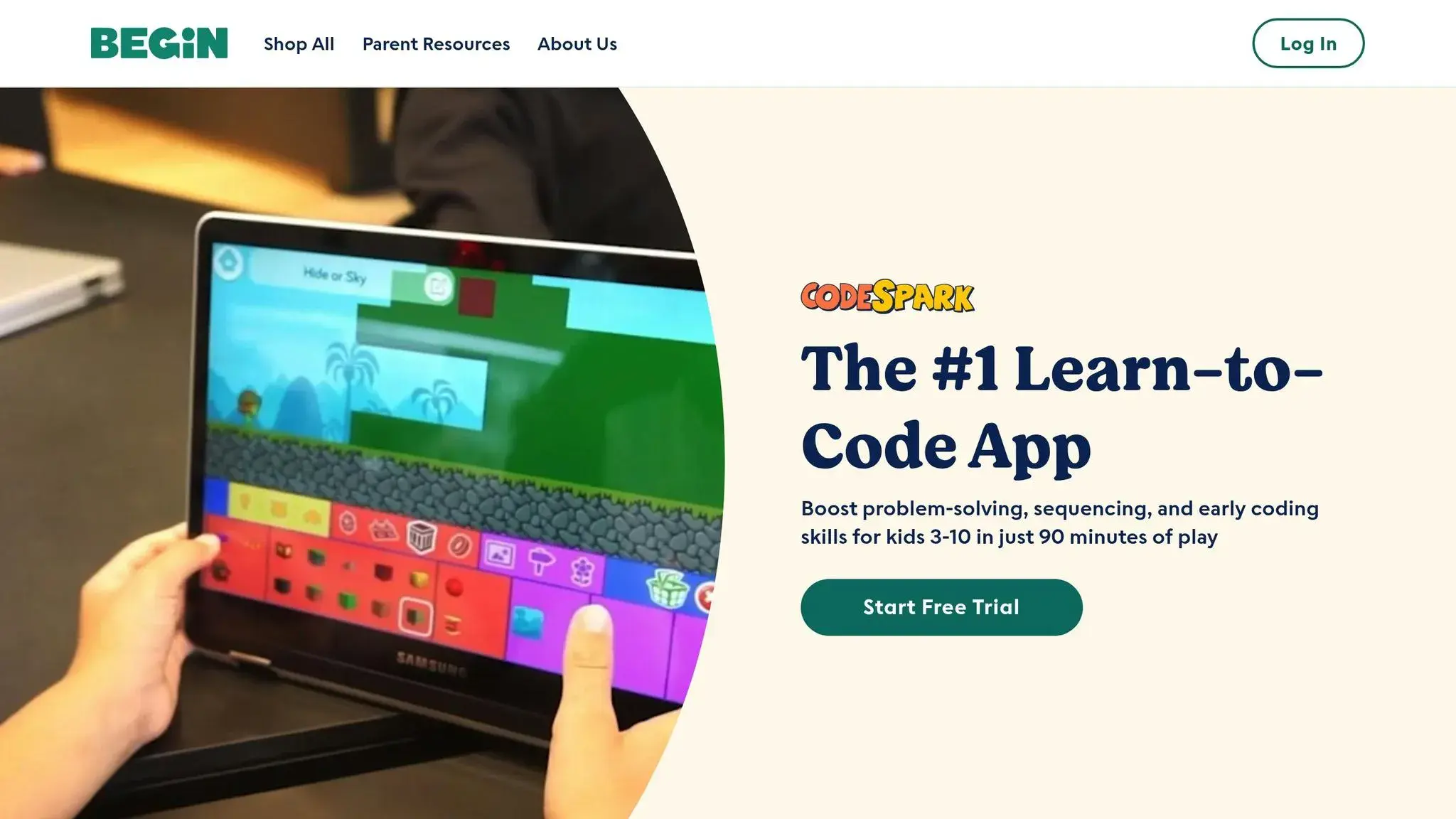
CodeSpark Academy introduces coding basics to young learners through a word-free, visual approach. This makes it especially suited for pre-readers and early elementary students. Instead of relying on text, the platform uses visual storytelling and puzzle-based challenges to teach programming concepts. Kids solve puzzles and create interactive stories by dragging and dropping colorful characters called “Foos.” This intuitive design caters specifically to very young learners, setting CodeSpark apart from other coding platforms.
Age Suitability and Learning Path
CodeSpark Academy is designed for kids aged 4–9 years old, focusing on younger learners’ unique needs. Recognizing that early learners process information differently, the platform eliminates text-based instructions entirely. Instead, animated demonstrations and visual cues guide children through each activity.
The learning journey begins with simple drag-and-drop tasks, where kids move characters around the screen. As they progress, the challenges introduce concepts like sequencing, loops, and conditionals. A 4-year-old can dive right in with basic puzzles, while older kids, up to age 9, encounter more advanced problem-solving activities that keep them engaged and challenged.
Programming Concepts and Tools
Rather than teaching a specific coding language, CodeSpark focuses on foundational programming concepts through its visual interface. Using the Foos characters, kids learn to arrange command blocks to achieve specific outcomes. This introduces essential principles such as:
- Sequencing: Arranging commands in the correct order.
- Loops: Repeating actions efficiently.
- Debugging: Identifying and fixing problems when things don’t work as expected.
Children might program a Foo to collect donuts, navigate a maze, or perform a dance. While they’re not typing out “if-then” statements, they’re developing the same logical thinking skills needed for traditional coding.
Course Format and Accessibility
CodeSpark operates on a self-paced subscription model and includes offline capabilities, offering over 200 themed puzzles and activities. Kids can explore topics that interest them most, jumping between activities freely. The offline option is particularly handy for parents, whether managing screen time or keeping kids entertained while traveling.
Creativity and Progress Tracking
One standout feature is the platform’s “Make” mode, where kids can design their own interactive stories and games using the coding skills they’ve learned. These custom creations often feature the Foos characters and can be shared with family through the app’s safe sharing tools, encouraging creative expression.
Instead of traditional certificates, CodeSpark uses a visual achievement system to track progress. Kids earn stars and unlock new characters as they complete challenges, providing instant feedback and motivation. Parents receive weekly email updates detailing their child’s progress, including mastered concepts and suggested activities to try next. This keeps parents informed and engaged in their child’s learning journey.
10. TinkerCAD + Codeblocks
TinkerCAD + Codeblocks combines 3D design with block-based coding, giving kids the tools to create 3D printable models using an interface similar to Scratch 3.0. This platform builds on the principles of block-based learning while introducing the basics of 3D modeling in an engaging way.
Age Suitability and Learning Pathways
This tool is designed for kids aged 11–13, starting with simple shape manipulations and progressing to more advanced geometric and parametric designs. To accommodate varying skill levels, it offers coding challenges categorized as Bronze, Silver, Gold, and Platinum. With over 180,000 children across 30+ countries using it, TinkerCAD + Codeblocks has proven to be an effective learning resource. Teachers value its ability to adapt to different learning speeds, making it a versatile choice for classrooms.
Programming Tools and Key Concepts
Instead of diving into traditional text-based programming, TinkerCAD + Codeblocks focuses on visual, block-based coding. This method allows students to manipulate 3D geometry while learning programming logic. Along the way, they explore parametric design, which involves creating objects defined by adjustable parameters – an essential concept in modern 3D modeling.
Accessible Course Format
The program is self-paced and cloud-based, making it accessible through any browser. This flexibility allows students to work on projects both in school and at home. Additionally, structured courses are available on platforms like Outschool and Instructables, offering further guidance for learners.
Project-Based Learning in Action
TinkerCAD + Codeblocks emphasizes hands-on projects to reinforce learning. Through the Learnbylayers curriculum, students create practical 3D printable items like personalized name tags for phone chargers, cactus planters, 3D clocks, and Arduino cases with lids. These projects not only make learning fun but also give students tangible results they can be proud of.
Educators have highlighted the platform’s effectiveness. Paras Gonzales from Chelsea Academy in London shared:
“We started using Learnbylayers over a year and a half ago and we have not looked back. I was a novice, playing with a 3D printer and was clueless. We started using it with KS3 and it literally was plug and play.”
Chuck Hobbs from Vista Del Mar School in California added:
“Everything that was needed to teach these skills was included in the curriculum. Having tried to gather my own curriculum to teach these skills, finding Learnbylayers was a blessing. My students have responded positively to these lessons and look forward to each class.”
Course Comparison Table
This table breaks down key features of various programming courses, making it easier to evaluate options based on age suitability, programming languages, learning format, pricing, project focus, recognition, and support.
Best Coding Courses:
| Course Name | Age Range | Programming Languages | Course Format | Pricing (USD) | Project-Based Learning | Certificates/Recognition | Support Options |
|---|---|---|---|---|---|---|---|
CodaKid | 6-18 | Python, JavaScript, Java, Lua, HTML/CSS | Self-paced online, 1:1 lessons, virtual camps | $29/month (self-paced), $249/month (private lessons) | Yes – game development, AI projects, web apps | Certificates of completion | Live help desk, progress reports |
| Scratch | 8-16 | Scratch (visual blocks) | Self-paced online, community-driven | Free | Yes – animations, games, interactive stories | Community recognition | Online forums, tutorials |
| Code.org | 4-18 | Scratch, JavaScript, Python, HTML/CSS | Self-paced online, classroom integration | Free | Yes – apps, games, websites | Certificates for Hour of Code | Teacher resources, online help |
| Tynker | 5-18 | Tynker blocks, Python, JavaScript, HTML/CSS | Self-paced online, live classes | $7.50–$25/month | Yes – games, apps, Minecraft mods | Digital badges, certificates | Email support, parent dashboard |
| Blockly Games | 8-14 | Blockly (visual blocks) | Self-paced online puzzles | Free | Yes – puzzle-solving challenges | Progress tracking | Online documentation |
| CodeCombat | 9-16 | Python, JavaScript | Game-based online learning | Free tier, $9.99/month premium | Yes – RPG-style coding adventures | Achievement badges, progress certificates | Email support, teacher tools |
| Khan Academy – Computer Science | 11-18 | JavaScript, HTML/CSS, SQL | Self-paced online | Free | Yes – interactive programs, visualizations | Mastery badges, energy points | Community forums, help articles |
| Bitsbox | 6-14 | JavaScript | Monthly subscription boxes, online app | $19.95–$44.95/month | Yes – mobile app creation | App gallery showcase | Email support, parent resources |
| CodeSpark Academy | 5-9 | ScratchJr-style blocks | Game-based mobile app | $7.99/month, $59.99/year | Yes – puzzle games, storytelling | Progress tracking, parent reports | In-app help, email support |
| TinkerCAD + Codeblocks | 11-13 | Block-based coding for 3D design | Browser-based, self-paced | Free | Yes – 3D printable models, Arduino projects | Project gallery sharing | Online tutorials, community forums |
Key Insights (Best Coding Courses):
- Pricing spans from free options to premium services like CodaKid’s $249 monthly private lessons. Free platforms are great for beginners exploring coding, while paid courses often deliver structured content and personalized guidance.
- Visual, game-based platforms like Scratch or CodeSpark Academy are ideal for younger kids, while older learners may benefit more from text-based languages like Python or JavaScript.
- Projects offered range from simple animations to more advanced creations, such as AI models or 3D printable designs. Higher-priced courses often include more robust support and advanced projects.
- Decide whether earning certificates or completing hands-on projects aligns better with your child’s goals.
Use these comparisons to determine the best fit for your child’s learning journey. Up next, learn how to choose the most suitable course based on these factors.
How to Pick the Best Coding Courses for Your Child
Choosing the best coding courses for your child starts with understanding their individual needs and matching them to the right learning environment.
Age and Developmental Stage
It’s important to find a course that aligns with your child’s age and cognitive abilities. For younger kids (ages 5–8), visual, drag-and-drop tools are ideal for building foundational skills. As they grow (ages 9–12), they can tackle more structured challenges that introduce coding concepts step by step. Teenagers (ages 13–18) are typically ready for real programming languages like Python, JavaScript, or Java. Platforms such as CodaKid provide these tools using professional-grade software.
Coding Experience
Your child’s familiarity with coding also plays a key role. Beginners should start with free, introductory platforms to explore their interest without a financial commitment. Kids with some prior exposure can advance to intermediate courses, while those with solid experience can dive into advanced lessons that emphasize real-world programming and development practices.
Learning Style Preferences
Every child learns differently, so consider their learning style when picking a course. Visual learners thrive with block-based programming and interactive interfaces. Kinesthetic learners do well with project-based courses that emphasize hands-on activities. Auditory learners benefit from video lessons and live instruction. Understanding how your child absorbs information can lead to better course selection.
Family Schedule
Think about the time you and your child can commit. Self-paced courses are flexible but require discipline and motivation. On the other hand, live instruction, including virtual camps or private lessons, provides structure but requires sticking to a set schedule.
Interests and Project Types
A course that aligns with your child’s hobbies can make learning more engaging. For example, kids who love video games might enjoy game development projects like Minecraft modding or Roblox creation, both offered by CodaKid. Those interested in art or animation may prefer courses with creative, visual projects, while puzzle-based challenges can appeal to problem-solvers.
Balancing Cost and Interest
Match your investment to your child’s level of interest. Free or low-cost courses are great for casual exploration, while advanced courses are worth considering for kids serious about developing programming skills.
Support and Guidance Needs
Some kids are independent learners, while others need more assistance. Platforms like CodaKid offer live help desk support and progress tracking, which can be reassuring for both students and parents. Free platforms often rely on community forums, which may lack personalized support.
A good approach is to start with a free course to gauge your child’s interest, then move on to more structured programs as their skills grow. Many families find success by combining different types of platforms – for instance, pairing a creative, project-based tool with a structured curriculum like CodaKid’s. Use these factors to find a course that not only fits your child’s current needs but also sets them up for future success in coding.
Conclusion (Best Coding Courses)
Teaching kids to code in 2026 is easier and more important than ever. As technology continues to influence every industry, coding equips children with skills that can shape their future, enabling them to build, create, and problem-solve in ways that are increasingly in demand.
The platforms discussed above cover everything from beginner-friendly, visual block-based tools to advanced programming languages suited for teens. Whether your child is starting out with Scratch or diving into Python through CodaKid, there’s something tailored to match their skill level and interests.
Younger kids often thrive in playful, game-like environments featuring drag-and-drop interfaces, while older students benefit from structured lessons that introduce real programming languages and professional-grade tools. With so many options, it’s easier than ever to find a program that aligns with your child’s learning style – whether they enjoy independent exploration or prefer live, guided instruction.
Beyond technical skills, coding education fosters problem-solving, logical thinking, and creativity through hands-on projects that keep kids engaged. The best coding courses make learning fun while preparing children for a future where digital skills are essential.
To get started, think about your child’s age, interests, and current experience. Many families begin with free tools to spark curiosity, then transition to more in-depth programs as their child’s skills grow. Combining multiple platforms can also provide a well-rounded learning experience.
FAQs (Best Coding Courses)
How can parents choose the best coding courses for their child’s age and skill level?
To find the best coding courses for your child, start by thinking about their age and current skill level. For younger kids, typically between 7 and 9 years old, block-based programming tools like Scratch Jr. are a great option. These tools use a visual approach to teach basic concepts like loops and conditionals, making the learning process fun and approachable. For older children, around 10 to 12 years old, text-based languages like Python or JavaScript might be a better fit, as they introduce more complex ideas such as functions and variables.
It’s also important to consider your child’s interests and how they learn best. Look for courses that provide interactive lessons and hands-on projects to keep them engaged. Reviewing the curriculum for age-appropriate content and clear goals can help you ensure the course matches their needs. Choosing a program that combines education with creativity and fun is a great way to nurture a long-term interest in coding.
Why is starting with visual, block-based coding tools ideal for young kids?
Starting with visual, block-based coding tools is an excellent way for young children to dip their toes into programming. These tools remove the challenge of memorizing complicated syntax, allowing kids to focus on fundamental concepts like loops, logic, and conditionals. This approach makes coding both easier to grasp and more enjoyable for beginners.
The visual format lets kids see the results of their code in real-time, turning abstract ideas into something they can understand. Plus, it sparks creativity, encourages problem-solving, and builds persistence – all while keeping the experience fun and interactive. This kind of early exposure creates a strong foundation for transitioning to more advanced programming languages in the future.
Are there coding courses for kids that use fun, interactive, and game-based learning?
Learning to code can be a blast for kids, especially when courses are designed with fun and interactive experiences in mind. Take CodaKid, for example. They offer self-paced lessons that feel more like playing a game than sitting in a classroom. Kids tackle programming challenges through exciting adventures and character-driven stories, making the process both engaging and educational. These best coding courses emphasize hands-on activities and playful problem-solving, ensuring young learners stay motivated while picking up essential coding skills.