Python is a great starting point for kids learning to code. Its simple syntax and interactive nature make it accessible and engaging. Hands-on projects not only teach programming but also help kids develop problem-solving and logical thinking skills. Below are seven Python project ideas tailored for young learners:
- Mad Libs Story Generator: Kids fill in blanks with random words to create funny stories, practicing input functions and string manipulation.
- Guess the Number Game: A computer picks a random number, and kids guess it with feedback like “too high” or “too low”, teaching loops and conditionals.
- Rock, Paper, Scissors Game: A playful coding challenge where kids program game logic and user interaction.
- Simple Quiz App: Create trivia games on favorite topics, learning data handling and branching logic.
- Choose Your Own Adventure Story: Build interactive stories with branching paths, using input and conditionals to guide narratives.
- Digital Dice Roller: Simulate rolling dice using random number generation, perfect for understanding loops and randomness.
- Weather App: Fetch live weather data using APIs, introducing JSON parsing and error handling.
These projects are designed to be interactive, age-appropriate, and flexible, ensuring kids stay motivated while learning essential coding concepts. Python’s beginner-friendly tools like IDLE and Thonny make experimenting easy, and platforms like CodaKid provide structured resources to guide young learners.
Quick Tip: Start with simple projects and gradually introduce complexity to build confidence and skills. Celebrate small wins to keep kids motivated!
Table of Contents
Learn to Code Your Own Smash Bros. Game with Python
What Makes a Good Python Project for Kids
A good Python project for kids should strike a balance between being accessible, engaging, and above all, fun. The key is simplicity – using straightforward syntax that doesn’t bog young learners down with overly complex programming concepts. This allows kids to focus on creativity and problem-solving, keeping their interest alive and boosting their confidence.
Another important factor is flexibility. Projects that align with kids’ interests – whether it’s creating a story, designing a game, or solving puzzles – can make coding feel more personal and enjoyable. When kids have the freedom to customize and add their own flair to a project, the experience becomes much more rewarding.
“Python delivers an easy-to-learn platform with many applications and resources that teach programming very well for young students. Python projects for beginners will help children learn to think critically, use their imagination, and acquire fundamental knowledge of technology. Through fun projects with Python, students gain practical experience while enjoying the learning process. Python opens endless opportunities for learning that feels both fun and valuable.” – Team Codeyoung
Instant feedback and creative freedom are also essential to keeping kids motivated. Seeing immediate results – like a line of text appearing on the screen, a random number being generated, or a basic animation – helps kids understand the connection between their code and the output. This immediate gratification builds confidence and makes coding feel more tangible.
Interactive projects that encourage hands-on participation make the learning process more enjoyable. Whether it’s responding to user input, asking questions, or generating dynamic content, these projects blur the line between work and play, making coding feel like an exciting activity rather than a chore.
Age-appropriate content is another critical element. Younger kids might enjoy projects involving simple characters and games, while older learners may be ready for challenges that require more logical thinking. The goal is to challenge kids just enough to keep them engaged without causing frustration.
Good projects also foster problem-solving and logical thinking. Coding challenges teach kids to break down complex problems into smaller, manageable steps, a skill that extends far beyond programming. Whether it’s math, science, or everyday problem-solving, this way of thinking can benefit them in countless areas.
For kids in the United States, incorporating familiar formats can make projects more relatable. This means using MM/DD/YYYY dates (like 07/17/2025), dollar signs for currency ($5.99), Fahrenheit for temperature (72°F), and imperial units (feet, inches, pounds). These familiar elements help kids connect with the projects on a more personal level.
Lastly, fun is the foundation of any successful Python project for kids. Elements like gamification, storytelling, and creative expression turn coding into an adventure. When kids laugh, feel proud of their creations, or eagerly share their work with friends and family, they’re building a positive relationship with programming that can last a lifetime.
Starting with simple, repetitive tasks and gradually introducing more complexity is often the best approach. Tools like IDLE and Thonny provide beginner-friendly platforms where kids can experiment without feeling overwhelmed. Encouraging them to tweak existing projects or create something entirely new fosters a sense of ownership and builds their creative confidence.
With these principles in mind, the next step is diving into fun, kid-friendly Python challenges that bring these ideas to life.
1. Mad Libs Story Generator
The Mad Libs Story Generator is a delightful Python project that combines creativity with coding, making it perfect for young learners. This classic word game takes on a new life as a programming exercise, where kids craft amusing stories by filling in blanks with random words. The twist? They don’t see the full story until it’s complete, which leads to unexpected and often hilarious results.
“Mad libs generator is a fun game that is usually played by kids. In this python game user has to enter substitutes for blanks in the story without knowing the story.” – DataFlair Team
Here’s how it works: the program asks for specific types of words – like nouns, verbs, and adjectives – and slots them into a pre-written story template. For example, a child might input “purple”, “elephant”, and “dancing” and end up with a whimsical tale about a purple elephant dancing at a pizza party. This element of surprise keeps kids entertained and eager to play again.
This project is adaptable, making it suitable for a wide range of ages and skill levels.
Age-Appropriateness
The Mad Libs Story Generator is ideal for elementary and middle school students. Younger kids can start with simple words, while older ones can get creative with more complex vocabulary. Themes can also be tailored to their interests – whether it’s a silly school pizza day disaster, a magical butterfly adventure, or a wacky trip to an apple orchard. This flexibility helps kids stay engaged as they learn and create.
Interactivity
What sets this project apart is its interactive nature. Instead of passively observing code, kids actively participate by responding to prompts like “Enter a type of animal:” or “Give me a funny adjective:”. They can immediately see how their choices shape the final story, making the experience both fun and rewarding.
Skill-Building Potential
Beyond the laughs, this project offers plenty of learning opportunities. By building a Mad Libs generator, kids practice essential Python concepts, such as:
- Using the
input()function to gather user responses. - Working with strings to insert words into a story template.
- Formatting output to make the program user-friendly.
It also encourages kids to think about grammar and word choice as they decide which types of words fit best in the blanks. As they gain confidence, they can expand the project by adding more templates or introducing new word categories. This hands-on approach to Python makes coding approachable, engaging, and, most importantly, fun for young learners.
2. Guess the Number Game
The Guess the Number Game transforms a classic guessing activity into an engaging coding project. In this game, the computer randomly picks a number within a set range, and the player has to figure out what it is by making strategic guesses. The real charm of this game lies in its feedback system – after each guess, the program immediately tells the player if their guess is too high or too low, helping them zero in on the correct number.
This game isn’t just fun – it’s also an excellent learning tool. Players aren’t just guessing; they’re programming the game themselves. By doing so, they naturally work with core coding concepts like sequence, selection, and iteration. The feedback loop not only makes the game more interactive but also reinforces these foundational programming skills.
Age-Appropriateness
One of the best features of this game is how adaptable it is for different ages and skill levels. By simply adjusting the range of numbers, you can tailor the difficulty. Younger kids might work with numbers between 1 and 10, while older kids can take on larger ranges for a greater challenge. For elementary students, this can even double as a math exercise, helping them practice comparing one-, two-, or three-digit numbers. Additionally, the number of allowed guesses can be modified, making it easy for educators and parents to customize the game to suit a child’s abilities.
Interactivity
The game actively engages kids in both coding and gameplay. Players input guesses and immediately receive feedback like “too high” or “too low”, prompting them to think critically about their next move. This hands-on interaction encourages logical reasoning as kids narrow down their options. Teachers and parents can take it a step further by asking children to explain their thought process for each guess, deepening their understanding and making the experience even more enriching.
Skill-Building Potential
Beneath its simple gameplay, the Guess the Number Game is a treasure trove of learning opportunities. It introduces kids to essential programming concepts, such as for and while loops, as well as IF, Else, and Else if conditional statements. These abstract ideas become much more relatable when kids see how they directly influence the flow of their game.
Through this project, students learn not only to design and write programs but also to debug them and solve problems by breaking them into smaller, manageable parts. Beyond coding, the game fosters creative problem-solving as kids develop strategies to guess numbers more efficiently.
To get the most out of this project, start by having kids explore the functions they’ll use before diving into the game itself. Encourage them to predict outcomes before running their code and to add comments explaining what each line does. These small practices build the analytical thinking skills that are crucial for becoming a skilled programmer.
3. Rock, Paper, Scissors Game
After exploring fun projects like Mad Libs and Guess the Number, the Rock, Paper, Scissors game offers another engaging way to practice Python basics with a playful twist. This project takes the classic playground game and transforms it into a coding challenge. Players choose rock, paper, or scissors, while the computer makes a random selection. The winner is determined by the familiar rules: rock beats scissors, scissors beats paper, and paper beats rock. Its straightforward rules and instant feedback make it a perfect next step for budding Python programmers.
What makes this project stand out is how it turns a simple game into a learning experience. As Chris Wilkerson from Real Python puts it:
“Game programming is a great way to learn how to program. You use many tools that you’ll see in the real world, plus you get to play a game to test your results! An ideal game to start your Python game programming journey is rock paper scissors.”
The game involves taking user input, generating a random move for the computer, and applying conditional logic to determine the winner. To make it even more engaging, kids can add loops to play multiple rounds.
Age-Appropriateness
Rock, Paper, Scissors is naturally appealing to kids because it builds on a game they already know and enjoy. Beyond coding, it helps develop decision-making and strategic thinking skills. Through programming, kids also strengthen cognitive abilities like predicting outcomes, understanding probabilities, and planning ahead. Plus, the game creates a safe space for children to practice fairness, make confident decisions, and learn to handle outcomes – win or lose – without pressure.
Interactivity
This project keeps kids actively involved at every step. The game requires quick decisions and a solid grasp of its rules. When kids code their own version, they take on dual roles: designing the logic as programmers and testing their creation as players. They can experiment with user input methods, such as using numbers instead of text to avoid issues with capitalization. Additional features, like letting players choose whether to play another round, can add to the fun and maintain engagement. The instant feedback after each round allows young coders to see their work in action and understand how their choices shape the gameplay. This hands-on interaction deepens their grasp of essential coding principles.
Skill-Building Potential
The Rock, Paper, Scissors project introduces kids to several foundational programming concepts they’ll encounter throughout their coding journey. As noted by Codingal:
“While this game in python may seem basic, it’s a great starting point for learning programming concepts like conditional statements, functions, and modules.”
This project covers conditional statements, loops, and modular coding through functions and dictionaries – key building blocks for Python programming. More advanced learners can take it further by using enum.IntEnum to assign numerical values to each action, which eliminates string comparison issues and makes the code more efficient. They can also refine their skills by organizing code into functions and using while loops for multiple rounds. Functions are central to this project, handling tasks like user input, generating moves, and determining the winner.
4. Simple Quiz App
The Simple Quiz App is a fantastic way for kids to explore coding while testing their knowledge and managing data. It lets them create trivia games on topics they love – whether it’s dinosaurs, superheroes, math, or geography. This app challenges kids to design questions, collect answers, and give instant feedback, making it a great fit for those aged 10 and up who are ready to dive into more advanced programming concepts.
Not only does building a quiz app sharpen coding skills, but it also reinforces what kids already know about their favorite subjects. The mix of fun and learning makes it a perfect stepping stone for tackling more technical projects.
What’s exciting about this project is its flexibility. Kids can start simple, like creating multiple-choice quizzes about their favorite movies or sports, and gradually move to more complex formats. Along the way, they’ll naturally think about how to make their quizzes engaging, user-friendly, and challenging for others.
Age-Appropriateness
This project is ideal for elementary and middle school students because it builds on concepts they already know – like quizzes from school – while introducing new technical skills. Designing their own quiz feels achievable and fun, all while helping them develop critical thinking skills. They’ll learn how to organize questions, manage user input, and provide meaningful feedback.
Creating a quiz also pushes kids to think about their audience. They’ll balance question difficulty and find creative ways to make their quizzes enjoyable – skills that are valuable not just in coding but in everyday problem-solving and academics.
Interactivity
The interactive nature of the quiz app makes it a hit with kids. They can experiment with different question types, add scoring systems, and even design themed quizzes based on their interests. This hands-on approach keeps them engaged as they test their work, see results, and tweak their creations. Studies show that interactive activities like this boost student engagement.
To make their quizzes even more fun, kids can add features like point systems, difficulty levels, or simple animations for correct answers. They might randomize question order or include encouraging messages to celebrate progress. The freedom to personalize their app not only makes the project more enjoyable but also deepens their understanding of coding concepts.
Skill-Building Potential
The Simple Quiz App is more than just a fun project – it’s a learning powerhouse. It introduces kids to core programming concepts like data structures and program flow control. For example, they’ll learn to use dictionaries to store questions and answers, validate user input, and apply logical conditions to evaluate responses. These are skills they’ll use in nearly every programming project down the road.
As they build their quiz app, kids will master key coding techniques: using if-else statements for branching logic, loops to cycle through questions, and functions to organize their code for better readability. They can start small, with basic yes/no questions, and gradually add features like multiple-choice options, scoring systems, and even timed challenges. This step-by-step approach helps them build confidence while tackling more advanced concepts at a manageable pace.
5. Choose Your Own Adventure Story
The Choose Your Own Adventure Story project brings interactive storytelling to life using Python, allowing kids to create text-based games where every choice shapes a branching narrative.
By combining storytelling and coding, kids can design characters, plot twists, and entire worlds while managing the choices that guide their adventures. Whether the setting is outer space or a fantasy world filled with dragons and treasure, each decision leads to new, replayable paths. Let’s explore how this project caters to various learning needs.
Age-Appropriateness
This project is ideal for kids aged 8 and older. It builds on their storytelling abilities while introducing them to fundamental programming concepts in a gradual way. For instance, a Python Quest after-school program at the University of Chicago Laboratory Schools teaches students in grades 3–5 how to create their own Choose Your Own Adventure games. This shows that even younger learners can grasp these ideas with proper instruction. Moreover, tools like Twinery help kids visually map out story paths, enabling them to organize their narratives before diving into Python coding.
Interactivity
These stories captivate kids by allowing them to create worlds where every decision has consequences. They can enhance their games with unique characters, random events, or even visual elements by using libraries like Pygame or Tkinter. Features like progress saving can also make their creations more engaging.
One inspiring example comes from 2019, when a Reddit user, “ChesterCopperpot”, collaborated with his 7-year-old daughter on a text-based Choose Your Own Adventure game. The daughter contributed imaginative story ideas, while the father handled the Python coding. The project received positive feedback, with many users noting they were learning programming by studying the code.
Skill-Building Potential
This project introduces key Python concepts in a hands-on way. Kids learn to use conditional statements to control story flow, handle user input, and store game states in variables. They also use multiline strings to craft narratives and incorporate while loops to restart adventures, reinforcing their understanding of iteration.
6. Digital Dice Roller
This project brings a mix of fun and learning to Python programming, blending randomness and creativity. The Digital Dice Roller recreates the experience of rolling dice from tabletop games, using Python’s ability to generate random numbers. It’s an engaging way to explore coding while simulating dice rolls.
By using the random.randint() function, the program generates random integers within a specific range. For example, a standard six-sided die would use numbers 1 through 6. From there, kids can expand the project to roll multiple dice, design dice with different numbers of sides, or even replace numbers with colors, letters, or symbols. They can also add visual flair by displaying results as ASCII art representations of dice faces.
Age-Appropriateness
This project is perfect for kids aged 7 and up, making it an excellent entry point for young learners. Most children are already familiar with dice from board games, which helps them grasp the purpose of the program right away. The basic version of the project is simple, requiring just a few lines of code, which means younger kids can see results quickly. As Python developer and educator Leodanis Pozo Ramos notes:
“To simulate dice-rolling events, you can use
random.randint()“.
Beyond coding, this project reinforces basic math concepts and quantities. The visual aspect of dice makes it easy for kids to double-check their program’s output and understand the connection between code and results.
Interactivity
What makes this project exciting is how customizable it is. Kids can tweak their dice roller to include dice with more sides, replace numbers with colors or words, and even add sound effects to make the experience more immersive [48,50]. The program can also take user input, allowing players to decide how many dice to roll or what type of dice to use.
In February 2025, Leodanis Pozo Ramos developed a text-based interface that allows users to roll up to six six-sided dice. The program generates ASCII art to display the dice faces after each roll, using string manipulation techniques like .join() and .center() to create neat visual layouts.
Skill-Building Potential
This project introduces several essential programming concepts in a way that’s easy to understand. Kids learn about algorithms and loops as they structure their dice simulations step by step. They also develop key Python skills, including importing modules, generating random numbers, handling user input, and manipulating strings.
The possibilities for expanding this project are endless. Kids can design programs to roll multiple dice for solving math problems, make decisions between activities, or even create “Roll to Create” games where dice results determine what to draw or write. These features not only make the project more engaging but also show kids how coding can be applied to real-world tasks. For example, they can practice addition, assign problems to numbers, or create interactive math games that combine learning and fun.
7. Weather App (Beginner Version)
Creating a weather app is a fun way for kids to learn how to fetch live weather data using APIs and display it on a command-line interface. This project introduces them to parsing JSON data for exchanging information. The main task revolves around using Python’s requests library to connect with weather APIs like OpenWeatherMap. Developer KD Jayakody highlights the value of this project:
“Weather apps are simple yet useful. They teach you how to work with APIs, handle JSON data, and format it for users. Plus, they’re easy to extend with features like weekly forecasts or fancy GUIs.”
This project covers essential programming concepts, such as creating user-defined functions to organize code, using conditional statements to interpret weather conditions, and handling errors like invalid city names or API key issues. These skills lay the groundwork for tackling more advanced technical challenges later on.
Age-Appropriateness
The weather app is ideal for kids aged 10 and older who have some basic Python knowledge. Since checking the weather is something everyone is familiar with, the purpose of the project is instantly relatable. However, concepts like APIs and JSON might be a bit tricky for younger or less experienced learners.
To keep things manageable, the beginner version focuses on a simple command-line interface rather than diving into complex graphical elements. This allows kids to input a city name and immediately see the current temperature and weather conditions. The instant feedback keeps them engaged while they work through more advanced programming ideas.
Interactivity
The interactive nature of the weather app makes it even more exciting for young developers. Real-time data and customization options allow them to make the app their own. For example, kids can program the app to ask for a city name and display weather conditions with descriptive text. They can also add features like weather alerts, interactive maps, or customizable widgets to make the app more engaging.
Personalization is another great way to enhance the app. Kids can let users save favorite locations, choose between Fahrenheit and Celsius, or customize the interface with different colors and fonts. These features not only make the app more fun but also teach kids how to create user-friendly applications.
Skill-Building Potential
This project goes beyond basic coding by introducing kids to live data interaction, setting the stage for more advanced programming projects. They’ll learn how to parse JSON data, use dictionaries to organize information, and implement error handling to make their app more reliable.
The weather app also emphasizes the importance of testing applications on different devices and fixing any issues that arise. Kids will practice working with APIs, managing errors, and securely handling sensitive data like API keys. They’ll even get a taste of professional development practices by using virtual environments to manage project dependencies. These skills not only strengthen their technical foundation but also prepare them for future programming challenges.
Tips for Parents and Educators
Helping kids dive into Python coding can be an exciting journey, especially with the right support. Here’s how parents and educators can create a positive and engaging coding experience for children. Setting up the right tools and providing structured resources are key to making the process smooth and enjoyable.
Setting Up Python on Windows and Mac
Getting Python ready on your computer is the first step. Here’s how to do it:
For Mac Users:
To check if Python is already installed, open Terminal and type:
python3 --version
If Python isn’t installed or needs an update, Homebrew makes it simple. First, install Homebrew by running:
/bin/bash -c "$(curl -fsSL https://raw.githubusercontent.com/Homebrew/install/HEAD/install.sh)"
Then, use Homebrew to install Python:
brew install python
Verify the installation with:
python3 --version
pip3 --version
For Windows Users:
You can install Python directly from the Microsoft Store. After installation, confirm it works by opening PowerShell and typing:
python --version
For both platforms, Visual Studio Code is a great choice for a code editor. It’s free, beginner-friendly, and comes with a Python extension for features like syntax highlighting and error detection.
Creating a Safe Coding Environment
A virtual environment is essential for keeping Python projects organized and avoiding software conflicts. Here’s how to set one up on macOS:
- Create a project folder and navigate to it in Terminal.
- Run the following command to create a virtual environment:
python3 -m venv myenv - Activate the environment with:
source myenv/bin/activate
Now you have a clean workspace where you can install and manage packages for each project individually. This setup is perfect for kids to experiment safely without worrying about breaking anything.
Once the technical setup is complete, structured resources can guide your child’s learning journey.
Structured Learning with CodaKid
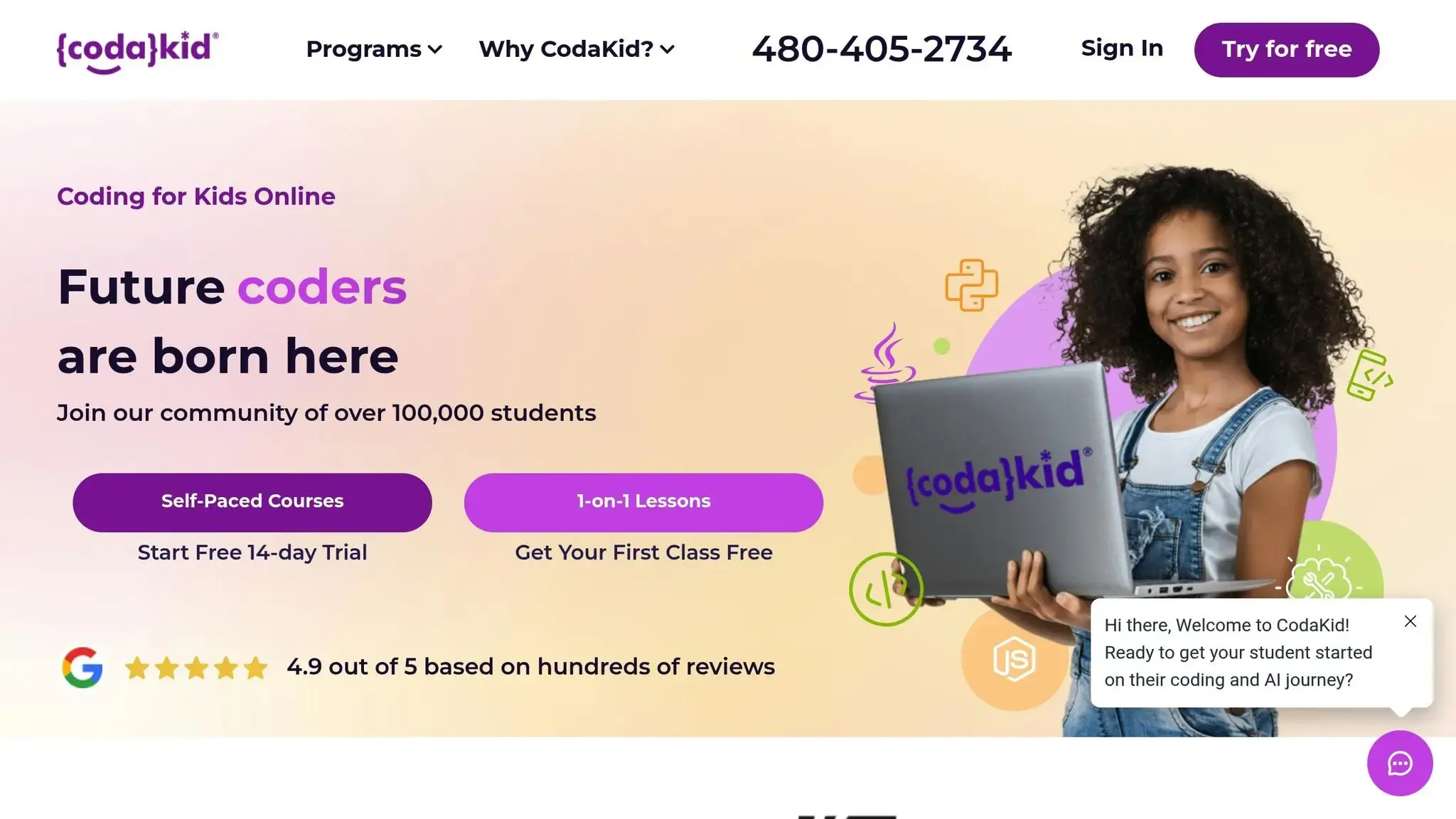
Structured courses can speed up learning and make coding more engaging. CodaKid offers several options, including:
- Self-paced courses starting at $29/month.
- Private 1-on-1 lessons starting at $249/month.
- Virtual camps covering popular topics in programming.
These formats allow kids to learn at their own pace or dive deeper with personalized guidance.
Keeping Kids Motivated
The secret to keeping kids excited about coding lies in connecting it to their passions. For example:
- If they love video games, start with simple game projects.
- If they’re into art, explore Python’s graphics libraries to create digital artwork or patterns.
Celebrate small achievements and encourage them to experiment. Mistakes are part of the process, so treat them as opportunities to learn.
You can also make learning more interactive by organizing regular “show-and-tell” sessions. Let kids present their projects to family members, explaining how they solved problems or added creative touches. This builds confidence and helps them practice communication skills.
Balancing screen time with offline activities is equally important to keep the enthusiasm alive and avoid burnout.
Here’s what one parent had to say about CodaKid:
“This has been a great addition to our home school curriculum! My son loves spending time in the program and even jumps back in after school when he’s finished his other work. The response to help requests is always immediate and they do a great job finding and explaining the issues he may be having.”
– Christy Lynn, Parent
CodaKid’s support system, including chat and screen-sharing options, ensures kids never feel stuck for long. This kind of immediate assistance can make all the difference in keeping young learners engaged and motivated.
Conclusion
Python projects offer a fantastic way for kids to dive into coding while having fun. What makes Python so effective is how it simplifies complex concepts, making them approachable for young learners. Whether kids are crafting a Mad Libs generator or designing a quiz app, they’re not just coding – they’re building problem-solving skills, logical thinking, and creativity that can benefit them for years to come. Python’s flexibility also lets them explore a variety of ideas, from simple games to interactive stories, transforming their imagination into functional code. These hands-on projects don’t just spark curiosity – they lay the groundwork for deeper learning.
The importance of these skills is backed by data. According to the United States Bureau of Labor Statistics, the median annual wage in computer and information technology roles was $97,430 as of May 2021, with job growth projected to rise 15% over the next decade. Introducing coding early gives kids a head start in navigating an increasingly digital world. But beyond numbers, having access to the right resources is just as critical.
For parents and educators, finding structured support is key. Platforms like CodaKid have guided over 100,000 kids and teens, offering self-paced courses starting at $29/month and personalized lessons for $249/month. With a stellar 4.9 out of 5 rating from over 350 reviews and accolades like the Parents’ Choice Gold Award, CodaKid ensures young coders stay motivated and make steady progress.
Starting with simple projects builds confidence and creates a sense of achievement. Each completed project inspires kids to take on new challenges, whether they’re drawn to games, storytelling, or interactive apps. This early foundation helps nurture coding skills that can last a lifetime.
FAQs
How do Python projects help kids develop problem-solving skills?
Python projects offer kids a fun and interactive way to sharpen their problem-solving skills while diving into the world of coding. By working on activities like building games, crafting interactive quizzes, or designing simple automation tools, kids learn to break problems into manageable pieces and come up with inventive solutions.
These hands-on experiences make coding enjoyable while teaching persistence and boosting confidence as they debug and improve their creations. Exploring Python through practical projects equips young learners with skills that extend well beyond programming, preparing them for challenges in various aspects of life.
What is a good age for kids to start Python projects, and how can these projects grow with their skills?
Kids can begin learning Python as early as ages 10 to 12, depending on their interest and how comfortable they are with basic coding concepts. For younger children, around 5 or 6 years old, starting with visual programming tools like Scratch can help them build a strong foundation before moving on to Python.
When introducing Python, tailor projects to suit their skill level. Beginners can start with simple and fun tasks like creating interactive stories or basic games. As they gain confidence, gradually introduce more advanced topics like loops, functions, and even object-oriented programming. The goal is to keep the projects aligned with their abilities so the experience remains engaging and enjoyable!
How can parents and educators help kids learn Python through fun projects?
Parents and educators can help kids dive into coding by promoting hands-on, project-based learning that sparks creativity and curiosity. Begin with projects suited to their age, such as designing simple games, crafting interactive stories, or building basic tools. These activities make coding engaging and less intimidating.
Create an encouraging space where kids feel free to experiment, even if mistakes happen. Celebrate every step forward, no matter how small, and guide them toward solving challenges on their own. Incorporating visual libraries and fun, interactive tools can also keep them excited while they develop essential coding skills.