AI and coding are now essential skills for kids. From building chatbots to creating voice-controlled games, these AI activities for kids make learning coding fun and interactive. Kids as young as 6 can start exploring AI concepts, which help them develop logical reasoning, problem-solving, and computational thinking. Here’s a quick overview of 10 engaging AI activities for kids:
- CodaKid AI Courses: Learn Python and JavaScript while building chatbots and image recognition models.
- Scratch with Machine Learning: Use block-based coding to train AI models with tools like Teachable Machine.
- Chatbot Creation: Design conversational bots using visual programming tools.
- Image Recognition Apps: Build apps with MIT App Inventor to identify objects using photos.
- Voice-Controlled Games: Explore speech recognition and natural language processing.
- AI Robotics with LEGO Mindstorms: Combine robotics and coding to create sensor-driven robots.
- Pattern Recognition Games: Train AI to classify images or detect emotions.
- AI Art Projects: Use coding to generate digital art and explore creative algorithms.
- Text-to-Speech Tools: Create chatbots and language-processing programs.
- AI Ethics Projects: Learn about bias, privacy, and responsible AI use.
These AI activities for kids not only teach coding but also prepare kids to understand and shape the technology they use daily. Platforms like CodaKid and Scratch make it easy to get started, with options for all ages and skill levels. Prices range from free tools to structured courses costing $25–$99 per month. Whether it’s building a chatbot or designing a robot, kids can connect coding with the technology they see around them.
Table of Contents
Inside CodaKid: The AI & Coding Course Every Parent Should Know About
1. CodaKid AI Development Courses

CodaKid introduces kids to real-world AI development with programming languages like Python and JavaScript, stepping away from drag-and-drop blocks to the tools used by professional developers. This hands-on approach keeps learning exciting and deeply engaging for students.
Engagement Level for Kids
CodaKid keeps kids interested by blending game-based programming with practical projects that deliver instant, tangible results. For example, students might design an AI-powered chatbot capable of carrying on conversations or develop an image recognition model to identify objects in photos. With interactive challenges, visual feedback, and rewards, the platform ensures that learning feels fun and rewarding.
Skill Development (Coding and AI Concepts)
While diving into Python and JavaScript, students explore core AI concepts like machine learning, neural networks, and data classification. They tackle projects such as building chatbots or creating image recognition models, which tie directly to careers in software engineering, data science, and robotics. By working with professional-grade tools, kids gain hands-on experience that mirrors real-world development environments.
Ease of Implementation
CodaKid caters to kids aged 8–18 with flexible learning options, including self-paced courses, one-on-one lessons, and virtual camps. The platform provides step-by-step tutorials, video guides, and access to professional instructors, making it simple for families to get started. Students also benefit from live support, detailed video instructions, and a community forum where they can ask questions and showcase their projects.
Real-World Applications
The program encourages kids to apply AI concepts in creative ways, such as developing custom Minecraft mods or building mobile apps with speech or image recognition. Advanced topics like machine learning, neural networks, and natural language processing are introduced in an approachable way, helping younger learners grasp complex ideas. These projects not only spark creativity but also give students a head start in technology and AI-focused careers.
2. Scratch Programming with Machine Learning Extensions
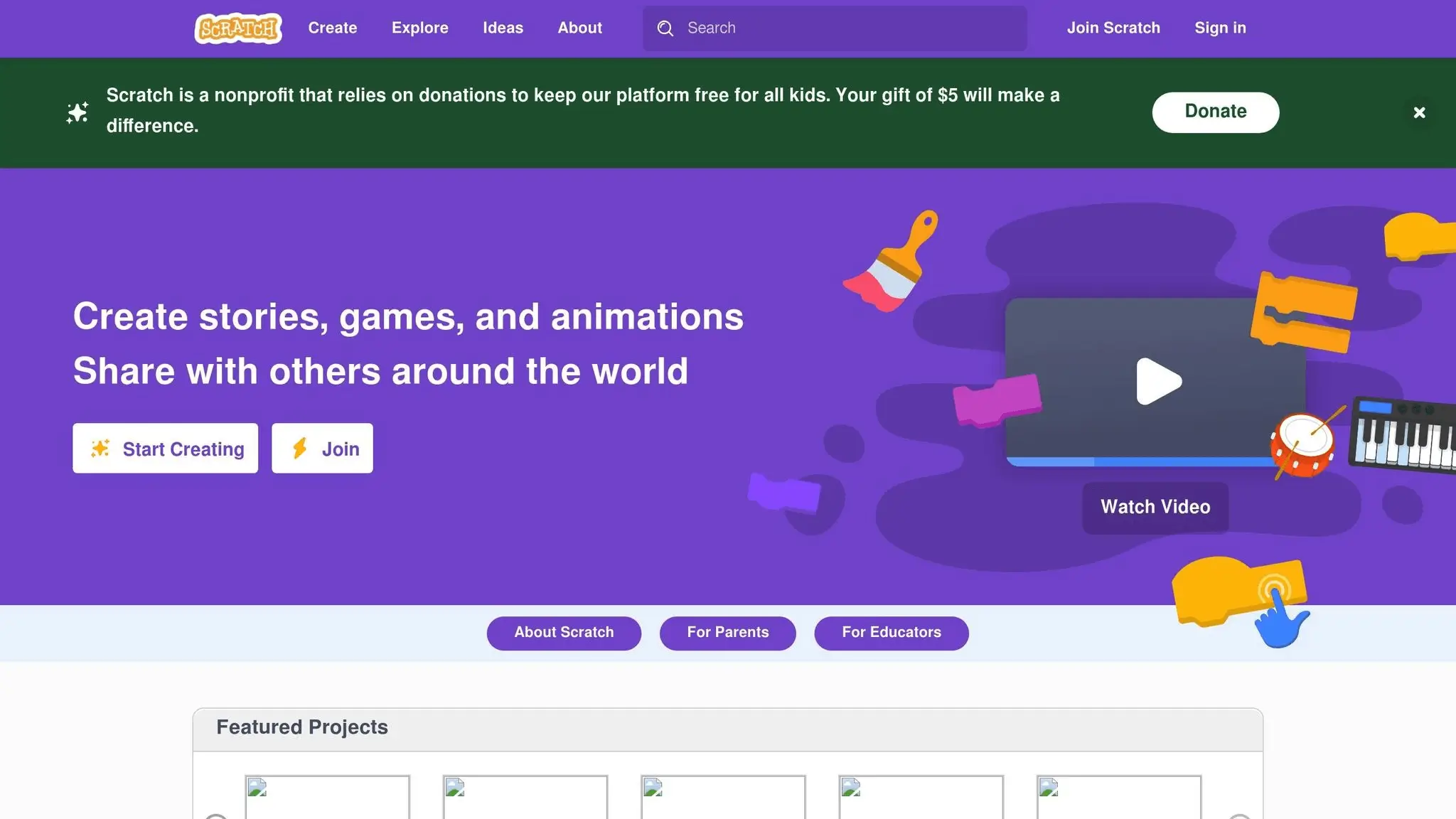
Scratch programming, when combined with machine learning extensions, offers an engaging way for kids to dive into AI concepts. With tools like Google’s Teachable Machine and Machine Learning for Kids, they can explore AI through a simple, block-based format. This setup helps bridge the gap between basic coding and more advanced AI principles in a way that feels approachable and fun.
Engaging Kids Through Visuals
The interactive and colorful nature of Scratch makes learning about AI exciting. Kids get to see their AI models in action as they build them, creating those magical “aha!” moments. By turning AI training into a playful activity, Scratch makes even complex ideas feel like a game.
Building Coding and AI Skills
Through Scratch, kids learn foundational coding concepts while discovering how AI works, particularly in pattern recognition. This hands-on approach strengthens their logical thinking and problem-solving abilities as they refine their projects and experiment with new ideas.
Simple to Set Up
Setting up Scratch with machine learning extensions is straightforward for both parents and educators. The drag-and-drop interface minimizes coding mistakes, and tools like Teachable Machine allow users to train AI models quickly. Step-by-step guidance ensures the process is smooth, even for beginners.
Connecting to Everyday Technology
Projects made with Scratch and its machine learning tools give kids a sneak peek into how AI shapes the technology they use daily. These AI activities for kids not only spark curiosity but also help them develop problem-solving skills that can be valuable in school and future careers. Scratch’s visual and creative approach makes it an ideal introduction to the world of AI.
3. Building Chatbots with Visual Programming Tools
Creating chatbots with visual programming tools offers kids a hands-on way to dive into conversational AI without needing to master complex coding syntax. These tools rely on drag-and-drop interfaces, allowing young learners to focus on designing the logic and flow of conversations rather than wrestling with programming commands. Kids can create virtual assistants or playful character chatbots that respond to questions and carry on simple dialogues. This immediate interactivity makes the learning process engaging and fun.
Engagement Level for Kids
The interactive nature of chatbot creation is a major draw for kids. Unlike traditional coding, which often involves waiting to see results, these tools provide instant feedback. Kids can type questions into their bots and immediately see how they respond, encouraging them to experiment with different conversation paths. The visual format also supports a variety of learning styles, making it easier for kids who might find text-based coding challenging to succeed by visualizing conversation flows.
Skill Development
Building chatbots strengthens several important skills. Kids learn to define clear goals for their projects, design logical and effective conversation flows, and test their creations. They also develop critical thinking as they anticipate how different inputs will affect the dialogue and plan appropriate responses.
Ease of Implementation
These tools are easy to get started with, often requiring little to no setup. Most are web-based, meaning they can run on school computers, tablets, or home devices without any extra software installation. This accessibility allows kids to focus on creating and refining their chatbots instead of dealing with technical hurdles.
Real-World Applications
Working on chatbot projects gives kids a glimpse into how conversational AI is used in everyday life. By designing their own bots, they gain a better understanding of the systems behind virtual assistants like Siri and Alexa or customer service bots. This hands-on experience bridges classroom learning with real-world technology, sparking curiosity about the broader world of AI.
4. Image Recognition Projects with MIT App Inventor
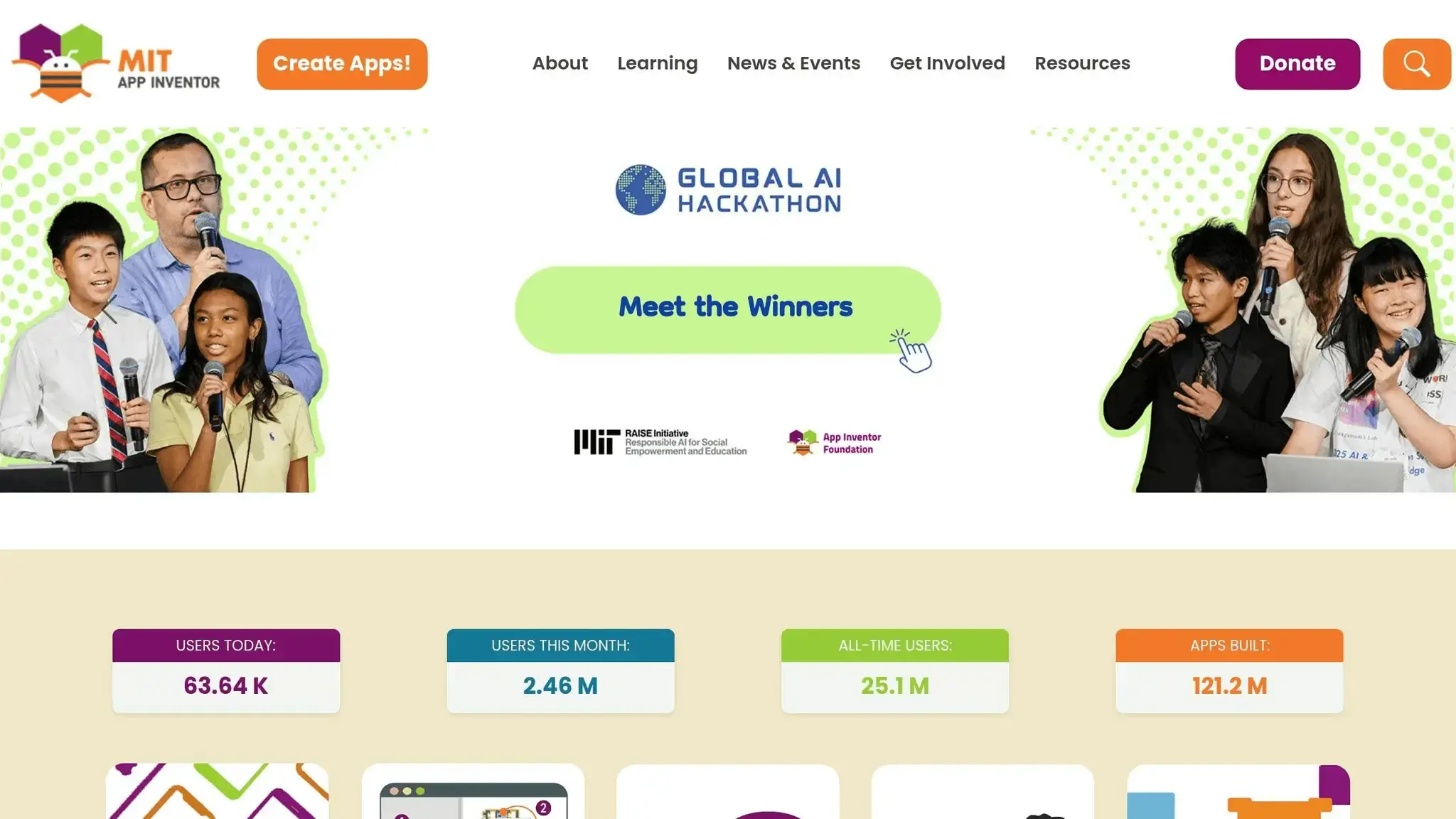
MIT App Inventor makes it easier for kids to dive into image recognition by combining AI with mobile app development. Building on earlier chatbot activities, this project introduces a way to create apps that can identify and classify objects using AI. With its simple drag-and-drop interface, kids can even train custom models using their own photos, adding a personal touch to their learning experience.
Engagement Level for Kids
Image recognition has a certain magic that grabs kids’ attention right away. Using their device’s camera to scan objects and seeing instant results from their app creates a sense of excitement. This real-time interaction sparks curiosity and encourages them to experiment further – whether it’s improving the app’s accuracy or expanding the list of recognizable objects. It turns learning into a playful challenge, where every tweak feels like leveling up in a game.
Skill Development (Coding and AI Concepts)
Through these projects, kids learn key AI concepts like the importance of training data, model accuracy, and using diverse image sets. At the same time, they practice coding fundamentals such as conditionals, loops, and event handling. This combination of AI and coding helps them develop both technical and problem-solving skills, giving them a solid foundation in technology and data management.
Ease of Implementation
MIT App Inventor is entirely browser-based, so there’s no need to install software. With built-in tutorials, example projects, and the Companion app for testing on mobile devices, kids can get their apps up and running quickly.
Real-World Applications
These projects connect classroom lessons to real-life technology. Kids gain a better understanding of how features like photo tagging on social media, product scanning in retail apps, or accessibility tools for the visually impaired work. They can even create their own practical apps, like tools for identifying plants in science class, sorting recyclables, or recognizing traffic signs for safety. By applying AI to solve everyday problems, kids not only enhance their coding skills but also see how technology can make a difference. Plus, this sets them up perfectly for exploring voice-controlled interactive projects in the future.
5. Voice-Controlled Games and Applications
Moving beyond visual tools, voice-controlled projects introduce kids to the exciting world of speech recognition and language processing. These are essential skills for understanding how AI works in everyday technology. By building on their experience with image recognition projects, kids can explore the added complexity of voice control, which often feels futuristic and thrilling. They might create games where players speak commands to move characters, answer trivia questions aloud, or even design simple voice assistants that respond to specific phrases.
Platforms like Scratch for Arduino or MIT App Inventor make these projects accessible. These tools allow kids to integrate voice recognition APIs with their existing coding knowledge. The immediate feedback of speaking a command and seeing it work creates an engaging learning experience, bridging the gap between human communication and computer understanding. Voice control adds a whole new dimension to their AI journey.
Engagement Level for Kids
Voice-controlled projects spark a level of excitement that traditional keyboard or mouse interactions just can’t match. There’s something magical about talking to a computer and having it respond. Kids love experimenting with different pronunciations and commands, which helps them understand the quirks and limitations of voice AI.
This hands-on experimentation teaches them why clear pronunciation is important, how background noise can interfere, and why AI systems need diverse voice samples to improve accuracy. These challenges often turn into valuable lessons, helping kids grasp the complexities of real-world AI systems.
Skill Development (Coding and AI Concepts)
Voice-controlled projects introduce kids to advanced AI concepts while reinforcing core coding skills. They learn about speech-to-text conversion, the basics of natural language processing, and how to manage errors in voice recognition.
From a coding perspective, kids practice using conditionals, string manipulation, and event-driven programming to process voice commands. Debugging becomes a key skill as they figure out why certain phrases aren’t recognized, giving them a deeper understanding of data validation and user input handling.
Ease of Implementation
Modern programming platforms designed for kids often come with built-in voice recognition or easy-to-use APIs. For example, web-based environments can utilize browser microphone permissions, and tools like MIT App Inventor provide drag-and-drop voice recognition blocks, eliminating the need for complex setups. These platforms use kid-friendly interfaces, making it simple to integrate voice control into projects.
The primary technical challenge is ensuring microphone access and managing privacy permissions, but most platforms offer clear tutorials to guide parents and educators. Kids can start small with basic voice commands and gradually build more advanced applications as their skills grow.
Real-World Applications
Voice-controlled projects connect directly to the technologies kids see and use every day. They gain insight into how smart speakers like Amazon Alexa and Google Assistant work, how voice search operates on smartphones, and why voice features are so important for accessibility.
Kids can create practical tools like voice-controlled calculators or home simulators, which not only showcase real-world AI applications but also introduce concepts like privacy and security. These projects lay a solid foundation for future exploration, including robotics, where voice commands can control physical devices and movements. This hands-on experience makes AI feel both practical and exciting.
6. AI-Powered Robotics with LEGO Mindstorms
After exploring voice-controlled projects, robotics takes AI learning to a whole new level by adding physical interaction. By combining hands-on building with coding, robotics offers kids an exciting way to engage with technology. LEGO Mindstorms, for instance, turns familiar building blocks into robots that can sense their environment and follow programmed commands. Imagine programming a robot to navigate a maze with sensors or to recognize colors and react accordingly. This blend of construction and coding caters to various learning styles and keeps kids actively involved.
When kids program robots, they bring abstract coding concepts into the real world. For example, teaching a robot to avoid obstacles using an ultrasonic sensor introduces them to sensor integration and decision-making. It’s a practical way to show how even complex systems are built from simple, logical steps.
Engagement Level for Kids
Physical robots naturally grab kids’ attention more than just working on a screen. There’s something magical about seeing a robot they’ve built and programmed successfully complete a task. And when a robot bumps into a wall instead of avoiding it, kids get instant feedback that their code needs tweaking – a powerful learning moment.
The building process adds another layer of excitement. Kids invest time and creativity into constructing their robots, making them more emotionally connected to the project. They’re not just coding; they’re engineering systems from the ground up. This hands-on approach helps them push through challenges that might otherwise feel discouraging.
Friendly competition often adds to the fun. Kids enjoy comparing whose robot can complete a task faster or more efficiently, turning programming into a social and collaborative activity. These experiences naturally teach them how devices in the real world interact with their surroundings.
Skill Development (Coding and AI Concepts)
LEGO Mindstorms introduces kids to sensor-based and event-driven programming. They learn to create responses like avoiding obstacles or reacting to sensor inputs, all while sharpening their logical thinking. Along the way, they work with a variety of sensors – touch, color, ultrasonic, and gyroscopic – each requiring unique programming strategies to interpret data.
Through practical tasks, kids grasp concepts like setting threshold values for light sensors or using feedback loops to adjust a robot’s behavior. Debugging becomes second nature as they observe problems in real time and trace them back to their code, strengthening their problem-solving abilities.
Ease of Implementation
LEGO Mindstorms makes getting started simple with its drag-and-drop programming interface. This visual approach eliminates the need to worry about coding syntax, letting kids focus on understanding logic and cause-and-effect relationships in their programs.
The hardware setup is equally user-friendly. LEGO’s modular design allows for quick assembly and easy modifications, with no need for complicated wiring or soldering. Bluetooth connectivity makes programming and testing the robots a breeze, streamlining the entire process.
The platform also offers structured learning paths, guiding kids from basic tasks like motor control to more advanced concepts like sensor-driven behavior. This gradual progression ensures they build confidence without feeling overwhelmed.
Real-World Applications
Robotics programming directly ties into technologies shaping the modern world. Kids gain insight into how autonomous vehicles, warehouse robots, and smart home devices use sensors to navigate and adapt to their surroundings. These connections make it clear that the skills they’re learning are relevant to careers in engineering, robotics, and tech.
The projects often mimic real-world scenarios. For instance, programming a robot to sort colored blocks mirrors automation in manufacturing, while a line-following robot introduces the basics of sensor-guided navigation. These parallels show kids the practical value of their work and spark interest in technology-driven careers.
Working with physical robots also teaches valuable lessons about safety and reliability. Kids learn that robots must be designed to handle unexpected challenges, like sensor failures or environmental changes – important insights for anyone aiming to work in robotics or automation down the line.
7. Machine Learning Pattern Recognition Games
Following the hands-on robotics projects, pattern recognition games bring one of AI’s core ideas to life through interactive play. These AI activities teach kids how machines learn to identify and categorize information, much like how we recognize faces, objects, or sounds. For instance, kids can design games that classify animals in photos or detect emotions in facial expressions. Watching AI models learn from examples makes these abstract concepts easier to grasp.
Here’s how it works: kids train AI models using sample data. For example, they might upload images of cats and dogs to teach the system how to differentiate between the two. Once trained, they can test the model with new images to see how well it predicts based on the patterns it has learned. This cause-and-effect approach turns a complex subject into an engaging, hands-on experience.
Engagement Level for Kids
The instant visual feedback from pattern recognition games keeps kids hooked. Uploading a photo and seeing their model correctly identify it sparks curiosity about how AI makes decisions. These “aha” moments, combined with playful trial-and-error, make learning feel like an adventure.
Kids also take on a detective role, choosing training images and testing their model’s accuracy. As they refine their data, they enjoy the challenge of teaching a digital system new tricks. Adding friendly competitions – like seeing whose model achieves the best accuracy – makes the experience even more exciting and motivating.
Skill Development (Coding and AI Concepts)
Through these AI activities, kids dive into essential machine learning concepts like the importance of diverse training data, understanding model accuracy, and avoiding overfitting. They quickly learn that training a model with only one type of image limits its ability to generalize. They also explore classification and probability by observing how AI provides confidence scores, such as being “85% sure this is a cat.”
Using tools like MIT App Inventor with LookExtension, kids can collect data and build their own image classification apps. This hands-on approach bridges the gap between theoretical ideas and practical application, reinforcing both coding and analytical skills.
Ease of Implementation
Google’s Teachable Machine makes it simple to create pattern recognition games. Kids can train models to recognize images, sounds, or even poses directly in their web browser – no need to install software or write complicated code. Its drag-and-drop interface allows them to upload images, label categories, and test their models in just a few minutes.
By handling the technical details behind the scenes, the platform lets kids focus on creativity. They can experiment with fun categories and gather diverse data, making the experience both accessible and enjoyable.
Real-World Applications
The skills kids develop through these games mirror the technologies they encounter every day. Social media photo tagging, voice assistants, and recommendation systems all rely on similar principles. For example, when kids train a model to recognize faces in family photos, they’re engaging with the same concepts behind smartphone facial recognition.
Beyond everyday tech, pattern recognition plays a critical role in fields like healthcare, where it’s used to detect diseases in X-rays and MRIs. It’s also used in environmental monitoring to track wildlife or detect deforestation, and in manufacturing to identify defective products. Other applications include security systems, autonomous vehicles, and tools that enhance accessibility by recognizing gestures, facial expressions, or traffic signs. These games offer a glimpse into the powerful ways AI shapes our world.
8. AI Art and Digital Creation Projects
This exciting branch of interactive AI projects dives into the world of digital art through coding. AI art projects turn kids into digital creators, showing them how artificial intelligence can amplify their creativity. While earlier projects focused on problem-solving and interaction, these AI activities let kids combine artistic expression with coding, proving that technology isn’t just practical – it can also be a creative collaborator.
Kids explore generative art by writing simple algorithms that produce patterns, shapes, and colors based on mathematical rules. They might program a digital brush that reacts to their movements or create algorithms that generate unique color palettes. The magic lies in the realization that they’re not just using a design tool – they’re programming the art itself. This blend of coding and creativity turns abstract concepts into something tangible and visually captivating.
Engagement Level for Kids
The visual aspect of AI art projects hooks kids instantly. Watching their code transform into vibrant, colorful designs on the screen provides immediate feedback, keeping them engaged. Unlike traditional coding tasks, which often result in text-based outputs, these projects produce stunning, shareable artwork that kids are proud to show off.
These projects cater to various learning styles. Visual learners enjoy seeing their algorithms produce unexpected designs, while hands-on learners thrive on tweaking parameters and experimenting. The element of surprise – never knowing exactly what their AI-generated art will look like – adds an extra layer of excitement that traditional art projects can’t match.
Skill Development (Coding and AI Concepts)
Through these projects, kids practice key coding concepts like loops, variables, and conditionals, all within the context of visually driven algorithms. Tying these ideas to creative outcomes makes them easier to grasp and more memorable.
They also learn how AI generates art by following rules, patterns, and training data. This helps demystify AI, showing kids that they can control and direct these tools rather than being intimidated by them. Additionally, the iterative process of creating and debugging their artwork fosters problem-solving and computational thinking – skills that extend far beyond coding.
Ease of Implementation
AI art projects are easy to get started with, thanks to user-friendly platforms designed for young creators. Many tools use drag-and-drop interfaces, allowing kids to adjust parameters and see immediate changes in their designs. Platforms like Processing and p5.js offer beginner-friendly environments where kids can dive right in without worrying about complex setups. These tools often include pre-built functions for artistic operations, so kids can focus on experimenting and creating rather than getting bogged down by technical details.
The instant visual feedback makes learning intuitive. For example, when a child changes a number and sees their artwork shift from blue to red or modifies a loop and watches patterns expand across the screen, the connection between their code and the outcome becomes crystal clear.
Real-World Applications
AI art is transforming creative industries. Professional artists use AI to design concept art, generate unique patterns, and create personalized pieces. In video game development, AI assists in generating textures, landscapes, and character designs. Advertising agencies rely on AI art for eye-catching visuals in campaigns.
The skills kids develop through these projects align with growing opportunities in creative technology. Professionals who understand both artistic principles and AI tools are increasingly in demand across industries like entertainment, marketing, and design. Even traditional art fields now incorporate AI for tasks like color matching, style transfer, and rapid prototyping.
Beyond career paths, AI art tools have become part of everyday life. From social media filters to photo editing apps and digital design tools, these technologies are everywhere. By understanding how they work, kids gain a significant advantage in navigating and contributing to our tech-driven world.
9. Text-to-Speech and Language Processing Activities
Shifting gears from visual and robotic projects, these AI activities for kids dive into how AI breathes life into written words. Text-to-speech and language processing projects introduce kids to the fascinating world of natural language processing (NLP), where they learn how computers interpret, generate, and even speak human language. Through these activities, kids explore how AI deciphers words, sentences, and meaning, turning abstract concepts into hands-on experiences.
For instance, kids can create simple chatbots that understand language nuances and context. Watching their code respond to typed questions or commands is a powerful moment – it bridges the gap between human communication and machine logic, making AI feel both accessible and practical.
Engagement Level for Kids
The conversational nature of these projects hooks kids right away. Imagine typing a question and having your program respond with a thoughtful answer, or hearing your computer read a story in a variety of voices. This kind of interactive dialogue feels like magic, and it keeps kids invested because they’re essentially talking to their own creations.
What makes these projects even more engaging is the personal touch. Kids can customize their programs to reflect their interests – like building a chatbot that knows all about their favorite video game or creating a text analyzer that senses the mood of their journal entries. This personal connection turns AI from a distant concept into something meaningful and fun.
Skill Development (Coding and AI Concepts)
These AI activities for kids teach foundational programming skills, including string manipulation, conditional logic, and data handling – all framed through language-based examples. Kids learn to break down sentences, spot patterns, and make decisions based on logic, skills that extend far beyond language processing.
On the AI side, they explore how machines process human language using techniques like pattern recognition and probability analysis. They discover that while AI doesn’t “understand” language like humans do, it can identify patterns to produce relevant responses. This helps kids think critically about AI, demystifying the technology while teaching them how it works behind the scenes.
Ease of Implementation
Getting started with these projects is surprisingly simple. Many web browsers have built-in speech synthesis APIs, allowing kids to make their programs “talk” with just a few lines of code. No complicated installations or setups are needed, making this activity beginner-friendly.
Educational programming platforms also offer drag-and-drop tools for language processing, so kids can focus on learning how language works rather than getting bogged down in complex code. Immediate feedback – like hearing their program speak or seeing it analyze text – makes the learning process both intuitive and rewarding. These projects complement earlier AI activities by expanding kids’ understanding of AI from visual creativity to linguistic applications.
Real-World Applications
Language processing technologies are everywhere, powering tools like Siri, Alexa, spam filters, and customer service bots. By working on these projects, kids gain insights into how these systems operate, preparing them for potential careers in conversational AI, automated content analysis, and human-computer interaction.
In professional settings, these tools are used for tasks like customer service automation, transcription, and analyzing large datasets. Businesses rely on language processing to translate documents, evaluate customer feedback, and generate insights. The skills kids develop through these AI activities align with real-world opportunities in AI-driven industries.
Beyond career prep, understanding language processing builds digital literacy. Kids become more informed users of AI-powered tools, gaining a clearer sense of what these technologies can and can’t do. Whether in school or daily life, this knowledge helps them navigate the growing role of AI in communication and beyond.
10. AI Ethics and Responsible Technology Projects
Understanding AI ethics is just as important as mastering technical skills. These projects introduce young coders to the broader societal impact of artificial intelligence, touching on issues like privacy, fairness, and bias. Through hands-on AI activities, kids can see how AI systems might mirror human biases, why data privacy matters, and how to design technology that works for everyone.
For example, kids might create simple algorithms to reveal bias in decision-making, develop privacy-focused apps, or design AI systems with features that enhance accessibility. These AI activities for kids encourage them to ask critical questions such as: Who benefits from this technology? What kind of data is being collected? How can we make AI systems fairer? By tackling these challenges, kids gain the tools to think critically about the human impact of their creations, preparing them to build technology that serves society responsibly.
Engagement Level for Kids
Ethics projects resonate with kids because they connect technology to real-world issues, like biases in facial recognition or the “filter bubbles” created by recommendation systems. These are topics that naturally spark curiosity and a desire to solve problems.
Interactive simulations are especially effective. For instance, kids can work with biased datasets to see how they influence AI predictions, then adjust the data to observe improvements. Role-playing exercises, where they make ethical decisions in AI design, help bring abstract ideas to life. The investigative aspect – uncovering and addressing bias – feeds into their natural curiosity and problem-solving instincts.
Skill Development (Coding and AI Concepts)
These projects teach kids to evaluate data, identify bias in algorithms, and understand how coding choices can have far-reaching consequences. Programming tasks might include building simple recommendation systems and testing them with different user groups to see how outcomes vary.
On the technical side, kids develop skills in data analysis by examining datasets for gaps or privacy issues. They also learn about algorithmic transparency by creating programs that explain their decision-making processes. These AI activities for kids introduce practical concepts like data anonymization, consent mechanisms, and designing user interfaces with accessibility in mind, making ethics an integral part of their coding journey.
Ease of Implementation
Ethics projects are easy to set up and often rely on creative, low-tech approaches. For instance, spreadsheet exercises can demonstrate algorithmic bias, and basic programming platforms can be used to build decision-making systems with clear, logical structures. Scenario-based learning is another effective tool – kids can work through ethical dilemmas using flowcharts or simple code.
Visual aids and interactive tools make complex ideas like data privacy more accessible. Kids might design mock social media platforms to explore how personal data flows through systems or create simple games that emphasize user consent. These AI activities for kids don’t require advanced technical setups, making them ideal for beginners.
Real-World Applications
As industries and governments place greater emphasis on ethical AI, these projects equip kids with the skills they’ll need to navigate future roles in technology governance and responsible innovation. Many companies now employ AI ethics specialists to ensure their products are fair, transparent, and privacy-conscious.
AI systems are already making critical decisions in fields like healthcare, finance, and education, where fairness and accuracy are paramount. Professionals in these areas must learn to identify bias, protect sensitive data, and ensure equitable outcomes. These projects also teach kids digital citizenship skills they can use right away – like navigating social media thoughtfully, recognizing AI influences, and understanding the importance of data privacy. By blending technical know-how with ethical awareness, these AI activities prepare young coders to create technology that’s not just effective but also fair and respectful of individual rights.
Conclusion
AI-based coding activities give kids a fantastic opportunity to build skills they’ll carry with them for life. Through these hands-on experiences, children can sharpen their problem-solving abilities, strengthen logical thinking, and tap into their creativity.
And there’s no better time to dive in. The U.S. Bureau of Labor Statistics predicts that jobs in computer and information technology will grow by 13% between 2020 and 2030 – much faster than most other fields. A 2023 survey by Code.org revealed that 90% of parents see computer science and AI skills as crucial for their children’s future success. But this isn’t just about preparing kids for tomorrow’s job market; it’s about giving them the tools to understand and shape the technology they interact with every day.
Beginner-Friendly Tools
What really stands out about these activities is how they cater to kids of all ages and skill levels. Whether they’re starting with beginner-friendly tools like Scratch or moving on to advanced projects with platforms like CodaKid, there’s a path for everyone. Projects that connect to real-world tech – like creating voice assistants or image recognition apps – make learning both practical and exciting. This progression from simple to more advanced tasks helps reinforce learning and keeps kids engaged at every stage.
The numbers back this up: over 70% of students complete introductory AI courses, showing just how engaging these programs can be. By making learning fun, interactive, and relevant, these AI activities help kids see themselves as creators, not just passive users of technology.
Visual Programming Tools
A solid starting point often involves visual programming tools, which gradually introduce more complex coding concepts as kids grow more confident. Adding discussions about AI ethics and responsible tech use ensures they understand not only the potential of these tools but also the responsibilities that come with them. These early lessons in ethics are just as important as the technical skills, setting the stage for thoughtful and responsible tech creators.
For families ready to jump in, there are plenty of options. Free platforms offer a great starting point, while structured programs like CodaKid provide more comprehensive courses, typically ranging from $25 to $99 per month. Whether you’re looking for something simple or more in-depth, there’s a solution that fits every budget and interest.
FAQs
Why is it important to teach kids AI and coding at an early age?
Teaching kids about AI and coding from a young age helps them develop critical thinking, problem-solving, and creative abilities that are important for their future success. It encourages logical thinking and a structured approach to tackling challenges, skills that can positively impact both their studies and personal development.
Starting early also enhances digital literacy, giving kids the tools they need to thrive in a world that’s becoming more tech-focused every day. By learning these skills early on, they build confidence with technology and open the door to future opportunities in STEM fields and beyond.
How can parents help their kids learn AI and coding if they don’t have a technical background?
Parents can help their kids dive into the world of AI and coding – even without a technical background – by exploring interactive, beginner-friendly platforms designed specifically for children. A great way to start is by introducing everyday examples, like how voice assistants respond to commands or how self-driving cars navigate. These relatable concepts can spark curiosity and lay the groundwork for deeper understanding.
Hands-on learning is key. Look for tools that make coding fun, such as game-based programming platforms or no-code AI tools tailored for kids. Celebrate their progress, no matter how small, to keep them motivated and excited to learn. With the right mix of resources and encouragement, kids can confidently explore and grow in these fields.
What should kids learn about AI ethics when exploring artificial intelligence?
When introducing kids to the ethics of AI, it’s key to emphasize principles like fairness, transparency, and accountability. These concepts help them grasp how AI affects society and why it’s crucial to ensure that AI systems are inclusive and avoid perpetuating biases.
It’s equally important to teach kids about data privacy, the dangers of algorithmic bias, and the need to use AI responsibly. Instilling these values early can help children build a strong foundation in digital citizenship and make thoughtful, ethical choices in an AI-driven world.